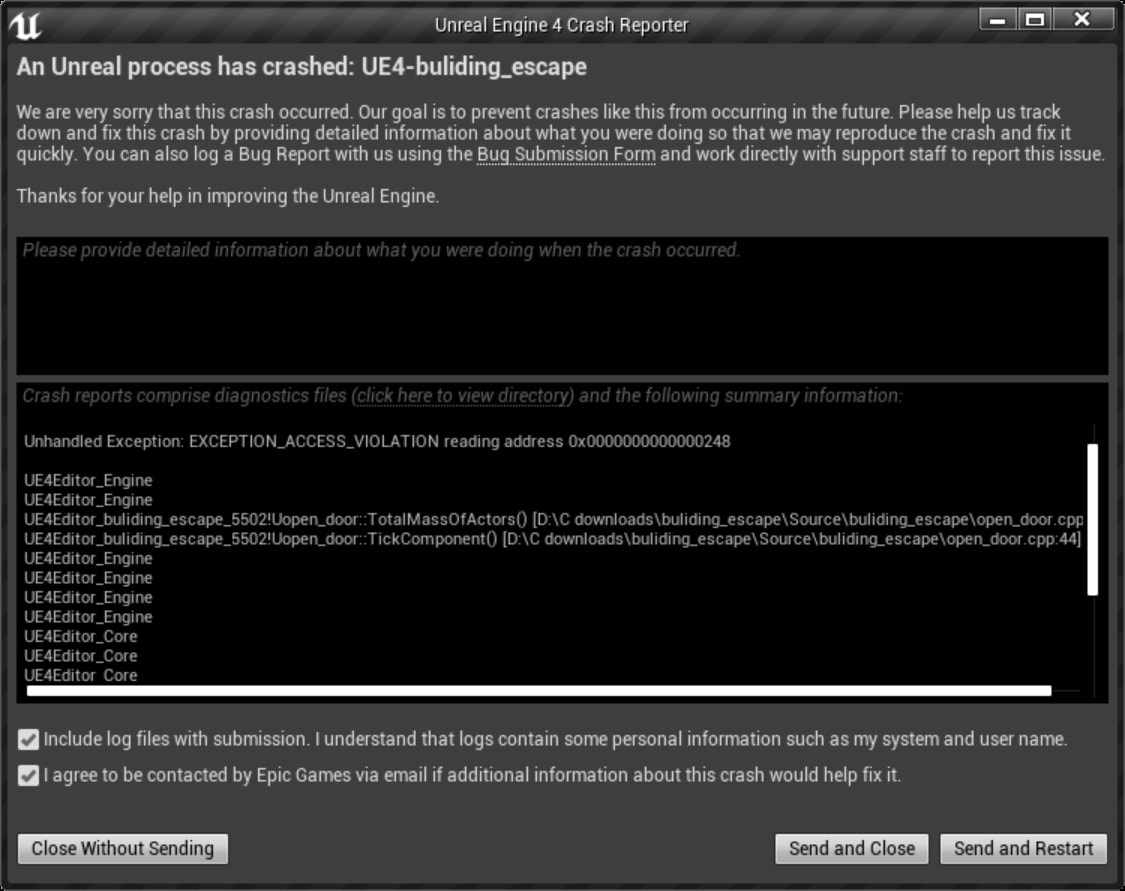
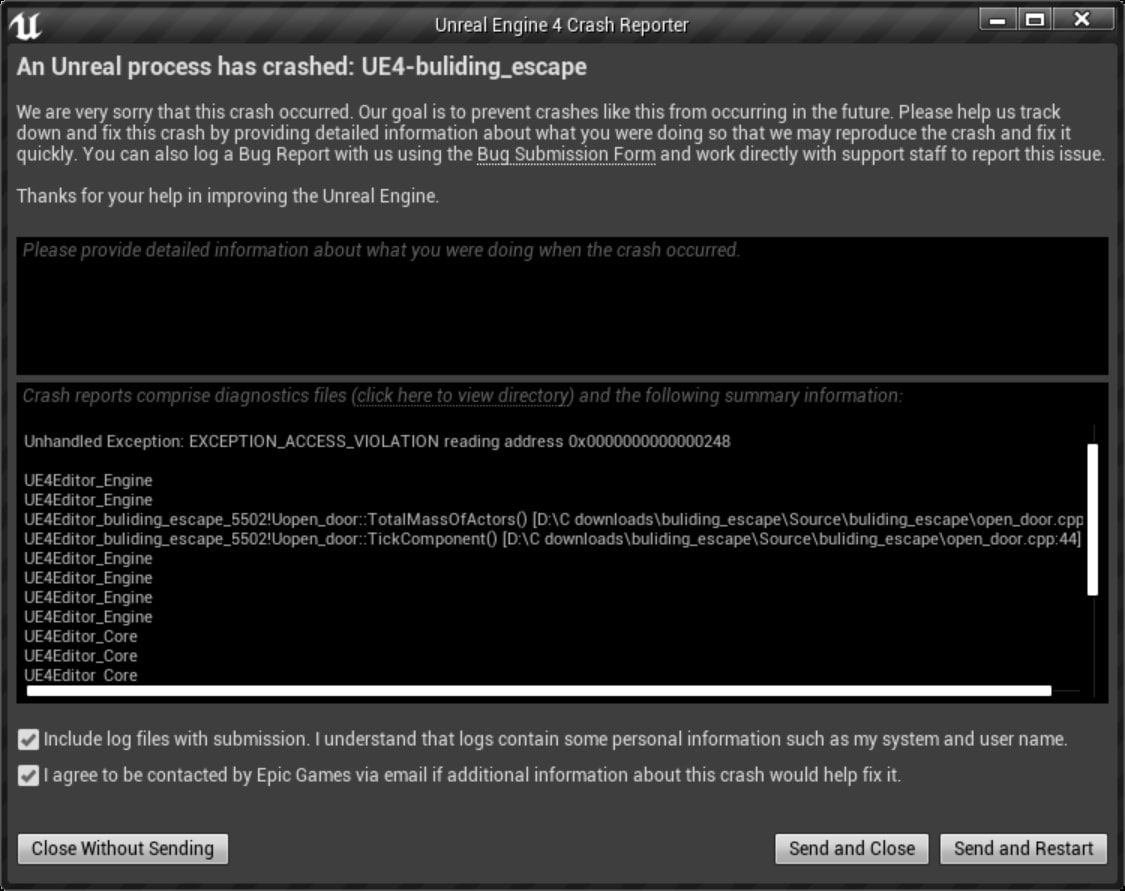
Hang detected on GameThread is a watchdog firing, not a description of what broke.
Unreal Engine runs a heartbeat check on its main threads. When the game thread fails to report in for a set period, the engine assumes it is deadlocked and kills the process deliberately. The message tells you the thread stopped responding — it says nothing about why.
Quick answer: In the large majority of cases the game thread is blocked waiting on the GPU, and Windows has already reset the graphics driver underneath it. Start by removing every overlay, clearing the shader cache, and reverting any GPU overclock — including the factory one on your card. Those three cover most real cases.
Which thread is named matters, and it is the first useful clue most people skip past.
Note
Key Takeaways
- The error is a timeout, not a cause. Something blocked the thread long enough for the watchdog to give up.
- Factory-overclocked GPUs are a leading cause. A card can be stable in benchmarks and unstable in one specific engine.
- Overlays hook the render path. Discord, Steam, GeForce Experience and RTSS are all common triggers.
- Windows resets an unresponsive GPU after 2 seconds by default, which the engine then reports as a hang.
- A corrupted shader cache produces this error repeatably at the same moment in a level.
Read the Full Error Before Anything Else
Unreal names the thread that stopped responding, and each one points somewhere different.
| Thread named | What was blocked | Most likely area |
|---|---|---|
| GameThread | Main game logic and simulation | GPU stall, storage stall, shader compile |
| RenderThread | Command list building for the GPU | Driver, overlay hooks, GPU instability |
| RHIThread | Direct GPU submission layer | Driver timeout, GPU hardware fault |
The full crash text often carries a second line worth more than the first. Look for:
DXGI_ERROR_DEVICE_REMOVEDorDXGI_ERROR_DEVICE_HUNG— the GPU was reset. This is a driver or GPU stability problem, full stop.Out of video memory— VRAM exhaustion.- A specific
.dllor module name — points at a driver or an injected overlay.
If you see DEVICE_REMOVED anywhere, skip ahead to the GPU stability section, because the hang message is only the downstream effect.
Where the crash log lives
Most Unreal titles write logs to:
%LOCALAPPDATA%\<GameName>\Saved\Logs\
Open the most recent .log file and read the last 50 lines. The engine usually records what it was doing immediately before the watchdog fired — loading a specific asset, compiling a shader, or waiting on a GPU fence.
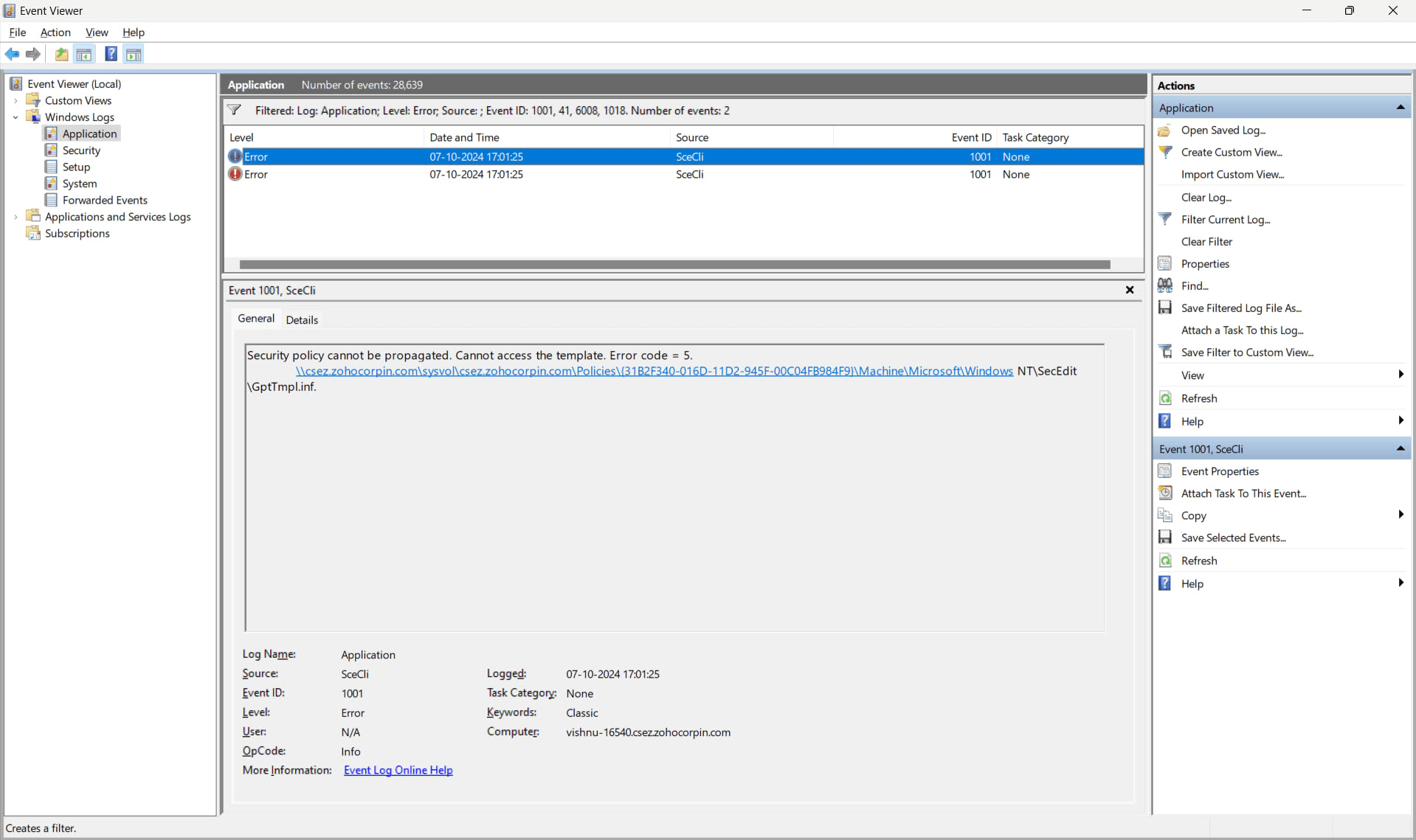
Cross-reference with Windows Event Viewer as well. A Display driver nvlddmkm stopped responding and has successfully recovered entry at the same timestamp confirms a driver timeout rather than a game bug.
Fix 1: Remove Every Overlay
Overlays inject themselves into the rendering path, and Unreal Engine titles are unusually sensitive to it. This is the cheapest fix and it resolves a meaningful share of cases on its own.
Disable all of these, not just the one you suspect:
- Discord — Settings → Game Overlay → turn off in-game overlay
- Steam — Settings → In Game → disable the Steam Overlay
- NVIDIA app / GeForce Experience — disable the in-game overlay and instant replay
- MSI Afterburner and RivaTuner (RTSS) — close entirely, not just hide the display
- Xbox Game Bar — Settings → Gaming → Game Bar
- Vendor RGB and peripheral suites, which frequently hook the same layer
Test with all of them off first. Reintroduce one at a time only after the game is stable, or you will not know which one mattered. Background capture in particular costs more than most people realise — our look at whether Discord lowers FPS covers how much overhead these tools actually add.
Fix 2: Clear the Shader Cache
A corrupted shader cache causes this crash at a consistent point — the same level, the same cutscene, the same effect firing. If your hang is reproducible rather than random, this is the likely cause.
Clear all three locations:
- The game's own cache — delete the
Savedfolder contents under%LOCALAPPDATA%\<GameName>\, keeping yourConfigandSaveGamesfolders. - The DirectX shader cache — run Disk Cleanup and tick DirectX Shader Cache.
- The vendor cache — NVIDIA and AMD both maintain their own, clearable through the driver control panel or Disk Cleanup.
Expect the first launch afterwards to stutter while shaders rebuild. That is normal and it settles. Our guide on whether you should clear your shader cache covers when this genuinely helps and when it just costs you a rebuild.

On Steam, also let shader pre-caching finish before launching rather than starting the game while it is still processing in the background.
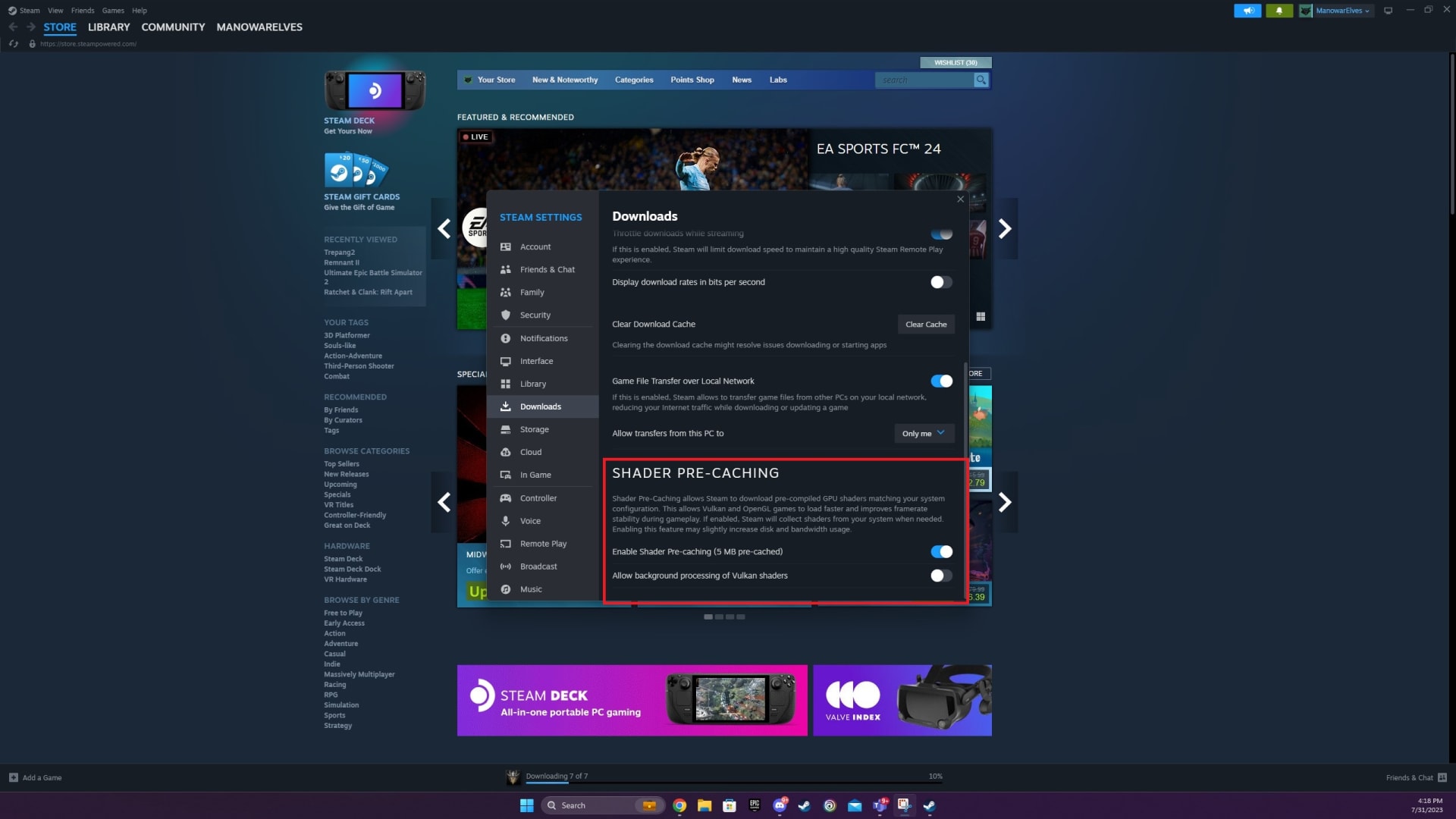
Fix 3: Revert the GPU Overclock — Including the Factory One
This is the fix people resist most and it is one of the most effective.
Almost every retail graphics card ships overclocked from the factory. Manufacturers validate those clocks against a set of standard workloads, and an engine that hammers the GPU in an unusual pattern can expose instability that no benchmark catches. A card can pass hours of stress testing and still fail in one specific Unreal title.
How to test it properly
- Open MSI Afterburner or your vendor's tuning tool.
- Apply a core clock offset of -100 MHz, leaving memory alone initially.
- Test the game. If it survives, you have your answer.
- If it still crashes, try -200 MHz core and a -500 MHz memory offset.
Memory instability is worth testing separately, because GDDR6X in particular runs hot and error-corrects under load in ways that show up as sudden hangs rather than visual artefacts.
If a negative offset fixes it, you can either keep it — the performance cost is a few percent at most — or undervolt instead, which usually recovers the lost clocks while lowering both temperature and transient power draw.

Warning
If the machine shuts down completely rather than showing a crash message, this is a different problem. A hard power-off with no error points at power delivery rather than GPU instability — see Kernel-Power Event 41 while gaming for how to read the log and tell the two apart.
Fix 4: Clean-Install the Graphics Driver
A driver upgrade layered over previous versions leaves fragments behind, and Unreal titles surface those problems more readily than most.
Use DDU (Display Driver Uninstaller) in Safe Mode to remove the existing driver completely, then install fresh from the vendor's site. Do not use the version Windows Update supplies.
If the crashes started immediately after a driver update, roll back to the previous version. Driver regressions affecting specific engines are common, and the newest release is not automatically the most stable one for the game you are playing.
While you are in the driver control panel, set Power management mode to Prefer maximum performance for that game. Aggressive clock gating between frames occasionally produces exactly this stall pattern.
Fix 5: Give It More VRAM Headroom
If the log mentions video memory, or if the crash happens when a new area loads, you are running out of VRAM.
Reduce, in this order:
- Texture quality — by far the largest VRAM consumer
- Ray tracing — expensive in memory as well as performance
- Frame generation — holds additional frame buffers
- Render resolution and upscaling quality
Texture settings cost VRAM without costing much GPU time, which is why dropping them one step is usually invisible while solving the crash outright. For where the real thresholds sit by resolution, see how much VRAM you need for gaming.
Fix 6: Page File and Storage
Unreal Engine 5 titles stream assets aggressively and commit large amounts of virtual memory. A restricted page file causes allocation stalls that look exactly like a hang.
- Set the page file to System managed, or fix it at 1.5x your installed RAM, on the drive holding the game.
- Verify the game files through your launcher — a partially corrupt asset can block the loader indefinitely.
- Check drive health. A failing SSD with reallocated sectors produces long read stalls, and the game thread blocked on storage will trip the same watchdog.
Fix 7: Test the Memory Profile
Unstable XMP or EXPO produces crashes that pass every synthetic test and fail in real games, because games access memory in far less predictable patterns than benchmarks do.
Disable the profile in BIOS, drop to JEDEC defaults, and test. If the hangs stop, re-enable the profile with a small voltage increase or one frequency bin lower.
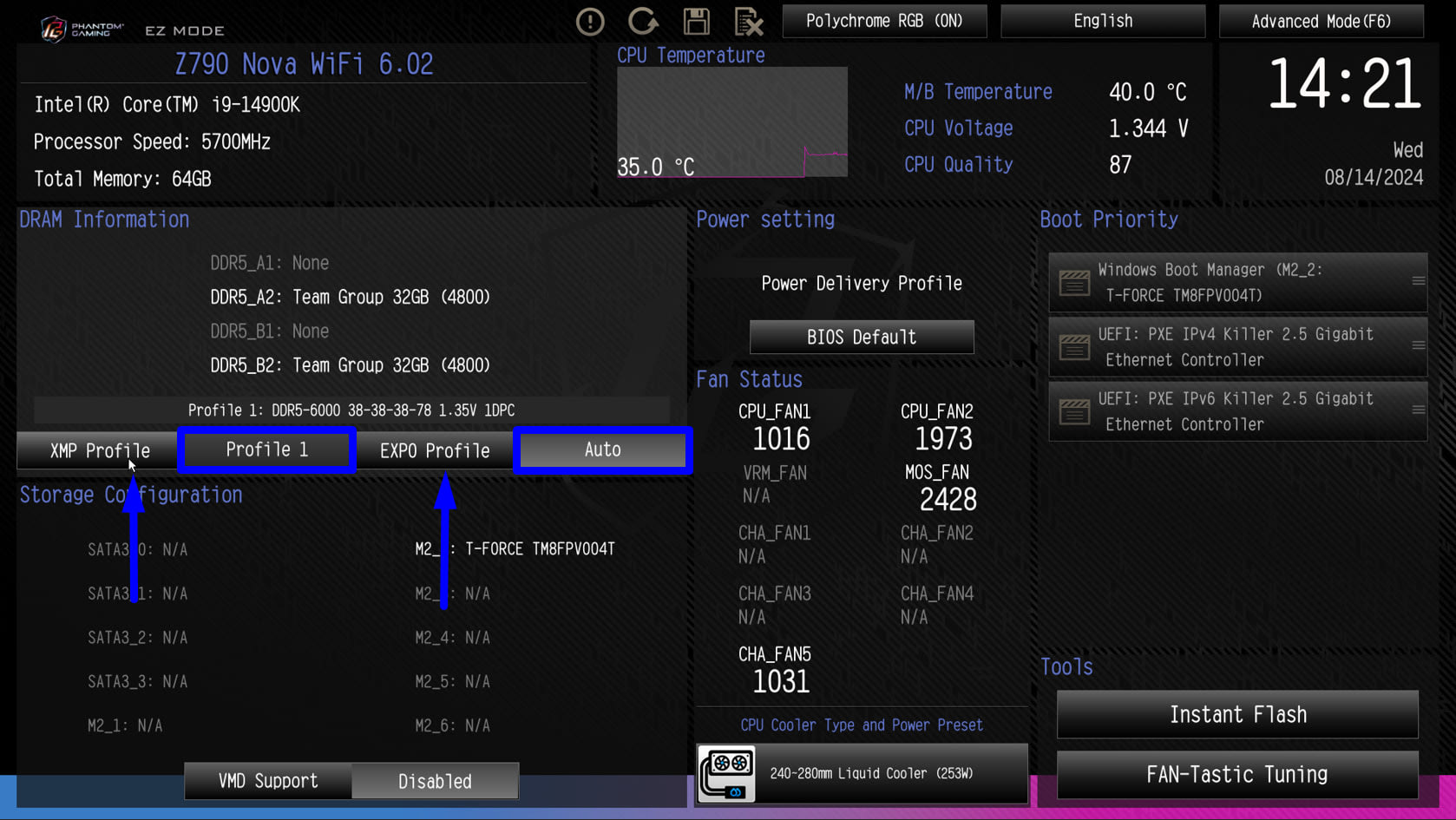
For memory that will not run at its advertised speed at all, DDR5 not running at its rated speed covers the training side of the same issue.
Fix 8: Try DirectX 11 and Check TDR
Some Unreal titles offer a DirectX 11 mode. If DX12 is unstable on your hardware, launching with -dx11 or -d3d11 in the launch options is a legitimate diagnostic — and if it fixes the problem, the fault is in the DX12 path rather than the game as a whole.
About raising TdrDelay
Windows resets a GPU that has not responded within 2 seconds by default, through Timeout Detection and Recovery. Raising TdrDelay in the registry gives the GPU longer before Windows intervenes.
Do this only after confirming a marginal timeout, and understand what it does: it does not make the GPU faster, it makes Windows more patient. If the underlying cause is an unstable overclock or a failing card, raising the timeout converts a clean crash into a longer freeze. It is a diagnostic, not a fix.
Diagnostic Order
| # | Step | Time | Rules out |
|---|---|---|---|
| 1 | Read the crash log and Event Viewer | 10 min | Which thread and which subsystem |
| 2 | Disable every overlay | 5 min | Injected hooks |
| 3 | Clear all shader caches | 15 min | Cache corruption |
| 4 | Apply a -100 MHz core offset | 15 min | Factory GPU overclock |
| 5 | Verify game files | 20 min | Corrupt assets |
| 6 | Lower textures one step | 5 min | VRAM exhaustion |
| 7 | DDU and clean-install the driver | 30 min | Driver corruption |
| 8 | Disable XMP/EXPO and retest | 15 min | Memory instability |
Frequently Asked Questions
What does "Hang detected on GameThread" actually mean?
It means Unreal Engine's watchdog stopped receiving a heartbeat from the main game thread and terminated the process deliberately. The message identifies which thread stopped responding, not what blocked it. In most cases the thread was waiting on a GPU operation that never completed, often because Windows had already reset the graphics driver.
Why does this happen in one game but not others?
Because engines stress hardware differently. An Unreal Engine 5 title can hold the GPU at a sustained load with a memory access pattern no other game produces, exposing instability in a factory overclock that every benchmark passed. It also uses aggressive asset streaming, which surfaces storage and page file limits that lighter games never reach.
Is a factory-overclocked graphics card really the cause?
Often, yes. Retail cards ship above reference clocks and are validated against standard workloads rather than every engine. Applying a -100 MHz core offset costs a few percent of performance and takes two minutes to test, which makes it one of the highest-value diagnostics available before you start reinstalling anything.
Should I increase TdrDelay in the registry?
Only as a diagnostic, and only after confirming a marginal timeout. Raising it gives the GPU longer before Windows resets it, but it does not address why the GPU stopped responding. If the real cause is an unstable overclock or failing hardware, a longer timeout turns a clean crash into an extended freeze.
Does deleting the Saved folder erase my progress?
It can, so be selective. Keep the SaveGames and Config subfolders and clear the rest, particularly the shader and log directories. Most Unreal titles also sync saves through Steam Cloud or the publisher's own service, but confirm that before deleting anything.
The Bottom Line
Treat the message as a timestamp rather than a diagnosis. Read the log, note which thread was named, and look for a DEVICE_REMOVED line — that single detail decides whether you are troubleshooting a GPU or something else entirely.
Then work the cheap fixes first: overlays off, shader caches cleared, and a negative clock offset applied. Those three resolve most cases, and none of them requires new hardware or a reinstall.
If the crash is timed rather than triggered — reliably arriving after a similar interval each session — the pattern points at heat or memory instead, and why games crash after 20 minutes covers that shape of failure. For hitching that never quite becomes a crash, how to fix stuttering in PC games is the better starting point.
Screenshots courtesy of the respective software vendors, used for editorial coverage.
Sources
- Epic Games, Unreal Engine Documentation: Threaded Rendering, retrieved 2026-08-18, https://dev.epicgames.com/documentation/en-us/unreal-engine/threaded-rendering-in-unreal-engine
- Microsoft Learn, Timeout Detection and Recovery (TDR), retrieved 2026-08-18, https://learn.microsoft.com/en-us/windows-hardware/drivers/display/timeout-detection-and-recovery
- Microsoft Learn, TDR registry keys, retrieved 2026-08-18, https://learn.microsoft.com/en-us/windows-hardware/drivers/display/tdr-registry-keys
- Microsoft Learn, DXGI_ERROR_DEVICE_REMOVED and device removal handling, retrieved 2026-08-18, https://learn.microsoft.com/en-us/windows/win32/direct3ddxgi/handling-device-removed-scenarios
- Epic Games Support, Troubleshooting crashes in Unreal Engine titles, retrieved 2026-08-18, https://www.epicgames.com/help/en-US/c-Category_EpicGamesStore/c-EpicGamesStore_Troubleshooting