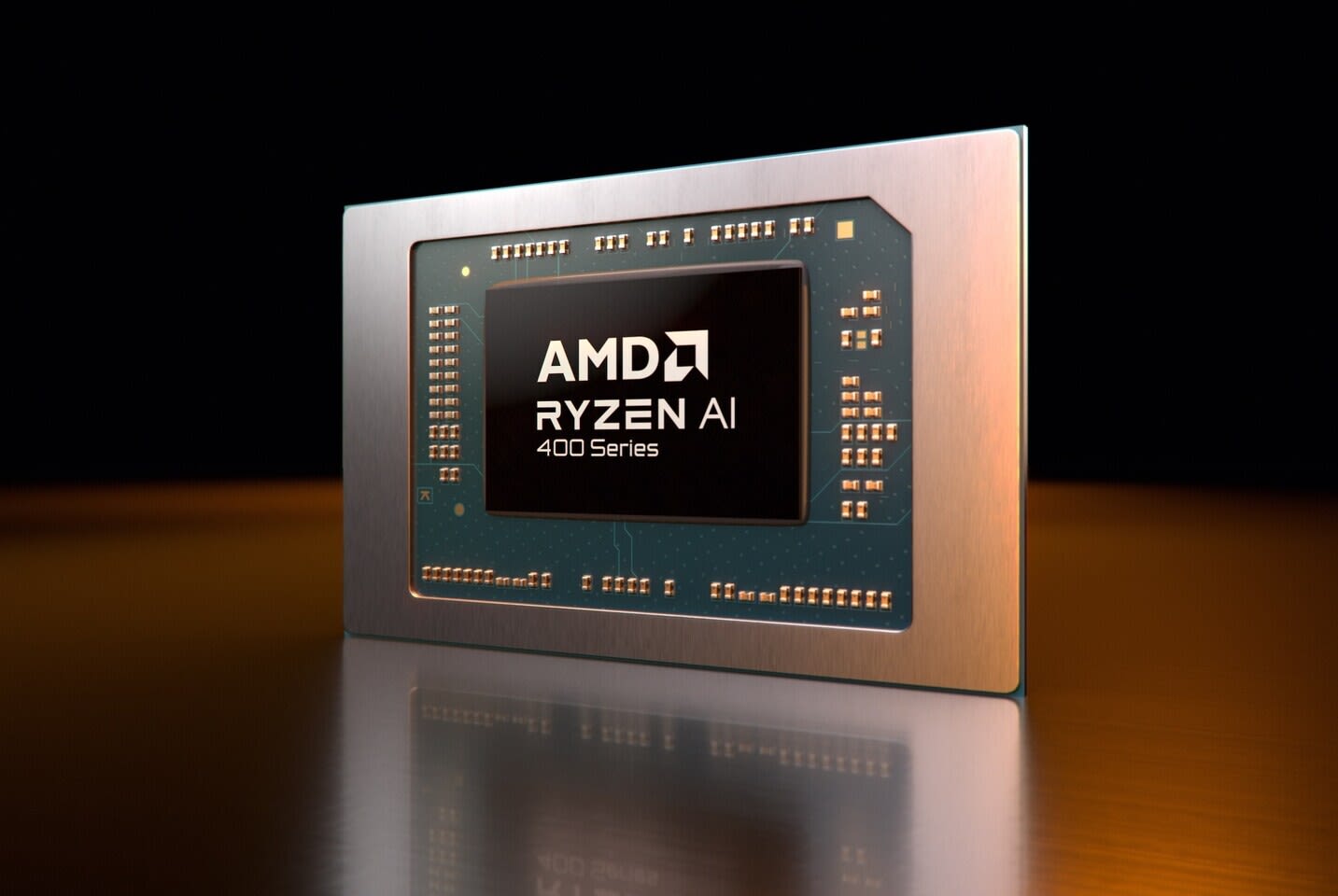
No, you don't need an NPU for gaming. Games render on the GPU, and the neural processing unit sits idle unless software is written to use it. The "AI PC" and "Copilot+ PC" stickers tell you what Windows features a laptop can run. They say almost nothing about how it plays Cyberpunk.
There is one real exception, and it is spreading. Microsoft's Auto SR upscaler runs on the NPU, and since April 2026 it works on the ROG Xbox Ally X as well as on Snapdragon laptops. It's part of Windows, not part of any game. Outside that, the NPU spends a gaming session doing nothing. If you're choosing between two machines at the same price, the one with the better graphics card wins, whatever its NPU is rated at.
Note
Key Takeaways
- An NPU is a low-power block for running small AI models. It doesn't render frames and games don't target it.
- Microsoft's Copilot+ badge requires an NPU rated above 40 TOPS, plus 16GB of RAM and 256GB of storage.
- Current thin-and-light laptop chips land at 50 to 80 NPU TOPS. Popular gaming desktop CPUs such as the Ryzen 9000 series have no NPU at all, and Intel's Core Ultra 200S has a 13 TOPS one.
- An RTX 5070, $549 at launch MSRP, is rated at 988 AI TOPS. DLSS, Nvidia Broadcast and local AI models run on that, not on the NPU.
- The one NPU feature for games so far is Auto SR, an OS-level upscaler on Snapdragon Copilot+ PCs and, in preview, the docked ROG Xbox Ally X.
- Spend on the GPU and its VRAM first. Treat an NPU as a free extra, never a reason to pay more.
What an NPU Actually Does
An NPU is a dedicated block on the processor that runs AI inference, meaning the math inside a trained model, using far less power than the CPU or GPU would. Microsoft's own developer guide describes it as "a specialized computer chip for AI-intensive processes like real-time translations and image generation."
The key word is power. A laptop NPU is built to blur a webcam background or transcribe a call for hours without draining the battery or spinning up the fans. It isn't built to be fast in absolute terms. It trades raw throughput for efficiency, and it usually runs models that have been squeezed down to 8-bit integer math to fit.
The same guide makes a second point that matters more for gamers: "Like other hardware resources on a PC, the NPU needs software to be specifically programmed to take advantage of the benefits it offers." A game has to be written to send work to the NPU. The AI work that current games do ship, such as DLSS and FSR upscaling, runs on the graphics card instead.
Where TOPS comes from
TOPS means trillions of operations per second. It's a peak figure, usually quoted at 8-bit integer precision; Qualcomm's X2 Elite spec sheet and AMD's CES 2026 deck both label their numbers "INT8" or "8-bit". Treat it like a GPU's boost clock: useful for comparing chips from the same family, much less useful across vendors, and never a direct measure of how any real app will perform.
Does an NPU Raise FPS in Games?
Not directly, and in most games not at all, because nothing in the game hands it work. Frames are drawn by the GPU, game logic runs on the CPU, and the NPU has no role in either unless the developer puts it there.
You'll see claims that an NPU "frees up" the CPU by taking over background AI tasks. That's true only if you run those tasks while you play. A laptop running Windows Studio Effects on its webcam during a Discord call does offload that work from the CPU. A desktop with nothing AI-flavoured running in the background has nothing to offload.
You can check this yourself. On machines with an NPU, Windows 11 Task Manager shows it as its own graph under Performance, next to CPU and GPU. Leave it open while you play and see whether anything touches it. If you're chasing lost frames during calls, our breakdown of whether Discord lowers FPS covers the causes that actually show up in benchmarks.
The one exception: Auto SR
Automatic Super Resolution, Microsoft's OS-level upscaler, is the first gaming feature that runs on the NPU. It renders the game at a lower resolution and uses an AI model to rebuild a sharper image, without the developer adding any support.
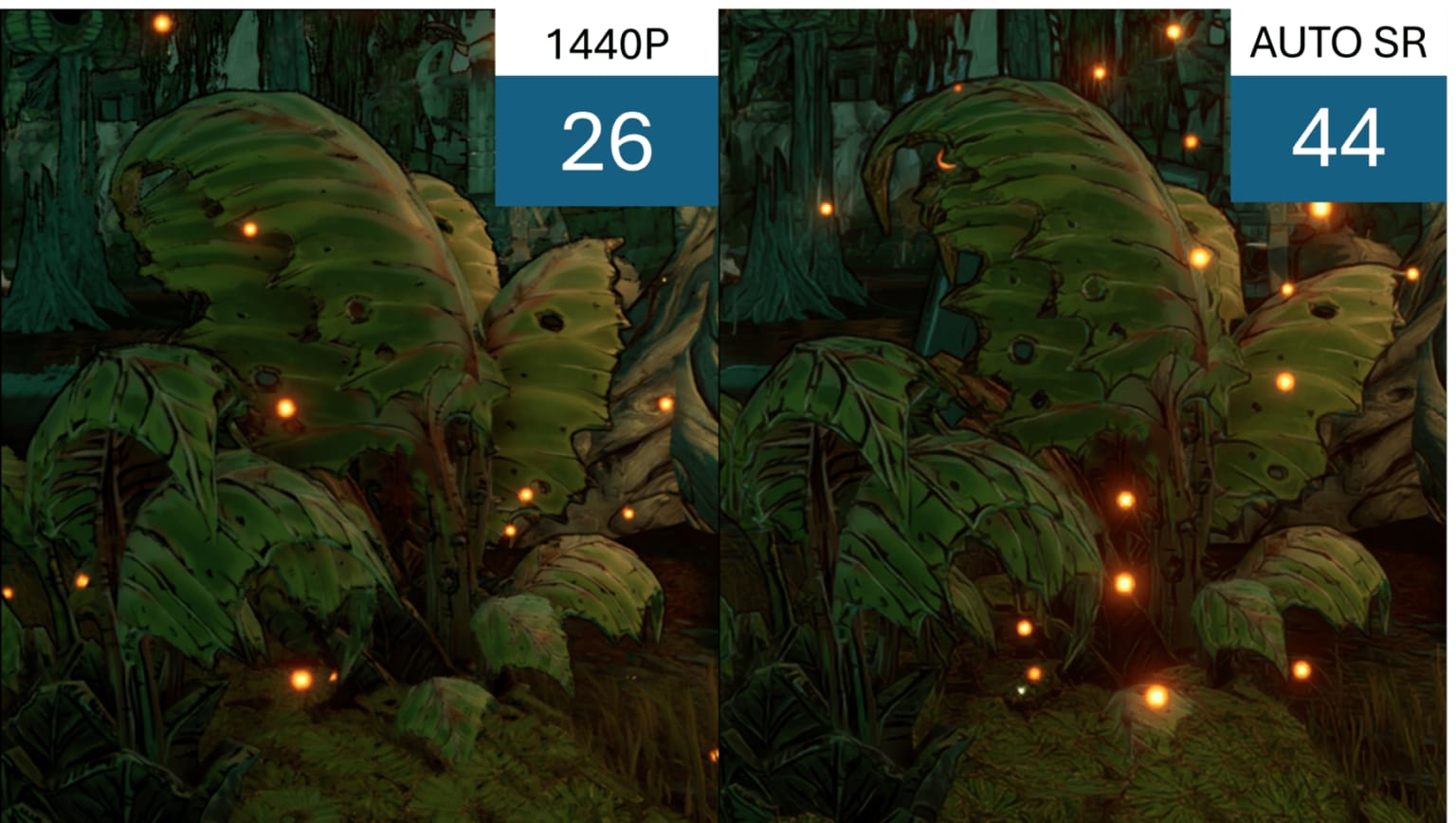
It launched on Snapdragon X Copilot+ laptops in 2024. On April 30, 2026, Microsoft brought a preview to the ROG Xbox Ally X, whose Ryzen AI Z2 Extreme has a 50 TOPS NPU. The DirectX team's announcement explains the approach: "Auto SR sidesteps this limit by running larger models on the NPU in parallel with the GPU." In Microsoft's own Forza Horizon 5 demo, Auto SR delivered "a 30% FPS boost over native 1440p at similar visual quality."
The caveats are significant. The Ally X preview is docked play only, needs Xbox Insider enrolment, and works with DirectX 10 or later games. At launch the list covered 16 titles, including Avowed, Control, DOOM: The Dark Ages and The Outer Worlds 2. The 30% figure is Microsoft's own claim for one game, not an independent test, and Respawno hasn't benchmarked the preview either. Treat it as a ceiling until someone does. And on a machine with a discrete RTX or Radeon card, DLSS or FSR running on the GPU already does this job, better and in far more games. How the GPU-side upscalers compare is covered in our AI upscaling news roundup.
Which Chips Have an NPU, and How Many TOPS?
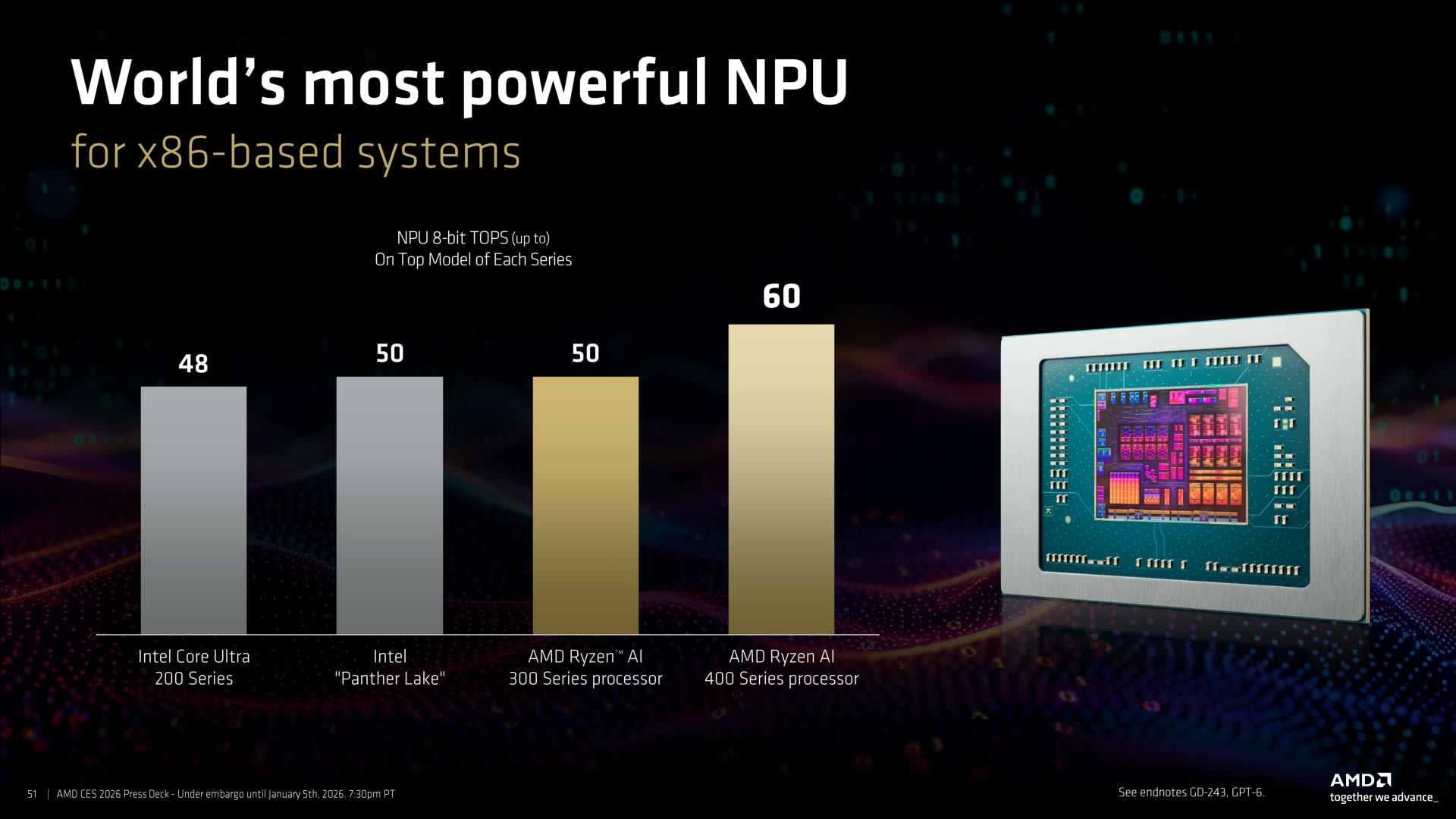
Most 2026 laptop processors ship with an NPU above Microsoft's 40 TOPS line, while desktop gaming CPUs and Intel's HX laptop chips have a weak NPU or none. The table below uses each vendor's own figures, as the maximum for the family.
| Chip family | Where you'll find it | NPU TOPS (up to) | Copilot+ eligible |
|---|---|---|---|
| Qualcomm Snapdragon X2 Elite | Thin laptops (Arm) | 80 | Yes |
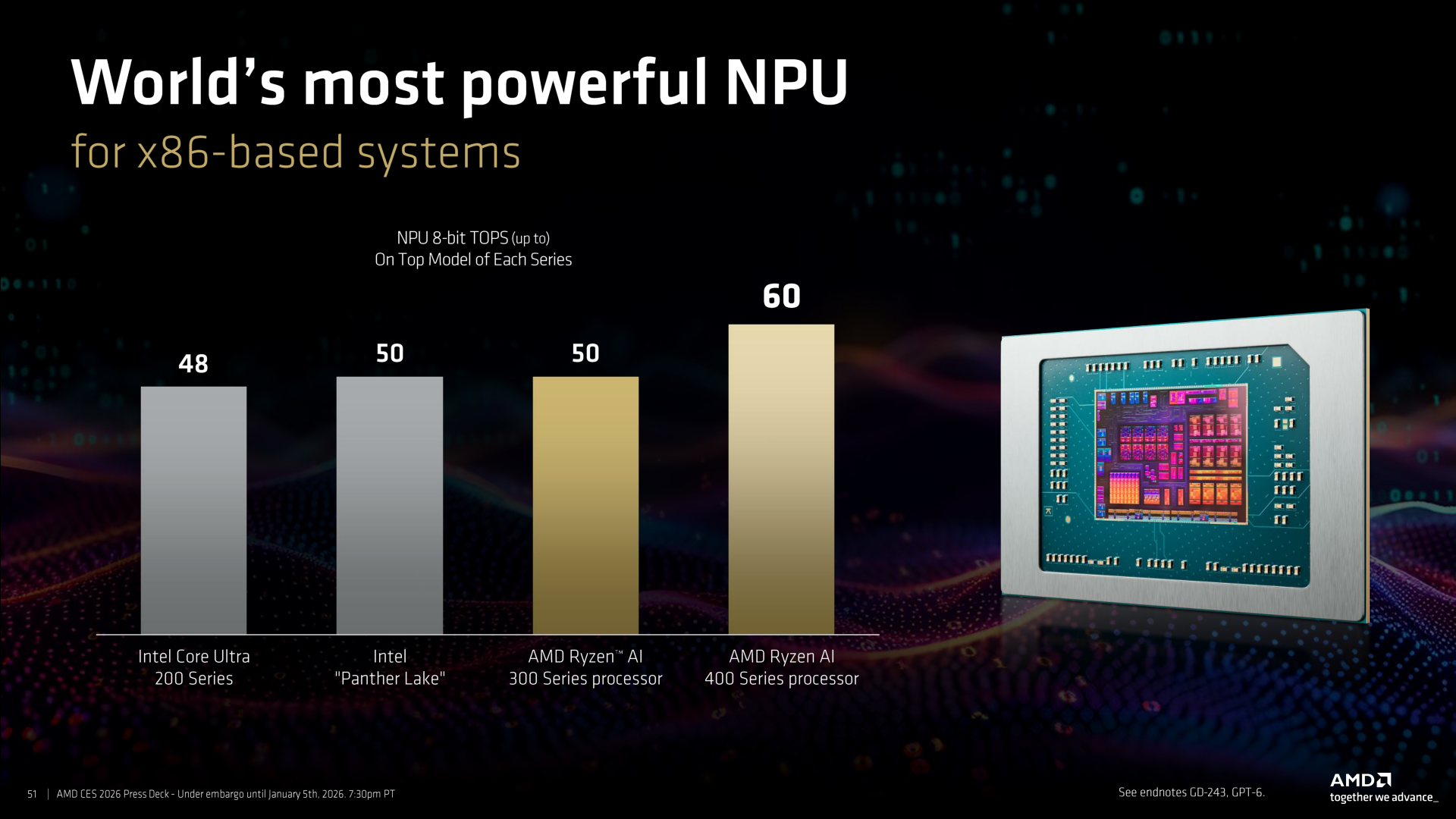
| AMD Ryzen AI 400 (mobile) | 2026 laptops | 60 | Yes |
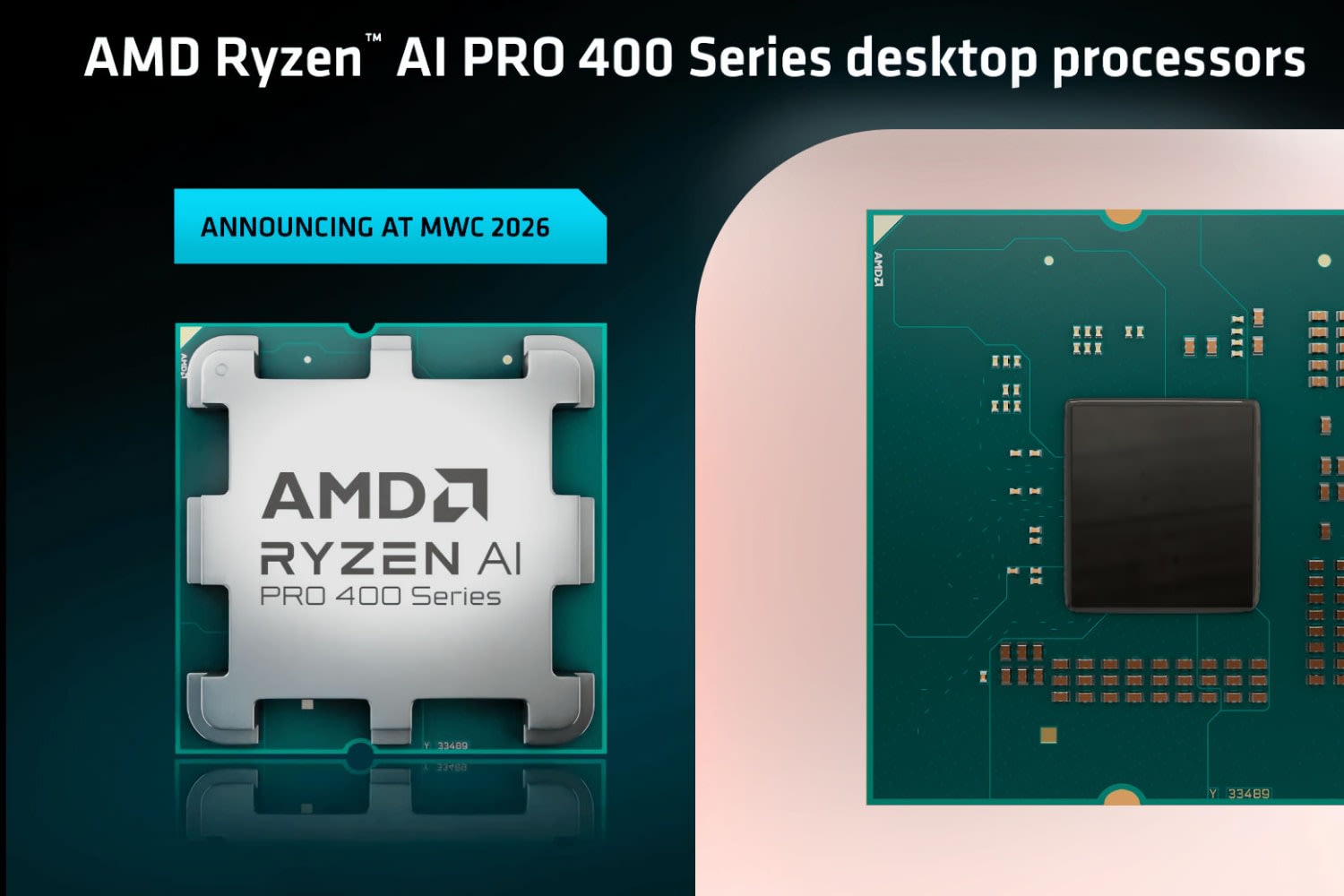
| AMD Ryzen AI 400 / PRO 400 (desktop, AM5) | Office and small desktops | 50 | Yes |
| Intel Core Ultra Series 3 (Panther Lake) | 2026 laptops | 50 | Yes |
| AMD Ryzen AI 300 | 2024–25 laptops | 50 | Yes |
| AMD Ryzen AI Z2 Extreme | ROG Xbox Ally X handheld | 50 | Not listed |
| Intel Core Ultra 200S (Arrow Lake) | Gaming desktops | 13 | No |
| AMD Ryzen 8000G | Budget APU desktops | 16 | No |
| AMD Ryzen 9000 (including the 9800X3D) | Gaming desktops | None | No |
Look at the bottom three rows. The desktop chips gamers actually buy have the weakest NPUs or none. That was a deliberate choice. When Intel launched Arrow Lake, its vice president Robert Hallock told PCWorld it "was fully possible to put a 50 TOPS, 40 TOPS NPU on this product, but to do so would also require shrinking the core count, changing the GPU core count." Intel kept the silicon for the parts gamers benchmark.
AMD made the same trade with the Ryzen 9000 series, which dropped the NPU entirely. If you're deciding between desktop CPUs, cores and cache still decide gaming performance, which is the ground covered in Ryzen 5 vs Ryzen 7 for gaming.
What "AI PC" and "Copilot+ PC" Actually Mean
"Copilot+ PC" is a Microsoft certification with fixed hardware rules, while "AI PC" is a looser marketing phrase. In practice it means little more than "has an NPU," and mixing the two up is how people pay for the wrong one.
Microsoft defines Copilot+ PCs as Windows 11 machines with an NPU that "can perform more than 40 trillion operations per second (TOPS)," along with at least 16GB of RAM and 256GB of storage. The 40 TOPS must come from the NPU alone. Some spec sheets advertise a much bigger "platform TOPS" figure by adding the CPU and GPU together; Intel quotes 180 platform TOPS for Panther Lake, of which 50 is the NPU. Only the NPU number counts toward the badge.
"AI PC" has no such floor. Intel used it for its first Meteor Lake laptops, whose NPU PCWorld puts at 11.5 TOPS, under a third of the Copilot+ requirement. A machine can carry the AI PC sticker and still miss every Copilot+-exclusive Windows feature.
Neither label says anything about the GPU. A Copilot+ ultrabook with integrated graphics and a gaming laptop with an RTX 5070 and no Copilot+ badge are both plausible 2026 purchases, and only one of them is a gaming machine.
What Actually Uses the NPU Today
Windows camera and voice effects, Recall and Auto SR use the NPU; the AI tools most gamers actually run lean on the GPU or the cloud. Here's where the line falls.
Runs on the NPU
Windows Studio Effects (background blur, eye contact, automatic framing, voice focus), Recall, and the other Copilot+-exclusive Windows features. Auto SR on supported devices.
Runs on the GPU
DLSS, FSR and XeSS upscaling and frame generation. Nvidia Broadcast's noise removal and virtual backgrounds, which need an RTX card's Tensor Cores. Most local AI chatbots and image generators.
No NPU required
Microsoft's Gaming Copilot beta in the Game Bar. Its announcement lists no NPU or Copilot+ requirement, only enrolment in the Xbox PC Gaming Preview.
Streaming and camera effects
For streamers, this is the part that matters. Windows Studio Effects needs an NPU: Microsoft's support page says it "requires a Copilot+ PC with an NPU boasting over 40 tera operations per second (TOPS)," and adds extras such as portrait blur and creative filters on some devices. It's a good webcam cleanup tool on a laptop with no discrete GPU.
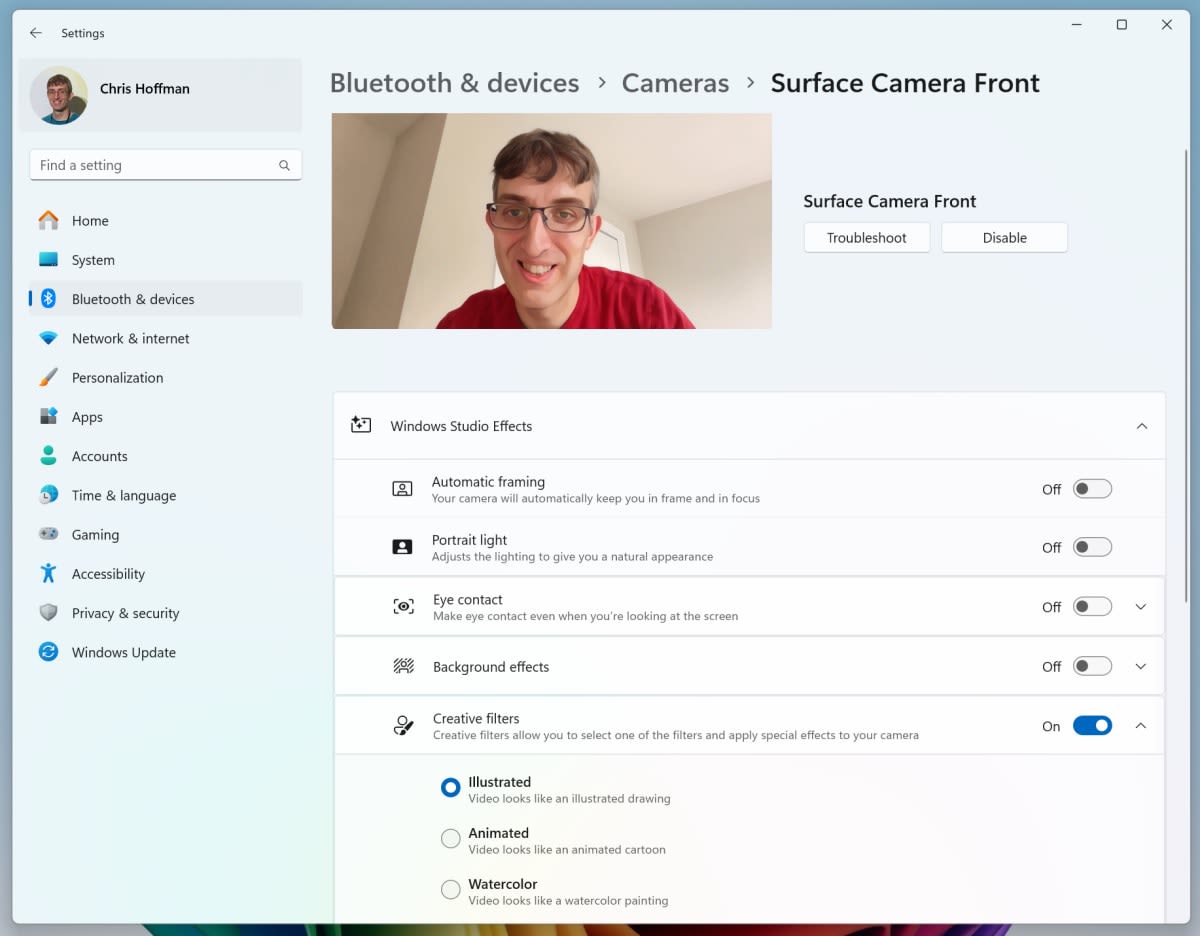
On a desktop with a GeForce card, though, Nvidia Broadcast covers the same ground on the GPU. Nvidia lists an RTX 2060 or better as the requirement and says the effects run on the card's Tensor Cores. We compare the microphone side of this in our guide to AI noise suppression for gamers.
Why a Graphics Card Makes the NPU Look Small
A mid-range graphics card is rated for 12 to 20 times the AI throughput of a current laptop NPU. Nvidia rates the GeForce RTX 5070, launched at a $549 MSRP, at 988 AI TOPS and the RTX 5090 at 3,352, against the 50 to 80 TOPS of today's NPUs.
Vendors don't measure these numbers identically, so treat that ratio as rough. The gap is still too big for measurement quirks to close. The GPU is also where the AI features gamers use already live: DLSS upscaling and frame generation run on the Tensor Cores, which is why the frame generation input lag trade-off is a GPU question, not an NPU one.
The same logic applies if you want to run AI models yourself. A local chatbot or image generator is limited by how much fast memory it can fit into, and that points at GPU VRAM or a large unified-memory APU, not at NPU TOPS. We cover the sizing in how much VRAM you need for local AI models and the APU route in unified memory APUs for local AI.
What the NPU does better is power efficiency. On battery, it can keep a webcam effect or a live transcription running without waking the GPU, which is the whole reason Microsoft built Copilot+ around it. That's a real benefit. It just isn't a gaming one.
What to Prioritise Instead When Buying
Buy for the GPU first, its VRAM second, then the CPU and RAM, and treat the NPU as a tiebreaker at most. That order holds for laptops, desktops and handhelds, with small differences in each.
Gaming laptops
Gaming laptops split into two camps. Models built on Ryzen AI 400 or Core Ultra Series 3 get a 50 TOPS NPU and Copilot+ features whether you want them or not. Many high-end models use Intel's HX chips instead, which PCWorld reports carry the same 13 TOPS NPU as the desktop Core Ultra 200S. Neither fact changes the frame rate. Compare the discrete GPU model, its power limit and its VRAM. An 8GB card will show its age sooner than a 12GB one, as our guide to how much VRAM you need for gaming explains.
Gaming desktops
Don't pick a CPU for its NPU. The Ryzen 7 9800X3D has none and remains one of the fastest gaming processors available. If the budget is tight, the money belongs in the graphics card; our best budget GPU for 2026 comparison is the place to start, and what to upgrade first in a gaming PC covers the order for an existing build.
Handhelds and thin laptops
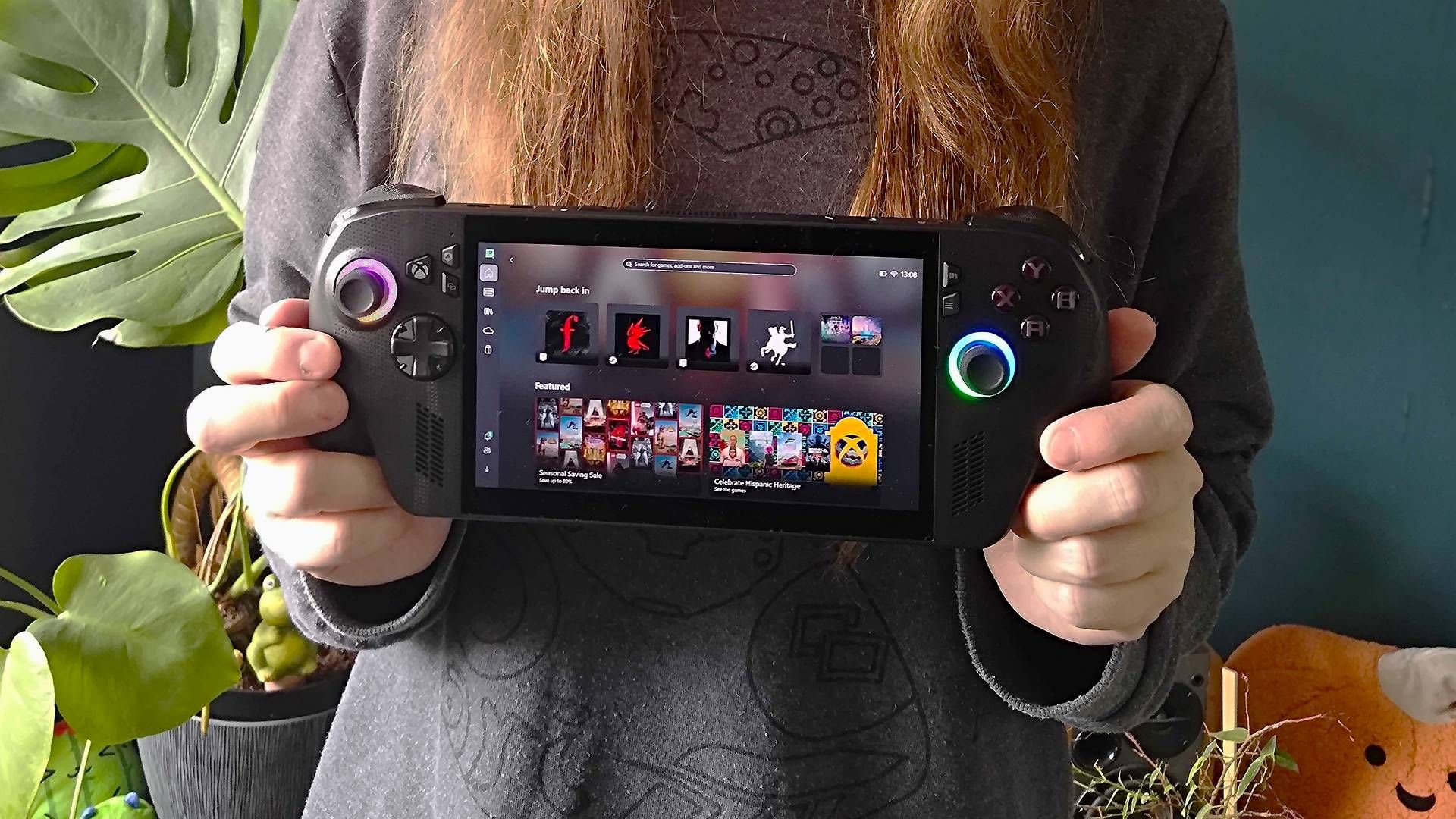
Handhelds and integrated-graphics laptops are the one category where an NPU can earn its keep. With no discrete GPU, Auto SR on the NPU is extra upscaling you wouldn't otherwise have, and the power savings matter on battery. Even so, the integrated GPU and memory bandwidth decide what's playable, which our list of games that run on integrated graphics shows title by title.
Tip
If a laptop is marketed on its "AI TOPS", find the NPU figure on its own. If that number is 40 or above, it qualifies for Copilot+. If the headline number is much larger, it includes the CPU and GPU, and the GPU part is what matters for games.
Frequently Asked Questions
Do I need an NPU for gaming?
No, an NPU does nothing for frame rates in today's games. Games render on the GPU and run their logic on the CPU, and the NPU only does work when software is written for it. The only NPU-based gaming feature is Microsoft's Auto SR upscaler, available on Snapdragon X Copilot+ laptops and, in preview, on the docked ROG Xbox Ally X.
Does a Copilot+ PC run games better?
Not because of the Copilot+ badge. The certification only requires a 40+ TOPS NPU, 16GB of RAM and 256GB of storage. It says nothing about the graphics card, so a Copilot+ ultrabook with integrated graphics can be much slower in games than an older laptop with a discrete GPU.
Does DLSS use the NPU?
No. DLSS upscaling and frame generation run on the Tensor Cores inside Nvidia RTX graphics cards. AMD's FSR and Intel's XeSS also run on the GPU. Microsoft's Auto SR is the NPU-based alternative, and it works at the Windows level rather than inside the game.
How many TOPS do I need for gaming?
None. TOPS measures AI inference throughput, not rendering speed. If you want Copilot+ Windows features, look for an NPU rated above 40 TOPS. For gaming performance, compare the GPU model and its VRAM instead.
Is an NPU useful for streaming?
Somewhat, on laptops. Windows Studio Effects uses the NPU for background blur, eye contact and voice focus on Copilot+ PCs. On a desktop with an RTX card, Nvidia Broadcast does the same job on the GPU's Tensor Cores and doesn't need an NPU at all.
The Bottom Line
An NPU is a battery-saving AI coprocessor, and for gaming it is almost always idle. The Copilot+ badge, which only certifies an NPU above 40 TOPS, buys you Windows camera effects, Recall and a handful of on-device AI features. All useful on a thin laptop. None of them touch frame rate.
When you're buying a machine to play games on, read past the AI stickers and compare the graphics card, its VRAM, then the CPU. The NPU is worth noticing only on a handheld or an integrated-graphics laptop, where Auto SR can add upscaling nothing else would provide. Even there, it's a bonus rather than a reason to spend more.
Images courtesy of AMD, Microsoft, GamesRadar+ and PCWorld, used for editorial coverage.
Sources
- Microsoft Learn, Copilot+ PCs developer guide, retrieved 2026-09-10, https://learn.microsoft.com/en-us/windows/ai/npu-devices/
- Microsoft Support, Windows Studio Effects, retrieved 2026-09-10, https://support.microsoft.com/en-us/windows/ai/ai-features/windows-studio-effects
- Microsoft DirectX Developer Blog, Automatic Super Resolution Preview Comes to the ROG Xbox Ally X for Docked Play, retrieved 2026-09-10, https://devblogs.microsoft.com/directx/autosrpreview/
- Windows Experience Blog, Gaming Copilot (Beta) available on Game Bar for Windows PC for Xbox Insiders, retrieved 2026-09-10, https://blogs.windows.com/windowsexperience/2025/08/06/gaming-copilot-beta-available-on-game-bar-for-windows-pc-for-xbox-insiders/
- AMD, AMD Gives Consumers and Businesses More AI PC Options with Expanded Ryzen AI 400 Series Portfolio, retrieved 2026-09-10, https://ir.amd.com/news-events/press-releases/detail/1281/amd-gives-consumers-and-businesses-more-ai-pc-options-with-expanded-ryzen-ai-400-series-portfolio
- AMD, AMD Ryzen 7 8700G Desktop Processor specifications, retrieved 2026-09-10, https://www.amd.com/en/products/processors/desktops/ryzen/8000-series/amd-ryzen-7-8700g.html
- ServeTheHome, AMD CES 2026 Ryzen AI 400 NPU Performance (AMD press deck slide), retrieved 2026-09-10, https://www.servethehome.com/wp-content/uploads/2026/01/AMD-CES-2026-Ryzen-AI-400-NPU-Performance.png
- PC Perspective, CES 2026: Intel Launches Core Ultra 3 Series "Panther Lake" Processors, retrieved 2026-09-10, https://pcper.com/2026/01/ces-2026-intel-launches-core-ultra-3-series-panther-lake-processors/
- PCWorld, Intel's Core Ultra desktop CPUs keep AI simple to make gamers happy, retrieved 2026-09-10, https://www.pcworld.com/article/2480565/intels-core-ultra-desktop-cpus-keep-ai-simple-to-make-gamers-happy.html
- Qualcomm, Snapdragon X2 Elite Platforms Product Brief, retrieved 2026-09-10, https://www.qualcomm.com/content/dam/qcomm-martech/dm-assets/documents/Snapdragon-X2-Elite-Product-Brief.pdf
- ASUS ROG, ROG Xbox Ally X (2025) specifications, retrieved 2026-09-10, https://rog.asus.com/gaming-handhelds/rog-ally/rog-xbox-ally-x-2025/spec/
- NVIDIA Newsroom, NVIDIA Blackwell GeForce RTX 50 Series Opens New World of AI Computer Graphics, retrieved 2026-09-10, https://nvidianews.nvidia.com/news/nvidia-blackwell-geforce-rtx-50-series-opens-new-world-of-ai-computer-graphics
- NVIDIA, Frequently Asked Questions: NVIDIA Broadcast App, retrieved 2026-09-10, https://www.nvidia.com/en-us/geforce/broadcasting/broadcast-app/faq/