A 4-bit 8B model needs about 5GB of VRAM, a 14B model about 9GB and a 32B model about 20GB, before the conversation itself takes its share. Those three numbers cover most of what people run in Ollama or LM Studio on a gaming PC.
You can work out what any model needs before you download it. The weights are simple arithmetic, the context adds a predictable amount on top, and once you know both, the question of which card runs what mostly answers itself. The one thing the arithmetic hides is how badly speed falls when a model doesn't quite fit, so that gets its own section.
Note
Key Takeaways
- Weights take parameters × bits per weight ÷ 8 bytes. An 8B model is about 16GB at 16-bit and about 5GB at the common Q4_K_M quantization.
- Context costs extra. For Qwen3-8B, every token of conversation holds 144KB of cache, which comes to roughly 0.6GB at 4,096 tokens and 4.8GB at 32,768.
- 8GB cards run 7B and 8B models, 16GB cards run 14B models and gpt-oss-20b, and a 32B model at 4-bit needs a 24GB or 32GB card.
- A model that spills into system RAM keeps working but slows sharply, because dual-channel DDR5 has about a tenth of the bandwidth of an RTX 5080's VRAM.
- For AI work, capacity beats speed. A 16GB RTX 5060 Ti runs models a 12GB RTX 5070 can't hold.
The Formula: Parameters × Bits ÷ 8
A model's weights take its parameter count multiplied by bits per weight, divided by eight, so an 8-billion-parameter model at 16-bit precision needs about 16GB. NVIDIA's inference guide uses the same arithmetic: a 7B model "loaded in 16-bit precision (FP16 or BF16) would take roughly 7B * sizeof(FP16) ~= 14 GB in memory."
But almost nobody runs models at 16-bit on a gaming card. Local tools use quantized files, usually in llama.cpp's GGUF format, which store each weight in fewer bits. The file names tell you the level, but not exactly: "Q4" files average closer to 5 bits per weight, because each block of weights also stores scaling values.
llama.cpp's own measurements for Llama 3.1 8B show how much each step saves:
| Format | Bits per weight | Llama 3.1 8B file size |
|---|---|---|
| F16 | 16.0 | 14.96 GiB |
| Q8_0 | 8.50 | 7.95 GiB |
| Q6_K | 6.56 | 6.14 GiB |
| Q5_K_M | 5.70 | 5.33 GiB |
| Q4_K_M | 4.89 | 4.58 GiB |
| Q3_K_M | 4.00 | 3.74 GiB |
| Q2_K | 3.16 | 2.95 GiB |
Q4_K_M is the level most people end up on, and it's what Ollama gives you by default. Its qwen3:8b tag is the same 5.2GB file as qwen3:8b-q4_K_M. Each step down costs some output quality. The llama.cpp documentation notes that quantizing with an importance matrix file reduces that loss, which is why well-made GGUF uploads mention one.
A quick way to estimate any model
Multiply the parameter count in billions by the bits per weight, then divide by eight. A 14B model at Q4_K_M works out to 14 × 4.89 ÷ 8, or about 8.6GB. Ollama's actual qwen3:14b file is 9.3GB. Real files tend to land a little above the estimate, so treat the result as a floor.
Context Length Is the Cost Everyone Forgets
Every token in the conversation also occupies VRAM in the KV cache, and on long chats that adds several gigabytes on top of the weights. The model stores a key and a value for every token at every layer, so it doesn't have to recompute them for each new word.
The size per token is 2 × layers × KV heads × head dimension × bytes per value. Qwen3-8B's published configuration lists 36 layers, 8 key-value heads and a head dimension of 128, with values stored in 16-bit (2 bytes). That's 147,456 bytes, roughly 144KB for every token.
| Context length | KV cache (16-bit) | KV cache (q8_0) |
|---|---|---|
| 4,096 tokens | 0.6GB | 0.3GB |
| 16,384 tokens | 2.4GB | 1.2GB |
| 32,768 tokens | 4.8GB | 2.4GB |
| 40,960 tokens | 6.0GB | 3.0GB |
So the 5.2GB model becomes an 11GB job if you open up its full 40,960-token window. More than double. Ollama avoids this by default: its FAQ says the default context length is 4,096 tokens, which you can raise with OLLAMA_CONTEXT_LENGTH or num_ctx.
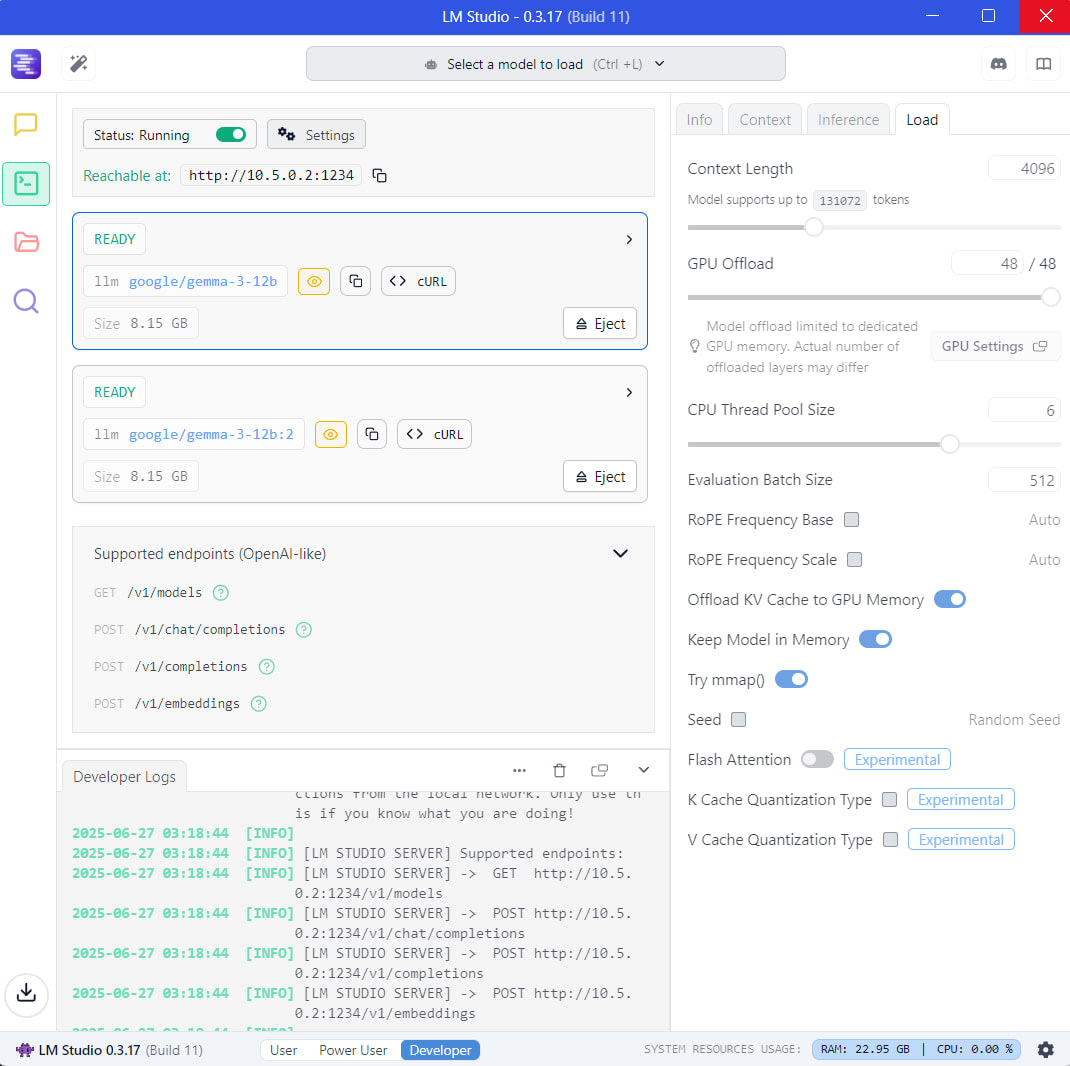
The cache can be compressed too. Ollama's OLLAMA_KV_CACHE_TYPE setting accepts q8_0, which uses about half the memory of the default f16, and q4_0, about a quarter. LM Studio has the same thing as K and V cache quantization toggles in its load settings. When a model almost fits, the q8_0 cache is usually the first setting to try.
How Much VRAM Each Model Size Needs
A 4-bit 14B model needs about 9GB of VRAM, and a 4-bit 32B model about 20GB, before context. The table below uses Ollama's published file sizes for the Qwen3 family and Llama 3.3 70B, plus the two open-weight gpt-oss models, since they're common local choices.
| Model | Q4_K_M | Q8_0 | FP16 |
|---|---|---|---|
| Qwen3 8B | 5.2GB | 8.9GB | 16GB |
| Qwen3 14B | 9.3GB | 16GB | 30GB |
| Qwen3 30B-A3B (mixture of experts) | 19GB | 33GB | 61GB |
| Qwen3 32B | 20GB | 35GB | 66GB |
| gpt-oss-20b | runs within 16GB (MXFP4) | n/a | n/a |
| Llama 3.3 70B | 43GB | 75GB | 141GB |
gpt-oss-20b is the outlier worth knowing about. OpenAI's model card lists it at 21B parameters with 3.6B active per token, and the mixture-of-experts weights are quantized to MXFP4 so it can "run within 16GB of memory." Its larger sibling, gpt-oss-120b, needs a single 80GB GPU, which puts it well beyond any gaming card.
Each figure still needs its KV cache on top, plus a little room. Windows, your browser and any open game already hold some VRAM before a model loads.
Which Gaming GPUs Run Which Models
For local AI, VRAM capacity decides which models a card can run, which is why a 16GB RTX 5060 Ti holds models that a faster 12GB RTX 5070 cannot. A card that's too slow still gives you answers, just more slowly. A card that's too small forces the model into system RAM.
| VRAM | Current cards | Runs entirely in VRAM (Q4_K_M, modest context) |
|---|---|---|
| 8GB | RTX 5060, RTX 5060 Ti 8GB, RX 9060 XT 8GB | 7B and 8B models. An 8B model at Q8 (8.9GB) doesn't fit |
| 12GB | RTX 5070 | 8B at Q8 with short context, or 14B at Q4 with about 2GB left for context |
| 16GB | RTX 5060 Ti 16GB, RTX 5070 Ti, RTX 5080, RX 9060 XT 16GB, RX 9070 | 14B with long context, gpt-oss-20b. 32B does not fit |
| 24GB | RTX 4090 (previous generation) | 32B at Q4 with a few gigabytes for context |
| 32GB | RTX 5090 | 32B at Q4 with long context, or at higher quality. 70B still doesn't fit |
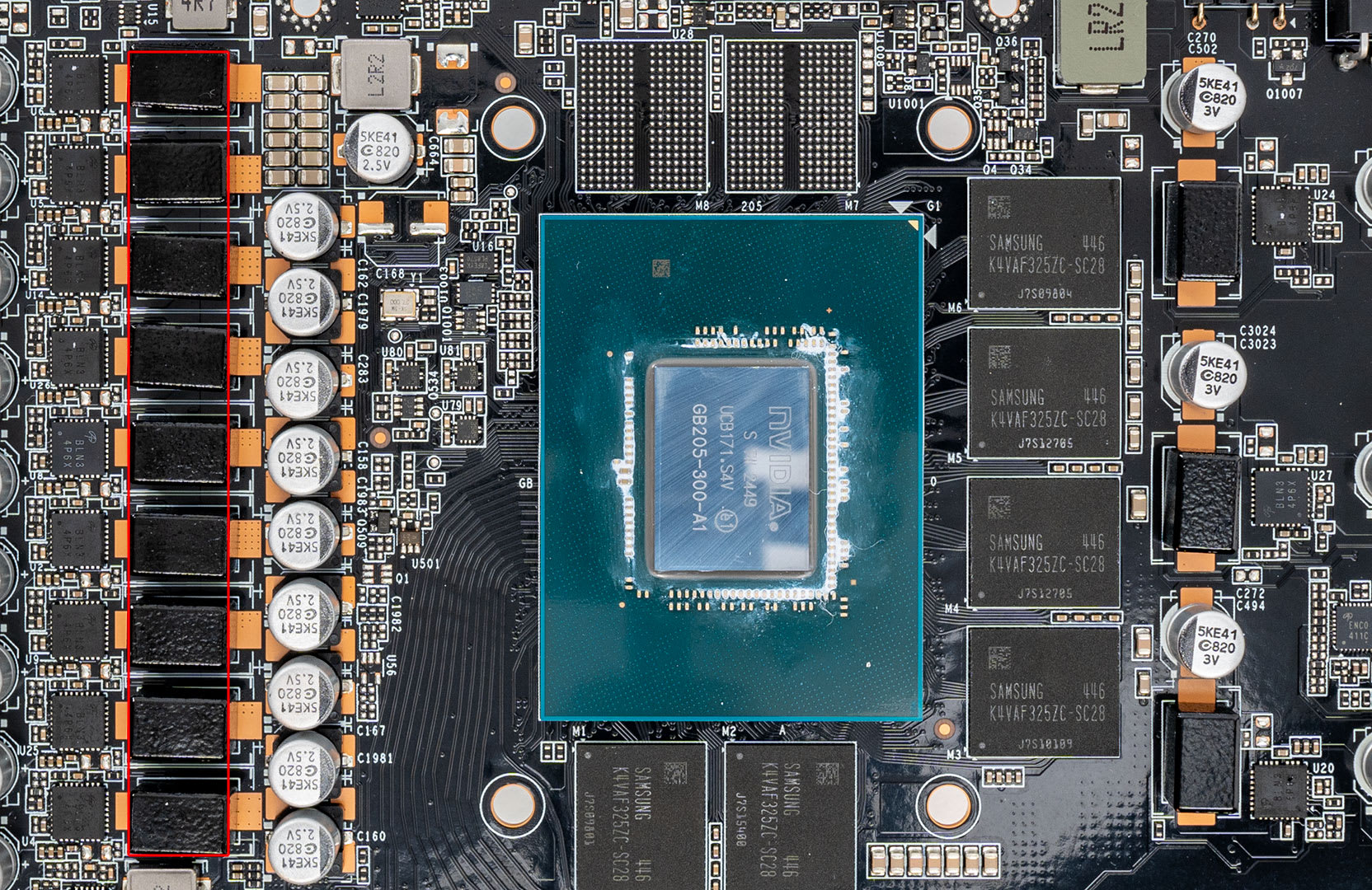
AMD cards are a real option here. Ollama's GPU documentation lists the RX 9070 XT, RX 9070 and RX 9060 XT among its supported Radeon cards, alongside NVIDIA GPUs with compute capability 5.0 or newer. The 16GB RX 9060 XT and RTX 5060 Ti are the lowest current models from either company that come with 16GB. Our RX 9060 XT vs RTX 5060 Ti comparison covers the gaming side of that choice.
Whether bigger cards arrive soon is unclear. NVIDIA's RTX 50 Super cards were reported with 18GB and 24GB configurations, but TweakTown reported in January 2026, citing board-partner sources, that the launch had been delayed indefinitely because of memory costs. Treat that as unconfirmed until NVIDIA announces something.
What Happens When a Model Doesn't Fit
When a model is bigger than your VRAM, local tools split it between the GPU and system RAM, and generation speed drops sharply. It keeps working, but slowly.
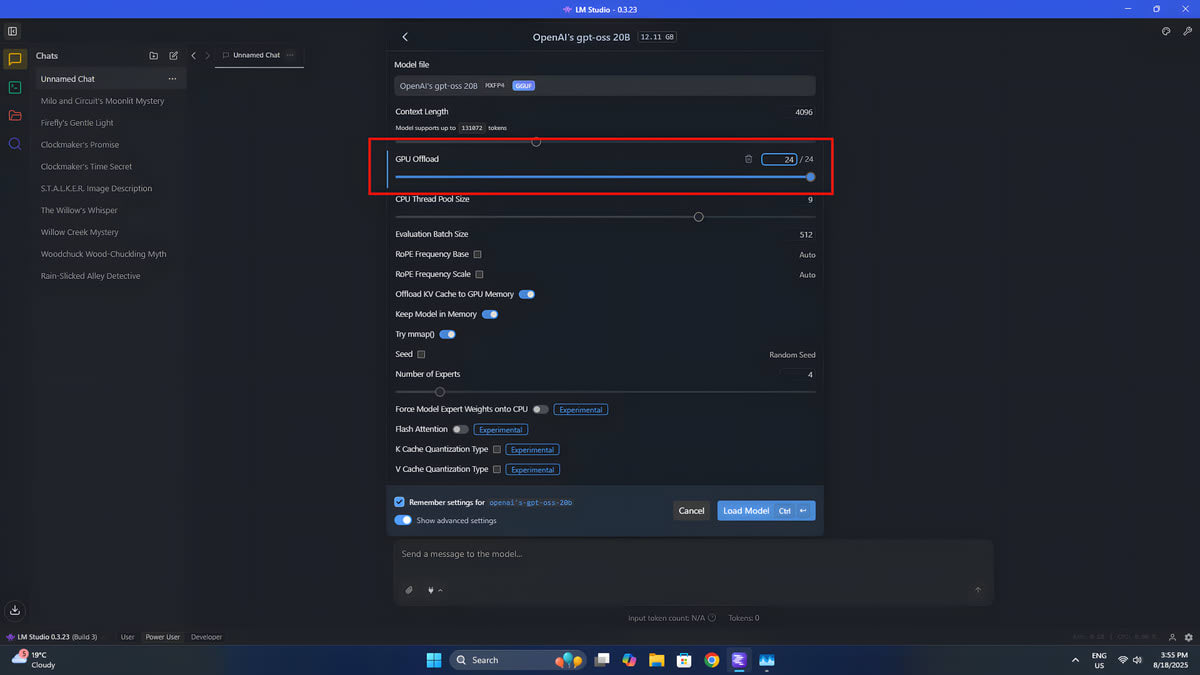
Ollama shows the split directly: its FAQ explains that ollama ps lists the processor as "100% GPU", "100% CPU", or a split such as "48%/52% CPU/GPU". LM Studio does the same thing through its GPU Offload slider, which sets how many of the model's layers go to the GPU.
The slowdown comes from memory bandwidth. Generating each token means reading every active weight once. NVIDIA's inference guide puts it plainly: "The speed at which the data (weights, keys, values, activations) is transferred to the GPU from memory dominates the latency, not how fast the computation actually happens."
The numbers are far apart:
| Memory | Bandwidth |
|---|---|
| RTX 5090 GDDR7 | 1,792 GB/s |
| RTX 5080 GDDR7 | 960 GB/s |
| Dual-channel DDR5-6000 system RAM | 96 GB/s (6,000 MT/s × 8 bytes × 2 channels) |
A worked example: a 32B model on a 16GB card
Take Qwen3 32B at Q4_K_M, a 20GB file, on an RTX 5080. Say roughly 14GB of it fits on the card and 6GB spills into DDR5-6000. Reading the GPU's share takes about 15 milliseconds per token. Reading the RAM share takes about 63 milliseconds. That caps generation at around 13 tokens per second.
Load the same model entirely into an RTX 5090's 32GB instead, and the ceiling is about 89 tokens per second. Nearly seven times faster.
These are theoretical limits worked out from published bandwidth figures, not our own benchmarks, and real speeds land below both. But the proportion holds up: with 30% of the model in system RAM, about 80% of the time per token goes to that 30%.
The slow part is your system RAM, not the PCIe slot. In llama.cpp-based tools the CPU processes its own layers where they sit. That's why RAM speed and channel count matter once you offload, and why our look at whether 32GB of RAM is overkill reads differently for someone running a 20GB model next to Windows.
Mixture-of-experts models are the exception
Mixture-of-experts models hurt less when they spill. gpt-oss-20b reads only 3.6B of its 21B parameters for each token, and Qwen3 30B-A3B reads roughly 3B, which is what the "A3B" stands for. Leaving the inactive experts in system RAM costs much less than splitting a dense model of the same size. LM Studio even includes an option to force expert weights onto the CPU for exactly this reason. By the same bandwidth arithmetic, a 19GB MoE model on a 16GB card should run far faster than a 20GB dense one.
Image Generation Plays by Different Rules
Image models are smaller than large LLMs, but they run the full model at every sampling step, so a partial fit costs more per image. The two models people most often ask about show the range.
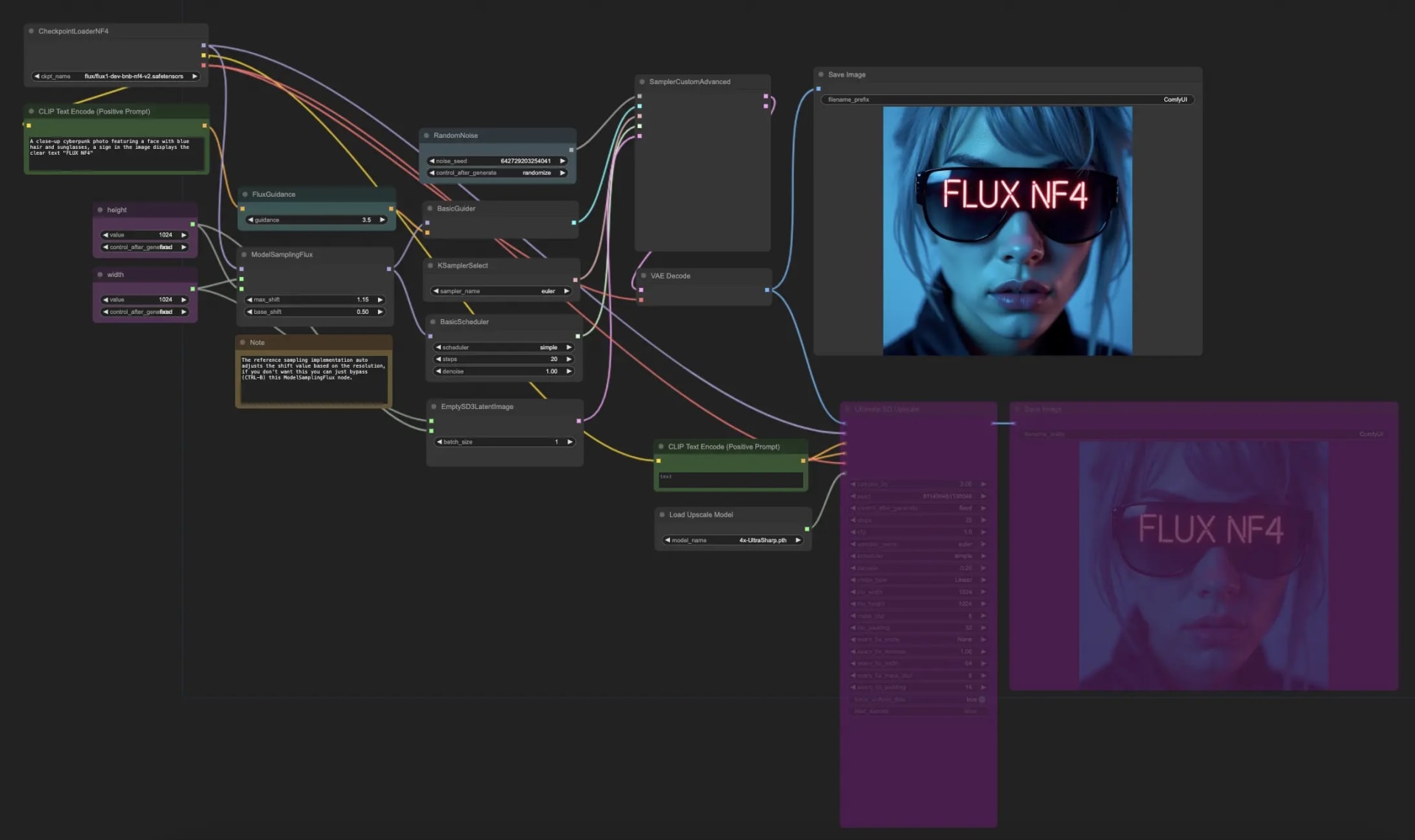
FLUX.1 [dev] is a 12-billion-parameter model, according to Black Forest Labs' model card, so its weights are about 24GB at 16-bit and about 12GB at 8-bit before the text encoders are counted. Black Forest Labs and NVIDIA say an FP4 version needs only 10GB of VRAM on RTX 50 cards, which have hardware FP4 support. Note that the dev weights ship under a non-commercial licence.
Stable Diffusion 3.5 Large went through the same process. Stability AI says NVIDIA's TensorRT FP8 version cut its memory use by 40%, from 19GB to 11GB, on GeForce RTX 50 and 40 Series cards.
Warning
On NVIDIA cards under Windows, running out of VRAM during image generation often produces no error at all. The driver's System Memory Fallback lets the GPU borrow shared system memory instead of crashing, and the job keeps running at a fraction of its normal speed. Drivers from 546.01 onward add a "CUDA - Sysmem Fallback Policy" entry in the NVIDIA Control Panel. Setting it to "Prefer No Sysmem Fallback" gives you an out-of-memory error instead, which at least tells you plainly to pick a smaller model.
ComfyUI, the usual local front end for both, lists "smart VRAM and RAM management, model offloading" among its features. In practice it can move the text encoders and VAE out of VRAM while the main model is sampling. That's why a 16GB card handles FLUX at 8-bit, and a 12GB RTX 50 card can use the FP4 build.
Gaming and Local AI on the Same Card
A loaded model and a running game share the same VRAM, so a 9GB model and a 10GB game won't both fit on a 16GB card. Unload the model before launching the game.
Otherwise the game is left with whatever remains and starts to stutter, the same symptom our guide to VRAM for gaming describes, and the reason we suggest checking what a game actually uses rather than trusting the overlay.
Integrated graphics and handhelds work differently, because the GPU borrows system RAM that you set in the BIOS. That's covered in how much VRAM to allocate to an iGPU. APUs built around one large unified memory pool are the other route to models no single gaming card can hold, trading speed for capacity. GPU modding tools draw on the same budget too: RTX Remix's AI texture upscaling wants 12GB of VRAM to run smoothly. The NPU in newer laptops is a separate question again, covered in what an NPU actually does for gaming.
Which Card to Buy for Local AI
Buy on VRAM capacity first, because an extra 4GB or 8GB on a slower card does more for local AI than a faster GPU with less memory. The breakdown by model size:
- 7B and 8B chat or coding models: 8GB works, and 12GB gives room for longer context.
- 14B models or gpt-oss-20b: 16GB is the tier to target, and the 16GB RTX 5060 Ti or RX 9060 XT is the entry point.
- 32B models: 24GB or 32GB. On 16GB they run with offloading, at the speeds worked out above.
- 70B models: no single gaming card holds one at 4-bit. Plan for offloading into plenty of fast system RAM, or a unified memory system.
If you're picking between the 8GB and 16GB versions of the same card, take the 16GB version. That's also our advice for gaming, and for AI it makes a far bigger difference.
Frequently Asked Questions
How much VRAM do I need for a 7B or 8B model?
About 5GB for the weights at Q4_K_M, plus under 1GB of cache at Ollama's default 4,096-token context. An 8GB card runs these comfortably. An 8B model at Q8 is 8.9GB, so that quality level needs a 12GB card or more.
Is 16GB of VRAM enough for local AI?
For 14B models, gpt-oss-20b and FLUX at 8-bit, yes. A 16GB card is the most useful tier among current gaming GPUs. It can't hold a dense 32B model at 4-bit, which is 20GB, without offloading part of it to system RAM.
Can I run a 70B model on a gaming PC?
Only with heavy offloading, because a 70B model at Q4_K_M works out to about 43GB, more than even the RTX 5090's 32GB. The part that spills into system RAM limits speed to what DDR5 can feed, so expect a few tokens per second at best.
Does system RAM matter for running local LLMs?
Only once a model spills out of VRAM. Then RAM speed and capacity set the pace, because the CPU reads the offloaded layers from system memory for every token. Dual-channel DDR5-6000 peaks at about 96 GB/s, a tenth of an RTX 5080's 960 GB/s.
Is VRAM more important than GPU speed for AI?
For running models locally, usually yes, because token generation is limited by memory bandwidth and by whether the model fits at all. A 20GB model fully inside a 24GB card reads everything at GDDR speed. The same model split onto a 16GB card spends most of each token waiting on system RAM, which is roughly ten times slower.
The Bottom Line
Start with the model's file size, add the KV cache for the context you use, and compare that total with your card's VRAM before downloading anything. Parameters × bits ÷ 8 gets you within a gigabyte or so, and Ollama and Hugging Face list the exact figure.
If it fits, speed takes care of itself on any current card. If it doesn't, the answer is a smaller model, a lower quantization or a compressed cache, since a larger model that half-fits will mostly run at system RAM speed.
Images courtesy of ASUS via TechEBlog, Windows Central, Habr, RunComfy and the respective manufacturers, used for editorial coverage.
Sources
- ggml-org, llama.cpp: quantize tool README, retrieved 2026-09-10, https://github.com/ggml-org/llama.cpp/blob/master/tools/quantize/README.md
- NVIDIA Technical Blog, Mastering LLM Techniques: Inference Optimization, retrieved 2026-09-10, https://developer.nvidia.com/blog/mastering-llm-techniques-inference-optimization/
- Hugging Face, Qwen/Qwen3-8B config.json, retrieved 2026-09-10, https://huggingface.co/Qwen/Qwen3-8B/blob/main/config.json
- Ollama, qwen3 model tags, retrieved 2026-09-10, https://ollama.com/library/qwen3/tags
- Ollama, llama3.3 model tags, retrieved 2026-09-10, https://ollama.com/library/llama3.3/tags
- Ollama, FAQ, retrieved 2026-09-10, https://docs.ollama.com/faq
- Ollama, Hardware support (GPU), retrieved 2026-09-10, https://docs.ollama.com/gpu
- Hugging Face, openai/gpt-oss-20b model card, retrieved 2026-09-10, https://huggingface.co/openai/gpt-oss-20b
- NVIDIA, Compare GeForce graphics cards, retrieved 2026-09-10, https://www.nvidia.com/en-us/geforce/graphics-cards/compare/
- NVIDIA, GeForce RTX 5070 family specifications, retrieved 2026-09-10, https://www.nvidia.com/en-us/geforce/graphics-cards/50-series/rtx-5070-family/
- NVIDIA, GeForce RTX 5060 family specifications, retrieved 2026-09-10, https://www.nvidia.com/en-us/geforce/graphics-cards/50-series/rtx-5060-family/
- KitGuru, Nvidia RTX 5080 Review: Efficiency Gains, Performance Letdown, retrieved 2026-09-10, https://www.kitguru.net/components/graphic-cards/dominic-moass/nvidia-rtx-5080-review-efficiency-gains-but-a-performance-letdown/all/1/
- Corsair, AMD RX 9060 XT vs 9070: What's the difference?, retrieved 2026-09-10, https://www.corsair.com/us/en/explorer/diy-builder/blogs/amd-rx-9060-xt-vs-9070-whats-the-difference/
- Hugging Face, black-forest-labs/FLUX.1-dev model card, retrieved 2026-09-10, https://huggingface.co/black-forest-labs/FLUX.1-dev
- Black Forest Labs, Bringing Lightning-Fast FLUX Performance to More Creators in Collaboration with NVIDIA, retrieved 2026-09-10, https://bfl.ai/blog/25-01-03-nvidia
- Stability AI, Stable Diffusion 3.5 Models Optimized with TensorRT Deliver 2X Faster Performance and 40% Less Memory on NVIDIA RTX GPUs, retrieved 2026-09-10, https://stability.ai/news-updates/stable-diffusion-35-models-optimized-with-tensorrt-deliver-2x-faster-performance-and-40-less-memory-on-nvidia-rtx-gpus
- ComfyUI, ComfyUI GitHub repository, retrieved 2026-09-10, https://github.com/comfyanonymous/ComfyUI
- oobabooga/textgen on GitHub, Nvidia finally fixes the VRAM manager (Discussion #4484), retrieved 2026-09-10, https://github.com/oobabooga/textgen/discussions/4484
- TweakTown, GeForce RTX 50 SUPER Series 'delayed indefinitely' as NVIDIA informs its partners, retrieved 2026-09-10, https://www.tweaktown.com/news/109694/geforce-rtx-50-super-series-delayed-indefinitely-as-nvidia-informs-its-partners/index.html