RTX Remix can upscale an old game's textures 4x with AI, but only if the game draws them through the fixed-function pipeline of DirectX 8 or 9.
Everything else in this guide depends on that one requirement. NVIDIA's own compatibility page says games released between 2000 and 2005 are the safest bet, and that games released after 2010 generally won't work unless someone has modified them.
If your game passes that test, the workflow is shorter than it looks. You drop the runtime next to the game's executable, capture a scene, run the captured textures through the toolkit's AI tab, and package the result. If it fails, general-purpose upscalers such as chaiNNer still work on texture files you extract yourself; you just lose Remix's path tracing. The hard questions come later, when you want to share what you made.
Note
Key Takeaways
- RTX Remix only works with games that render through the fixed-function pipeline of DirectX 8 or 9. Shader-heavy games from about 2006 onward mostly fail.
- Making a mod needs an NVIDIA RTX GPU on Windows 10 or 11. NVIDIA recommends an RTX 4070 with 12GB of VRAM. The AI texture tools need at least 8GB and recommend 12GB or more.
- In the current 1.5.2 toolkit, the AI Tools tab runs ComfyUI workflows. NVIDIA's bundled PBRify workflow upscales textures and generates albedo, normal, roughness and height maps.
- chaiNNer, ComfyUI and the CC0-licensed PBRify models are the main alternatives, and they also work on games Remix can't hook.
- Upscaling doesn't change who owns the art. The license of an upscaled texture follows the original image, not the model that processed it.
What RTX Remix Does to an Old Game
RTX Remix intercepts a game's DirectX 9 calls, rebuilds each scene with path tracing, and lets you replace any captured texture, mesh or light. It comes in two parts. The runtime sits inside the game and replaces its d3d9.dll. The toolkit is a separate desktop app where you do the remastering offline.
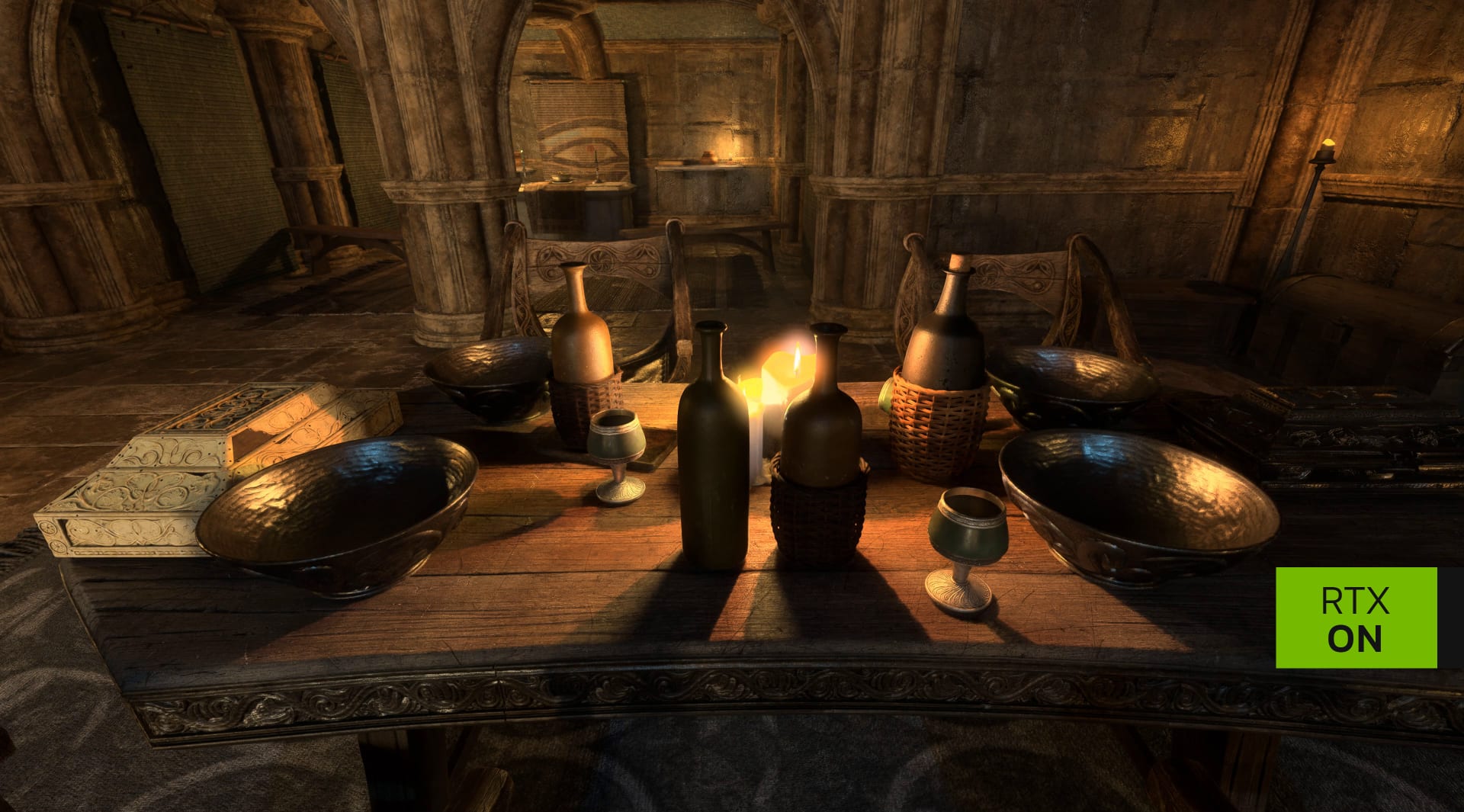
The runtime is built on the open-source DXVK translation layer, which is why its debugging switches carry DXVK names. That design explains the whole compatibility story. Remix can only rebuild a scene if it can understand the textures and meshes the game sends to the GPU, and older games send them in a standard format.
The platform left beta with version 1.0 on March 13, 2025, adding DLSS 4 and the Neural Radiance Cache, an AI model trained live that estimates indirect lighting. NVIDIA said at the time that more than 30,000 modders had experimented with the beta and over 1 million players had tried Remix mods. Version 1.5 followed on June 16, 2026, published on GitHub as release 1.5.2. It added RTX IO compression, which NVIDIA says cut Portal with RTX from 25GB to 17GB and Half-Life 2 RTX from 80GB to 50GB, and automatic smooth normals that make old low-poly geometry look less faceted under path-traced light.
AI texture work sits inside that larger process. It gets the most attention because textures are the weakest-looking part of a 2003 game on a 2026 monitor. If you're following the wider shift toward neural rendering, our roundup of the latest AI upscaling news covers the real-time side, meaning DLSS, FSR and similar upscalers that run while you play, not offline texture work.
Will Your Game Work? The Fixed-Function Test
Your game will probably work if it shipped between 2000 and 2005 and renders through the fixed-function pipeline of DirectX 8 or 9 rather than programmable shaders.
NVIDIA's compatibility docs put the reason plainly: fixed-function pipelines send textures and meshes to the GPU in standard formats, so Remix can rebuild the scene. Shader pipelines let the game send data in any format it likes, which breaks that reconstruction.
Remix itself replaces DirectX 9 only. DirectX 8 games and early OpenGL games can work through wrapper libraries that translate their calls to DirectX 9, though NVIDIA warns those wrappers can add problems of their own.
The awkward cases are games that mix both approaches. Many early DirectX 9.0 games used shaders only for tricky effects, while later 9.0c games often skipped the fixed-function path entirely. Run Remix on a mixed game and the fixed-function objects show up correctly, while shader-driven ones look wrong or vanish. Remix has experimental support for very simple vertex shaders, but it's limited. Don't plan a project around it.
| Release era | Typical renderer | Remix outlook |
|---|---|---|
| 2000–2005 | DX8 or DX9 fixed-function | Best odds; the target NVIDIA designed for |
| 2005–2010 | DX9 with a growing share of shaders | Mixed; test before planning anything |
| After 2010 | Shader-only DX9, DX10, DX11 and later | Generally not compatible without heavy modification |
NVIDIA's GitHub wiki offers a useful rule of thumb. If a game could run on a GeForce 2, the last fixed-function-only card, it will probably work. For a real test, open the Remix developer menu, turn on Debug View and switch it to Geometry Hash. Objects that keep a stable color are ones Remix can track and replace; colors that keep changing mean shader trouble. The community keeps an up-to-date compatibility table on ModDB, so check it before you buy a game on spec.
One caveat on newer titles: NVIDIA says the AI agent instructions it shipped with 1.5 have helped modders start work on Dark Souls, Dragon Age: Origins and Titanfall 2, which were previously out of reach. Treat those as early community projects, not proof that shader-era games now just work.
The Hardware You Need to Make a Mod, and to Play One
Building a Remix mod requires an NVIDIA RTX graphics card on Windows 10 or 11, and the AI texture tools need at least 8GB of VRAM, with 12GB or more recommended. The official minimum is simply any RTX GPU on Windows 10, with no stated floor for CPU, RAM or storage. The recommended spec is much higher.
| Level | OS | GPU | VRAM | CPU | RAM | Storage |
|---|---|---|---|---|---|---|
| Minimum | Windows 10 | Any RTX GPU | Not stated | Not stated | Not stated | Not stated |
| Recommended | Windows 11 | GeForce RTX 4070 | 12GB | Core i7-13700K / Ryzen 7 7700X | 32GB | 10GB NVMe SSD |
VRAM is the setting that actually hurts. NVIDIA's AI Tools documentation sets an 8GB floor and recommends 12GB or more, because ComfyUI and the toolkit share the same GPU. If you hit slow inference or VRAM pressure, it suggests closing the project before submitting large batches, or running ComfyUI on a second machine. So an 8GB card will work, but expect slow batches. Our guide to how much VRAM you need for gaming explains why running out hurts so much. The same limit shapes local AI generally, which our breakdown of VRAM requirements for local AI models covers in detail. If you're on the fence about a 12GB card, whether 12GB of VRAM is enough at 1440p walks through the trade-off.
Playing a finished mod is a different question. Remix mods render through Vulkan ray tracing, and the Steam listing for Portal with RTX, which NVIDIA built with Remix, states that it "is compatible with all ray-tracing capable GPUs." Windows Central reached the same conclusion at Remix's full release: any GPU with Vulkan ray tracing support can run a Remix mod, while building one needs NVIDIA RTX hardware (Windows Central, 2025). The same listing still gives a GeForce RTX 3060 as the minimum, and features like DLSS 4 frame generation are exclusive to RTX cards. On AMD or Intel hardware, expect the mod to run but not to match NVIDIA's performance. If you're buying a card partly for Remix, our comparison of the best budget GPUs in 2026 sets NVIDIA's RTX 5060 Ti against AMD's alternative. Whether generated frames are worth it in a path-traced mod is covered in does frame generation add input lag.
How to Start Upscaling Textures in RTX Remix
The basic loop has five stages: install the runtime, capture a scene in-game, open the capture in the toolkit, run textures through the AI tools, and package the mod. None of these steps needs coding. Most first-time problems come from compatibility, not the tools.
1. Get Remix
Download it from the Home screen of the NVIDIA app or from the NVIDIA GameWorks GitHub releases page. The current release at the time of writing is 1.5.2, the build that shipped as Remix 1.5 on June 16, 2026. The runtime and toolkit source is published on GitHub under the MIT license.
2. Install the Runtime Into the Game
Copy the runtime files into the game's folder, next to the main executable. That means the d3d9.dll bridge and the .trex folder containing the renderer. Source Engine games are the known exception: they look for d3d9.dll in the bin folder instead.
3. Capture a Scene
Launch the game and press Alt+X to open the Remix settings menu, then open the Developer Settings Menu. The capture button in the Enhancements tab saves the current game world to disk as a USD file. Capture each area you want to remaster, because a capture only contains what was on screen and loaded.
4. Open the Capture in the Toolkit
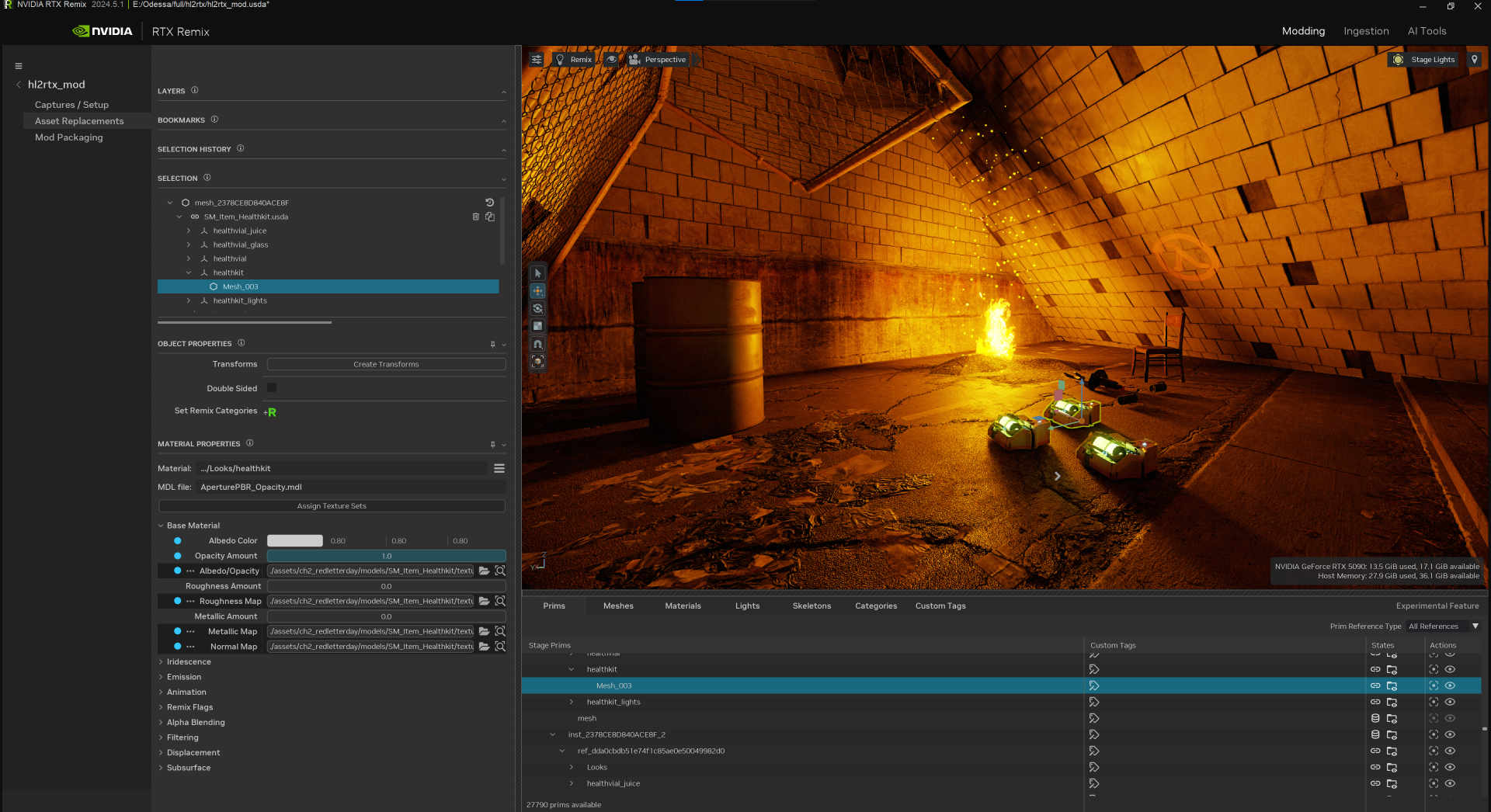
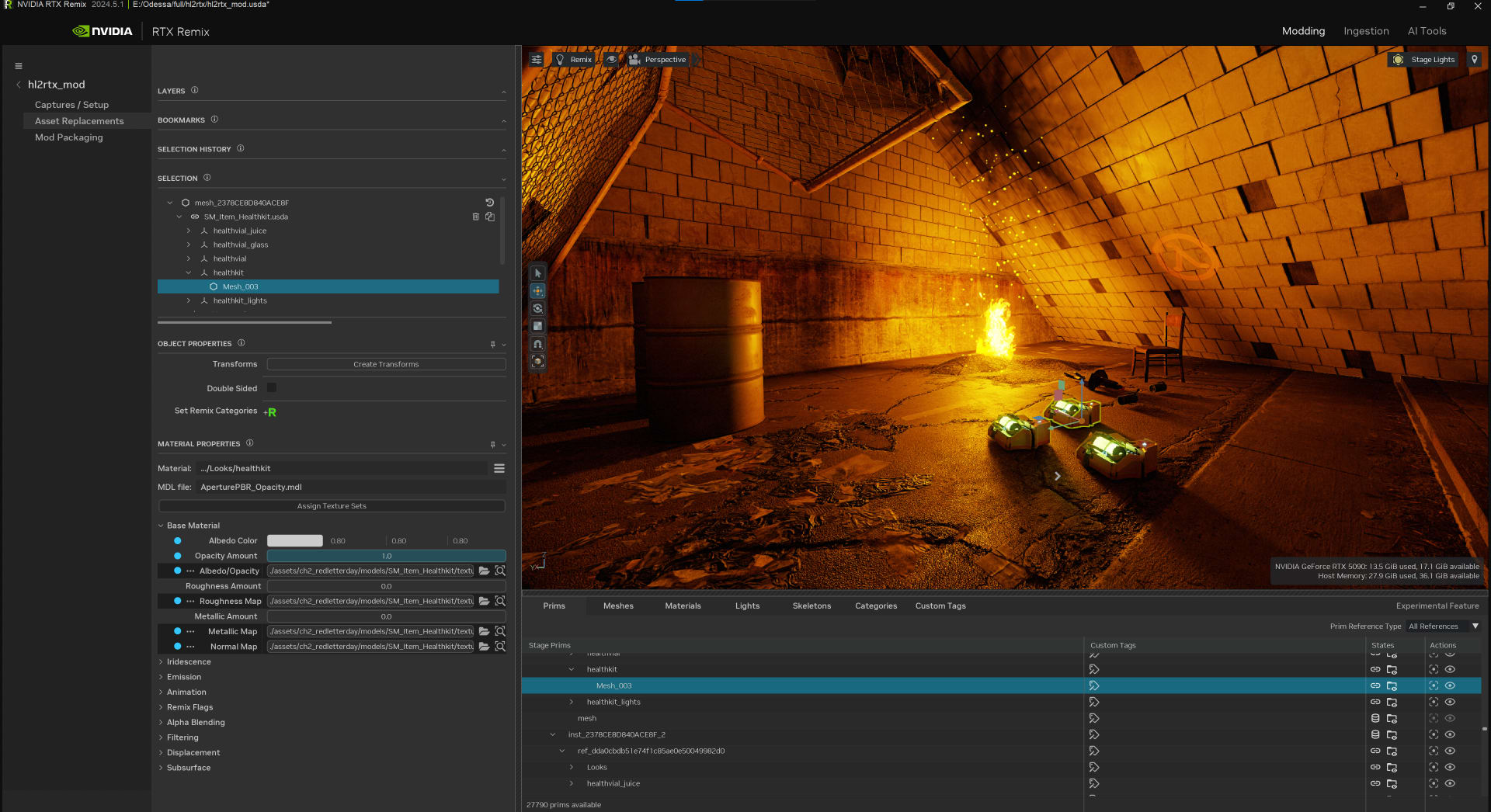
Create a project in the toolkit and point it at your capture. You'll use its Modding and Ingestion views plus the AI Tools layout, which opens from the left sidebar in the current release.
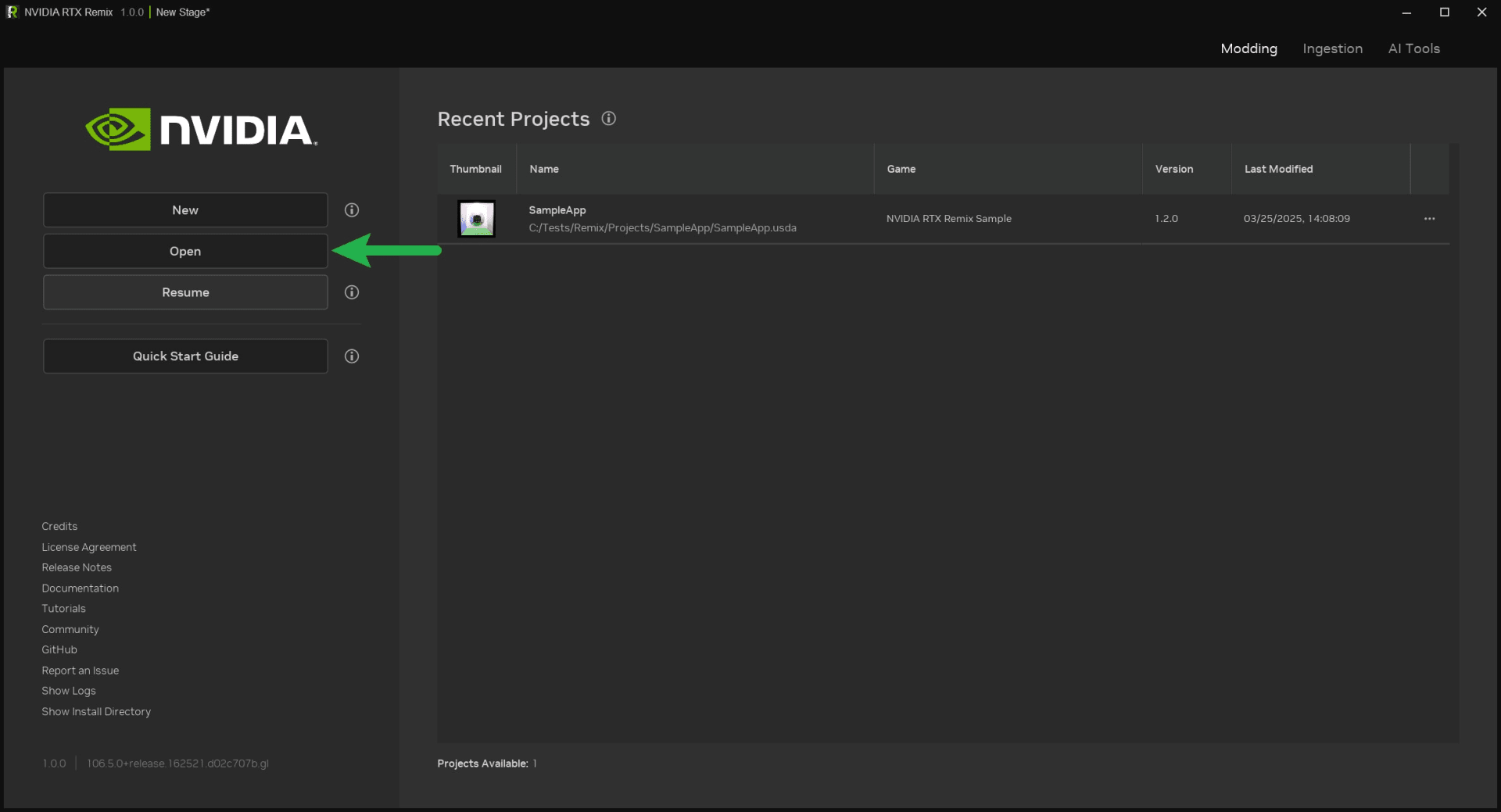
5. Run the AI Texture Tools
In the current 1.5.2 documentation, the AI Tools layout hands the processing to ComfyUI, an open-source node-based workflow engine you install and run alongside the toolkit. Install NVIDIA's RTX Remix node pack through ComfyUI Manager, then paste ComfyUI's local address (port 8188 by default) into the toolkit and connect. Pick a workflow, such as the PBRify template, select textures in the viewport and submit them as jobs. Each finished job can be applied or declined, and prims that share the same texture are grouped into a single job.
6. Ingest and Package
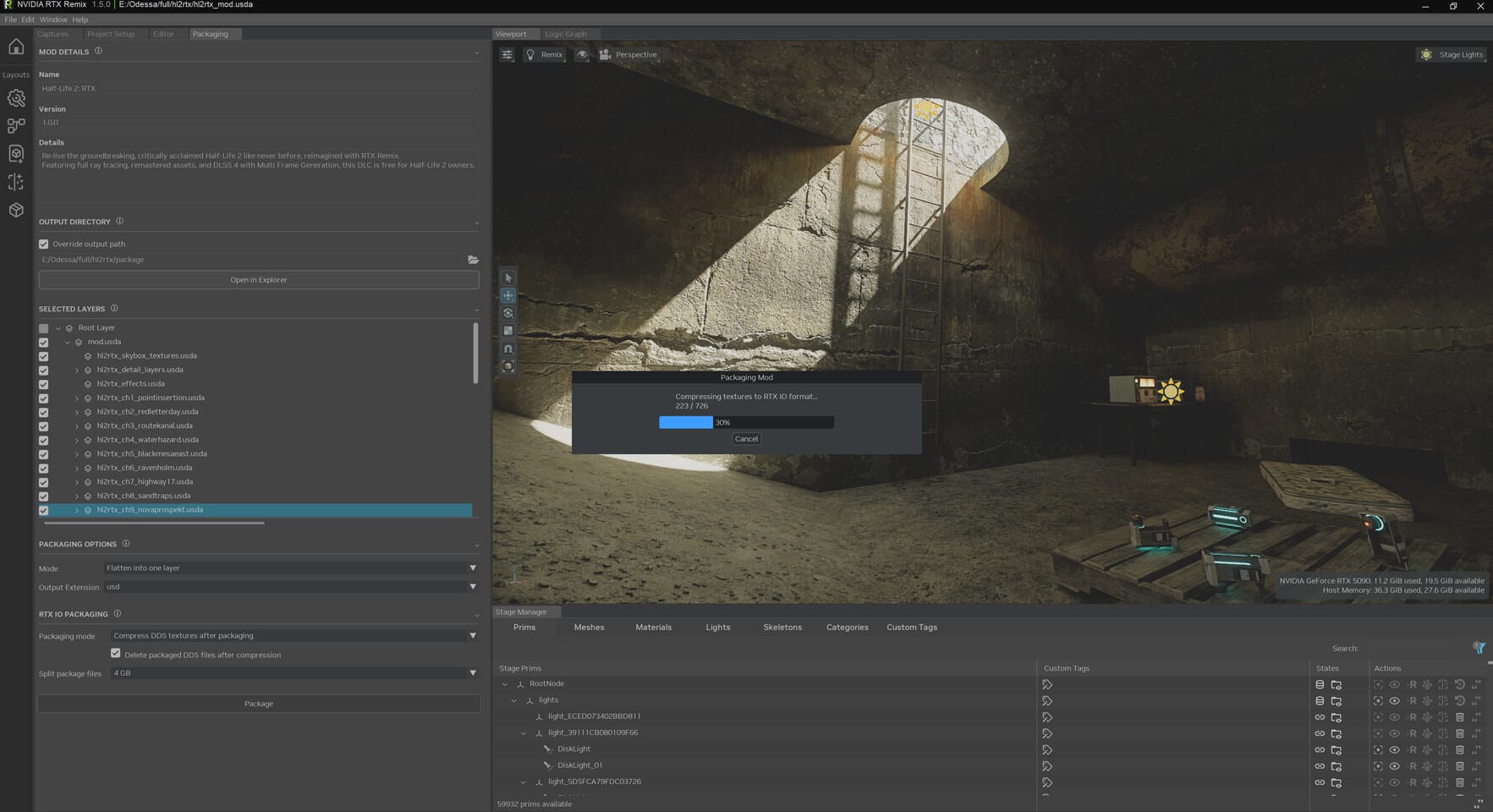
Textures made in outside tools come in through the Ingestion tab. When the mod is ready, the packaging screen bundles your replacement layers, and since 1.5 it can compress textures to RTX IO format to shrink the download.
Where the Built-In AI Tools Fall Short
NVIDIA's AI texture tools are a fast first pass, not a finished remaster, and the documentation itself pitches them at non-artists and rapid prototyping. That's a fair description. They're very good at turning a muddy 256-pixel wall into something that holds up under path tracing, and less good at anything that needs judgment.
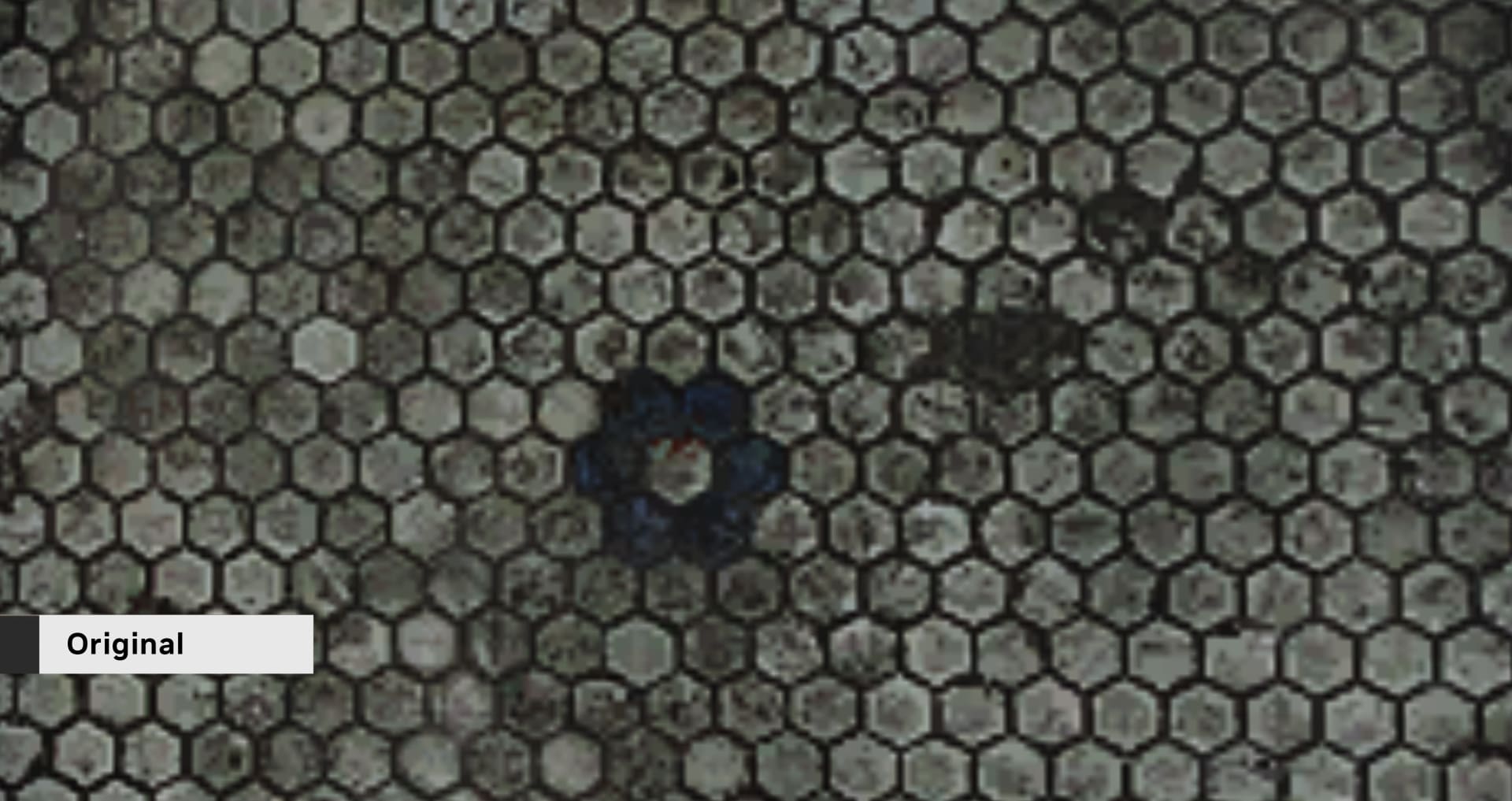
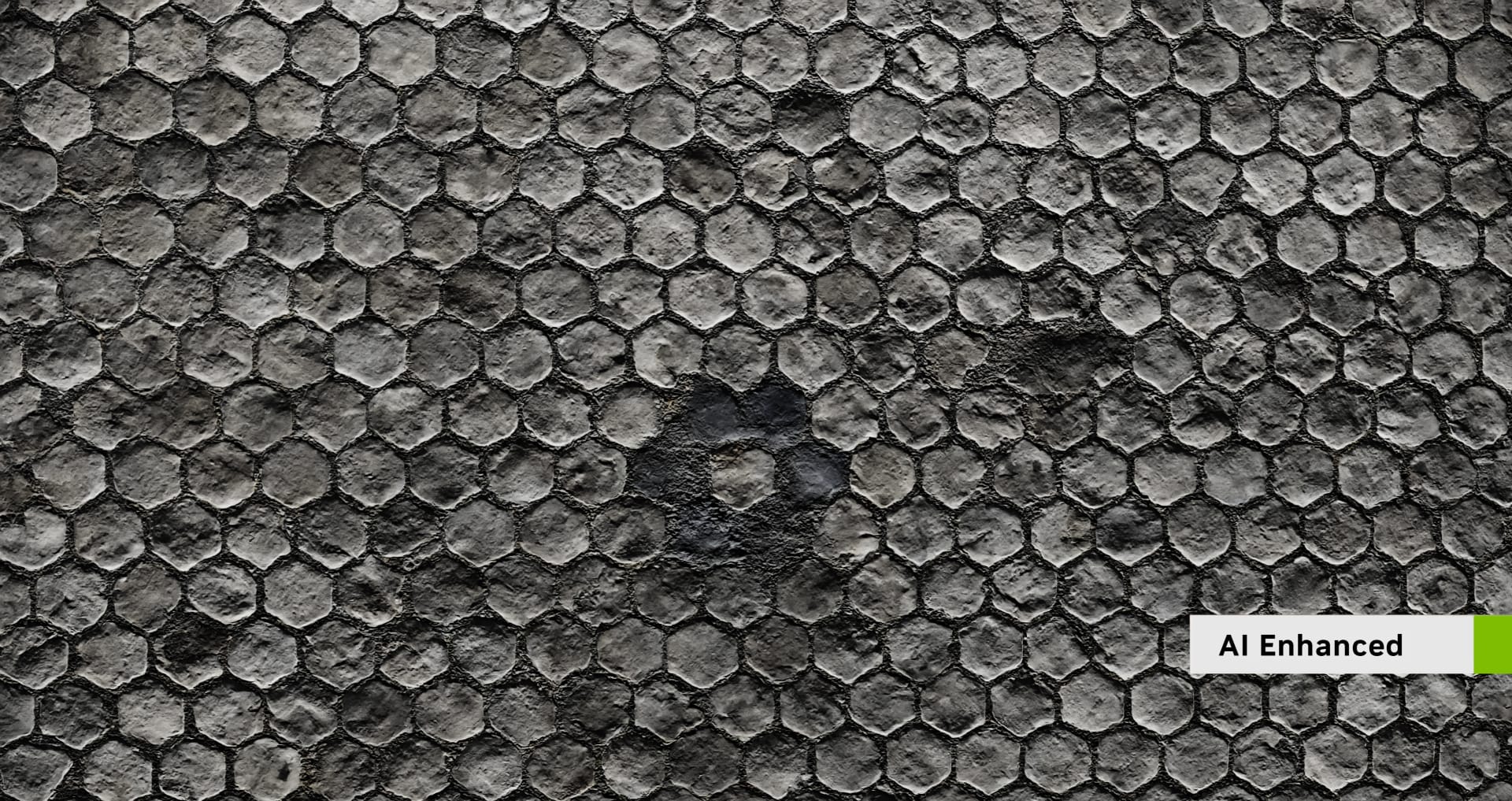
The output depends on the workflow you pick. NVIDIA's PBRify workflow produces albedo, normal, roughness and height maps, and NVIDIA's blog points to community models such as PBRFusion for metallic maps. Swapping models changes the look, but it doesn't add artistic judgment.
And the input has problems of its own. Textures from the early 2000s were often painted with lighting and shadows already in them, because the engines couldn't compute those at runtime. An upscaler faithfully sharpens those painted-in shadows, and a path tracer then adds real shadows on top. The result can look doubly lit. Cleaning the albedo by hand before or after upscaling is still normal work on serious projects.
The tools also can't invent information that isn't there. Text, logos, faces and anything with a clear intended design are where AI texture output tends to drift from what the original artist meant. Those assets deserve manual attention, and Nexus Mods' tagging rules push in the same direction (more on that below).
Geometry is a separate limit. A sharper texture on a 12-sided pillar is still a 12-sided pillar. Remix 1.5's smooth normals help with shading, but replacing blocky meshes is modeling work that no texture tool does.
Other AI Upscalers Modders Use
The built-in tab is one option among several; chaiNNer, standalone ComfyUI workflows and community model packs such as PBRify give you more models and more control. They also work on any texture you can extract, including games Remix can't hook. There you'd load the results through the game's own mod loader, without path tracing.
| Tool | What it does | License |
|---|---|---|
| chaiNNer | Node-based image processing app; runs community upscaling models, generates normal maps, saves DDS with mipmaps | GPL-3.0 |
| PBRify_Remix | Model pack that upscales and generates normal, roughness and optional height maps; ships a ready-made chaiNNer chain | CC0-1.0 |
| ComfyUI + NVIDIA's ComfyUI-RTX-Remix nodes | Batch-processes textures exported from Remix through its REST API | Nodes: Apache-2.0 |
| Real-ESRGAN | Widely used general-purpose upscaler architecture and models | BSD-3-Clause |
| Upscayl | Simpler desktop app for one-click upscaling | AGPL-3.0 |
| OpenModelDB | Community database of upscaling models to download and compare | Varies by model |
PBRify deserves a closer look. Its author trained the models only on CC0 material from ambientCG, and the models themselves are CC0, so there's no questionable training data sitting under your mod. Its upscaler has reached 4x-PBRify_UpscalerV4, which the release notes say refines existing detail and removes artifacts better than earlier versions. Height-map generation is included but off by default.
NVIDIA's own ComfyUI integration closes the loop. You select a texture in the toolkit, switch to ComfyUI and queue the job, or export every captured texture as one batch. NVIDIA's blog also points to PBRFusion 3, a community model it says can reach 8x resolution or more.
What's missing is a fair comparison. We couldn't find a controlled, published test of PBRify, PBRFusion and the other popular texture models on the same textures, so picking between them still means running a handful of your own textures through each and judging the results in-game.
If you go hunting on OpenModelDB, remember that each model carries its own license. The site recommends five Creative Commons licenses, and two of them, CC-BY-NC and CC-BY-NC-SA, bar commercial use of the model.
Licensing and Etiquette for Remastered Assets
An upscaled texture is still a derivative of the original game's art, so the model you used doesn't change who owns the result.
OpenModelDB spells this out: a model's license "does not extend to the upscaled images produced by the model." The license of the output is set by the original images. A CC0 model doesn't make your textures public domain, and an NC model doesn't make them non-commercial.
Remix's design helps here. A Remix mod is a set of replacement layers that loads on top of an installed game, so players still need their own copy. That doesn't make redistributing someone else's art risk-free, but it's a very different thing from uploading a repacked game.
Hosting sites are stricter than many first-time modders expect. Nexus Mods' file submission guidelines prohibit uploads containing copyrighted content, "be it game files or images," without permission from the rights holder, and they make the uploader responsible for understanding the legal side. Its guidelines on generative AI, reported by Shacknews on July 31, 2026, put AI texture upscaling in the "AI Assisted" category and warn that purposeful abuse of the tagging system "will result in immediate punishment if proven."
The community norms are simple enough to follow:
- Tag AI use accurately on every upload, even when the host doesn't force you to.
- Don't upscale and re-release another modder's texture pack without asking. Nexus is explicit that crediting an author is no substitute for permission.
- Credit the models and tools you used, especially CC-BY models, where attribution is a condition of the license.
- Think hard before charging for remastered assets from a game you don't own the rights to. Selling them turns a tolerated fan project into a commercial derivative.
None of this is legal advice, and publishers vary widely in how much they tolerate. The wider fight over AI-made game assets is moving fast; our coverage of generative AI in game development tracks how studios and platforms are drawing the lines.
Frequently Asked Questions
Does RTX Remix work with any old game?
No, RTX Remix only works with games that render through the fixed-function pipeline of DirectX 8 or 9, which mostly means titles from 2000 to 2005. DirectX 8 and early OpenGL games need a wrapper that translates to DirectX 9. Games released after 2010 are generally incompatible unless they've been heavily modified.
Can you play RTX Remix mods on an AMD or Intel GPU?
Often, yes, but you can't make them there. Creating mods requires an NVIDIA RTX card. Finished mods render through Vulkan ray tracing, and Portal with RTX's Steam listing says it works on all ray-tracing capable GPUs. Performance on AMD and Intel hardware trails NVIDIA's, and DLSS features are RTX-only.
How much VRAM do RTX Remix's AI texture tools need?
NVIDIA's documentation asks for at least 8GB of VRAM for the AI texture tools and recommends 12GB or more. ComfyUI and the toolkit share the same GPU, so smaller cards hit slow inference and VRAM pressure first. The docs suggest closing your project before submitting large batches.
Is RTX Remix free?
Yes, RTX Remix is a free download through the NVIDIA app or GitHub, and the runtime and toolkit source is published under the MIT license. The only real cost is hardware: an RTX GPU to build mods, ideally with 12GB of VRAM or more.
Can I share AI-upscaled textures from a game I own?
Owning the game doesn't give you the right to redistribute its art, upscaled or not. The license of an upscaled image follows the original, not the model. Mod hosts such as Nexus Mods require permission for copyrighted content and an "AI Assisted" tag for AI texture upscaling. Remix mods reduce the risk by requiring players to own the game, but they don't remove it.
The Bottom Line
Start with the fixed-function compatibility test rather than the AI tools, because no amount of texture work rescues a game RTX Remix can't hook. Most games released after 2010 fall into that group. If your game passes, Remix is a free pipeline from capture through 4x AI upscaling to a path-traced, packaged mod. You'll need an RTX card, and ideally 12GB of VRAM for the texture tools.
Treat the built-in AI tab as a first pass. Outside tools like chaiNNer and the CC0 PBRify models give you more control and work on games Remix can't touch. Clean up the textures where the art direction matters, tag your AI use, and don't assume upscaling makes someone else's art yours to give away.
How this guide was put together: it's a research synthesis of NVIDIA's RTX Remix documentation, NVIDIA's release announcements, the model authors' own repositories and Nexus Mods' published rules, all checked on 2026-09-10. We haven't run a Remix project for this article, so treat the workflow as documented behavior rather than a tested walkthrough.
Images courtesy of NVIDIA, with the RTX Remix 1.5 packaging screen via TechPowerUp, used for editorial coverage.
Sources
- NVIDIA, Game Compatibility — NVIDIA RTX Remix documentation, retrieved 2026-09-10, https://docs.omniverse.nvidia.com/kit/docs/rtx_remix/latest/docs/introduction/intro-compatibility.html
- NVIDIA, Technical Requirements — NVIDIA RTX Remix documentation, retrieved 2026-09-10, https://docs.omniverse.nvidia.com/kit/docs/rtx_remix/latest/docs/introduction/intro-requirements.html
- NVIDIA, Using AI Tools — NVIDIA RTX Remix documentation, retrieved 2026-09-10, https://docs.omniverse.nvidia.com/kit/docs/rtx_remix/latest/docs/howto/learning-aitools.html
- NVIDIA GameWorks, rtx-remix Releases (GitHub), retrieved 2026-09-10, https://github.com/NVIDIAGameWorks/rtx-remix/releases
- NVIDIA GameWorks, ComfyUI-RTX-Remix (GitHub), retrieved 2026-09-10, https://github.com/NVIDIAGameWorks/ComfyUI-RTX-Remix
- NVIDIA GameWorks, rtx-remix Wiki: Compatibility, retrieved 2026-09-10, https://github.com/NVIDIAGameWorks/rtx-remix/wiki/Compatibility
- NVIDIA GameWorks, rtx-remix Wiki: Runtime User Guide, retrieved 2026-09-10, https://github.com/NVIDIAGameWorks/rtx-remix/wiki/runtime-user-guide
- NVIDIA Blog, Drop It Like It's Mod: Breathing New Life Into Classic Games With AI in NVIDIA RTX Remix, retrieved 2026-09-10, https://blogs.nvidia.com/blog/rtx-ai-garage-rtx-remix
- NVIDIA GeForce News, Half-Life 2 RTX Playable Demo Out Now, NVIDIA RTX Remix Officially Released With DLSS 4 & RTX Neural Shaders, retrieved 2026-09-10, https://www.nvidia.com/en-us/geforce/news/rtx-remix-half-life-2-rtx-demo-launching-march-18/
- NVIDIA GeForce News, RTX Remix 1.5 Brings New Packaging Workflow & Accessibility Features, retrieved 2026-09-10, https://www.nvidia.com/en-us/geforce/news/rtx-remix-agent-skills-update/
- Steam, Portal with RTX store page and system requirements, retrieved 2026-09-10, https://store.steampowered.com/app/2012840/Portal_with_RTX/
- Windows Central, RTX Remix is making me second-guess my Radeon GPU choice, retrieved 2026-09-10, https://www.windowscentral.com/hardware/cpu-gpu-components/nvidia-rtx-remix-full-release
- Kim2091, PBRify_Remix (GitHub), retrieved 2026-09-10, https://github.com/Kim2091/PBRify_Remix
- OpenModelDB, Model licenses, retrieved 2026-09-10, https://openmodeldb.info/docs/licenses
- Nexus Mods, File Submission Guidelines, retrieved 2026-09-10, https://help.nexusmods.com/article/28-file-submission-guidelines
- Shacknews, Nexus Mods announces updated guidelines on generative AI tagging & moderation, retrieved 2026-09-10, https://www.shacknews.com/article/150216/nexus-mods-gen-ai-tagging-moderation