Before you install an auto-clipping tool, check whether it supports the games you actually play. Every tool markets "AI that clips your best plays", but in practice each one only fires on a short list of titles, and the lists barely overlap. Nvidia's own supported-games data lists 45 Highlights entries, mostly older titles. SteelSeries Moments names about 19 games. Medal claims event detection in over 100.
The rest of this guide covers how these tools spot a moment, why the list is so short, what they cost in frames, disk space and data, and where the free tiers stop.
Note
Key Takeaways
- Most "AI" auto-clippers run on game event data, not computer vision. A kill registers because the game reports one, which is why support is limited to specific titles.
- Nvidia Highlights still ships in the Nvidia app, but its game list is 45 entries long and its SDK is marked legacy. Don't count on it for new releases.
- Medal has the broadest free event detection, at 100+ games by its own count. Premium is $9.99 a month, or $7.99 billed annually.
- SteelSeries Moments is free and auto-clips about 19 games. Anything else you clip with a hotkey.
- Outplayed needs Overwolf running underneath. Eklipse is a different kind of tool: it scans your Twitch, YouTube or Kick VODs in the cloud after the stream.
- The performance cost comes mostly from the video encoder and the replay buffer. Detection itself is cheap.
How Auto-Clipping Detects a Highlight
Auto-clippers detect highlights in one of three ways: the game reports the event, a platform reads the game's event feed, or AI analyses the finished video afterwards. Only the last method works on footage from games the tool has never seen.
The Game Tells the Recorder
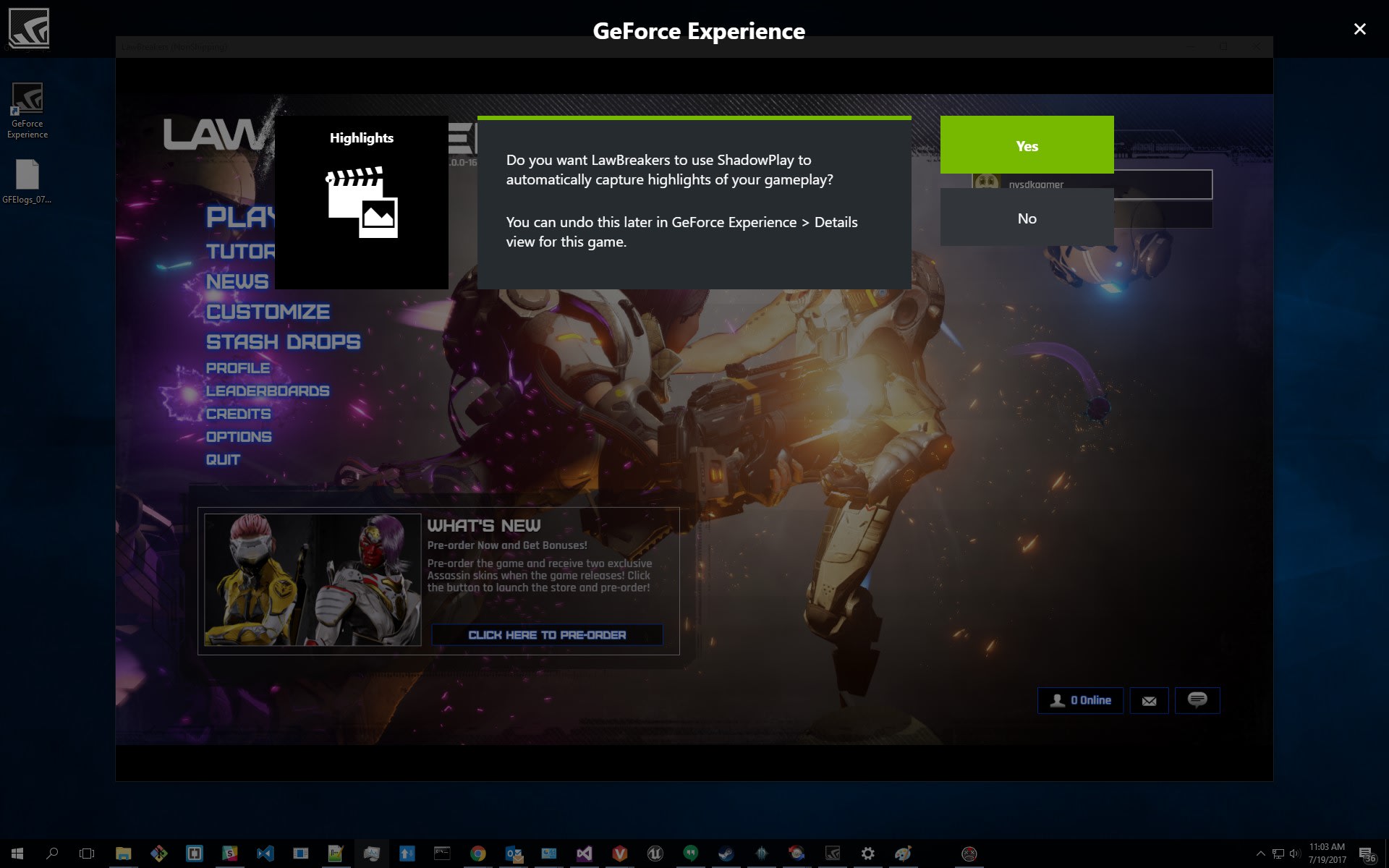
Nvidia Highlights is the original version of this approach. A developer integrates Nvidia's SDK, and the game itself flags the moment. Nvidia's developer page describes automatic capture of "key moments, clutch kills, and match-winning plays". When Splitgate added support in 2019, the events on offer were headshots, multi-kills, portal kills, deaths and plain kills. The weakness is that nothing happens until a studio does the integration work. Nvidia now labels the Highlights SDK a legacy SDK.
A Platform Reads the Event Feed
Outplayed, Medal and SteelSeries Moments sit outside the game and listen to event data, and between them they name somewhere over 100 supported titles. Overwolf's support documentation says plainly that Outplayed "uses the Overwolf platform to detect in-game events in real time", and that adding a new game "requires ongoing maintenance and permission from game developers". That explains the short lists. Anti-cheat rules and publisher agreements decide what an app may read.
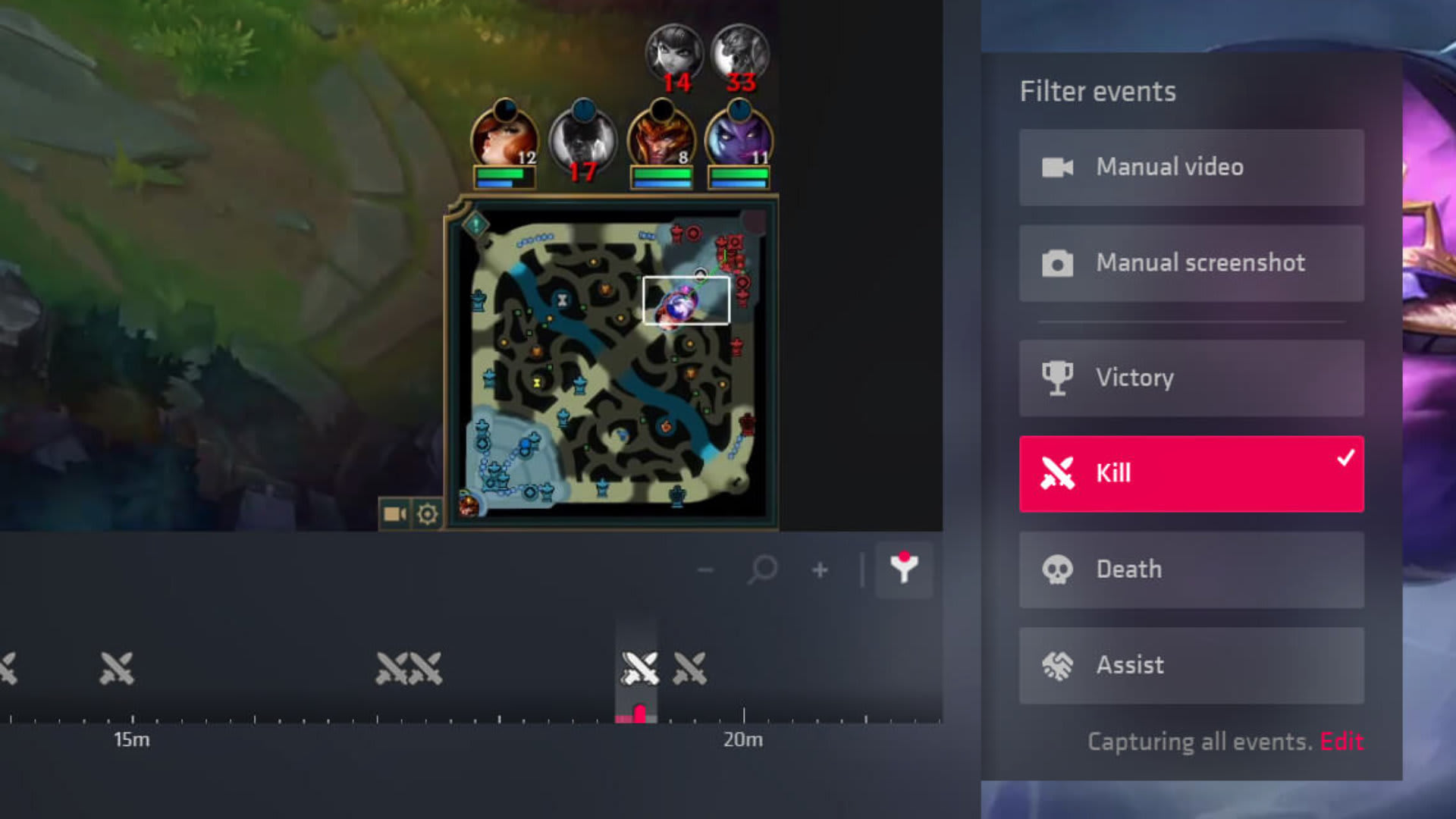
SteelSeries brands its feature "Moments AI Technology", but support is still granted title by title. Events show up as markers on the clip timeline, such as a headshot or getting flashed, and you choose which ones trigger a clip under Settings, then Autoclip.
AI Watches the Footage Afterwards
Eklipse is the one tool here that uses AI to watch the footage itself, and it does so after the stream rather than during play. It connects to your Twitch, YouTube or Kick channel and processes the VODs on its own servers. Its detection engine, Gameplay Intelligence, went live on June 1, 2026. Eklipse describes it as three layers: moment scoring across game events, separated voice and game audio, and action density; scene-aware context that reads the visible frame and HUD; and per-genre tuning for FPS, battle royale, tactical and strategy games.
This is the only approach where "AI" is doing real work, and Eklipse lists its own limits. Unsupported games fall back to generic action detection, the audio model is tuned on English voice, and loud background music makes voice harder to separate.
Which Tools Support Which Games
Game support decides the choice more than any other feature, and the official lists are far narrower than the marketing suggests. Check your main game against each list below before installing anything.
| Tool | How it detects | Auto-clip game list | Price |
|---|---|---|---|
| Nvidia app Highlights | Developer SDK integration | 45 entries on Nvidia's list | Free, Nvidia GPU only |
| SteelSeries Moments | Per-game event data | About 19 titles | Free |
| Medal | Game event detection | 100+ (Medal's own count) | Free; Premium $9.99/month |
| Outplayed | Overwolf game events | "Only select games" (no count published); records 5,000+ | Core free; Premium paid |
| Eklipse | Cloud AI on stream VODs | Tuned for supported titles, generic fallback | Free trial clips; Premium paid |
Nvidia Highlights: Still There, Rarely Updated
Nvidia's supported-games data file lists 45 Highlights entries. They include Fortnite, PUBG, Battlefield V, Call of Duty: WWII, Shadow of the Tomb Raider, Tekken 7, Mortal Kombat 11, War Thunder and Lost Ark, plus regional versions of Fortnite and several Chinese-market titles. Escape From Tarkov and Dying Light: Bad Blood are still marked "Coming Soon".
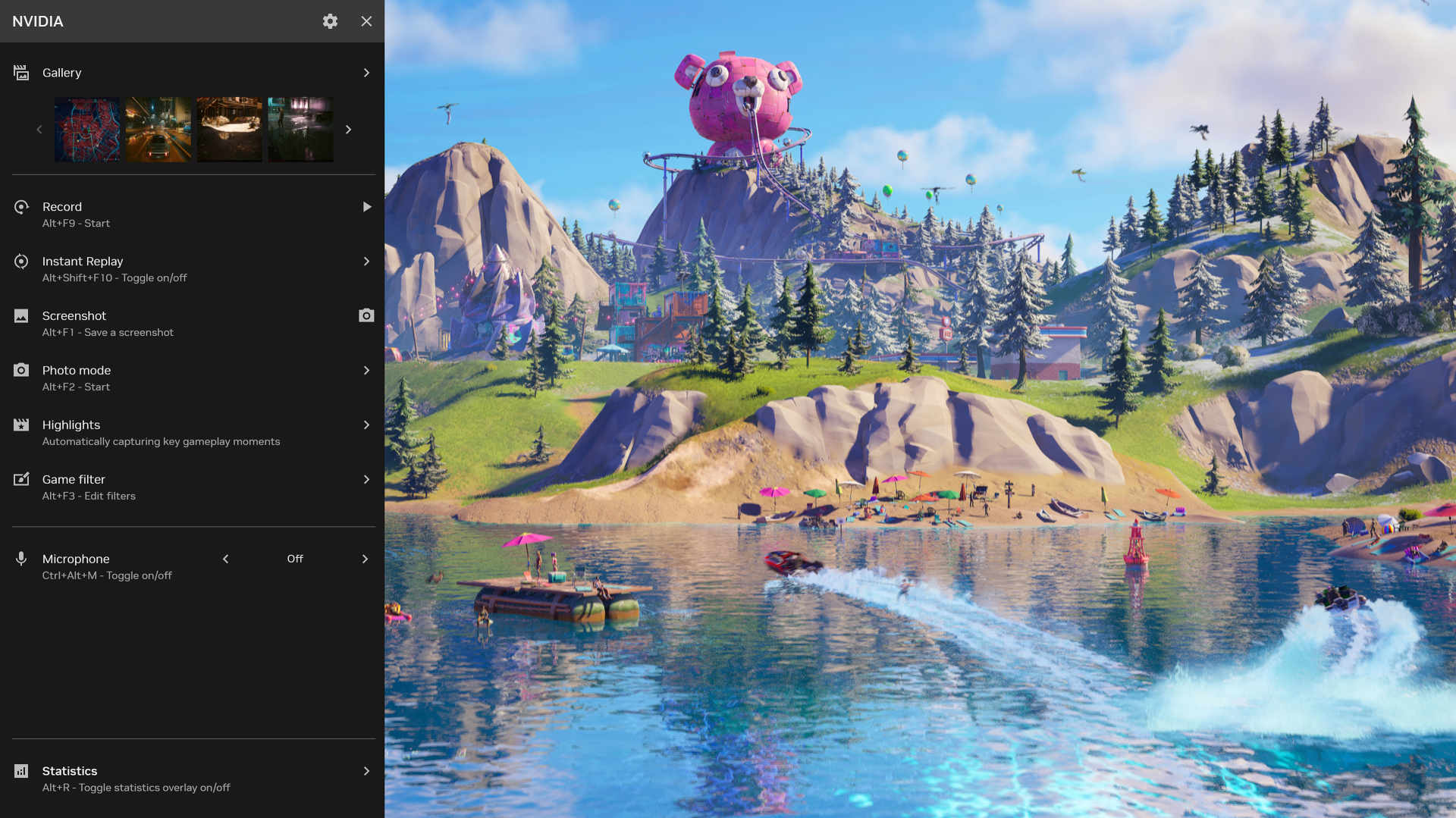
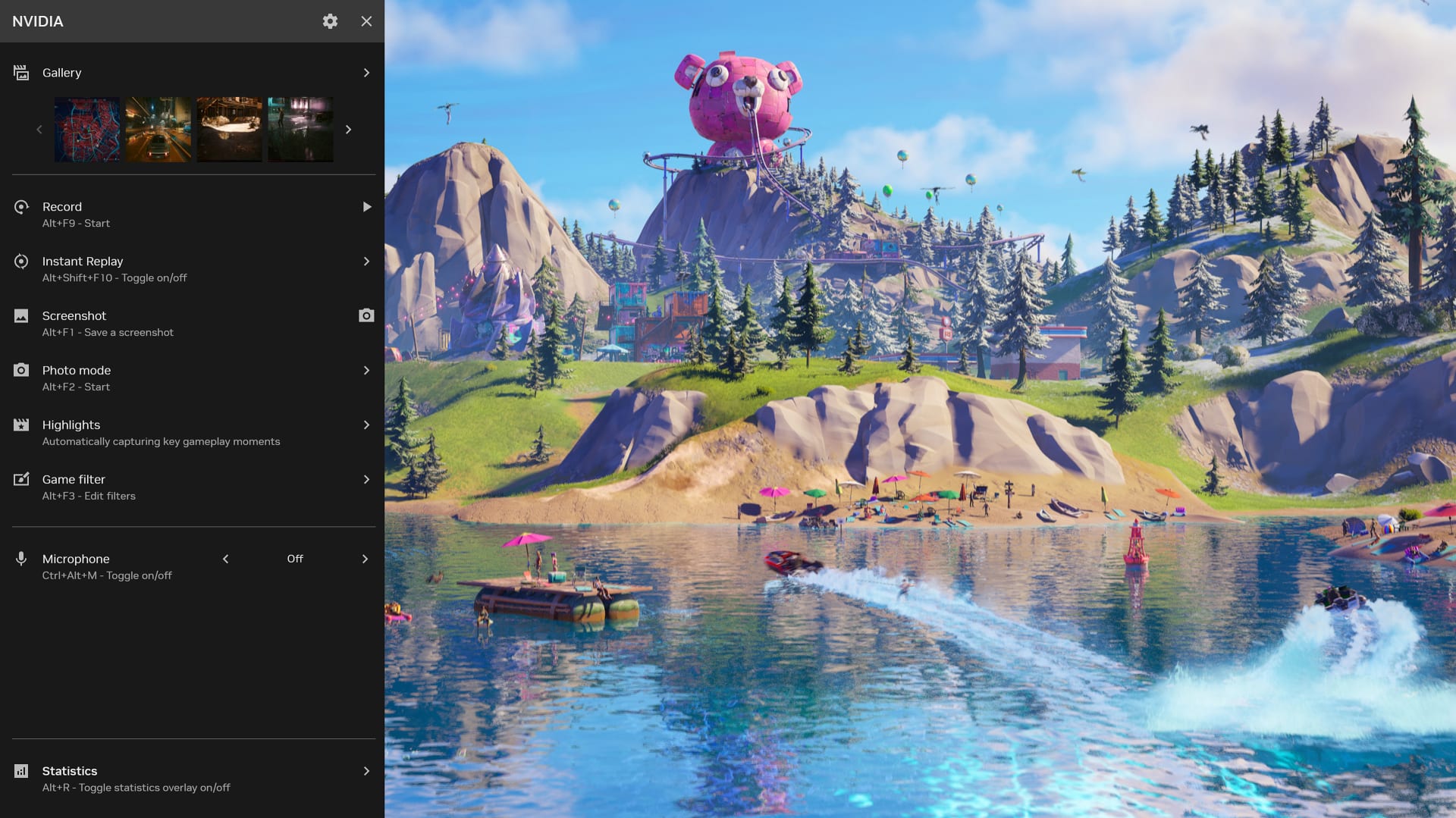
The feature survived the move from GeForce Experience into the Nvidia app. The overlay still has a Highlights entry described as "automatically capturing key gameplay moments", and recent app updates added AV1 encoding for Record, Instant Replay and Highlights. If your game isn't on the list, Instant Replay and manual recording are what you're left with.
SteelSeries Moments: A Short List, Kept Current
SteelSeries' support list covers PUBG, Counter-Strike 2, Fall Guys, Brawlhalla, Diablo IV, Valorant, Fortnite, Path of Exile 2, Genshin Impact, Helldivers 2, Marvel Rivals, Destiny 2, Apex Legends, Rocket League, Overwatch 2, Black Ops 6 and Warzone, 3D Aim Trainer, Escape from Tarkov and Rainbow Six Siege. Its product page also announces Street Fighter 6 and Call of Duty: Black Ops 7 support. Every other game can still be captured with a hotkey.
Medal: The Widest Free Coverage
Medal says it supports event detection in Fortnite, Valorant, League of Legends, Apex Legends, Counter-Strike "and more". Its comparison page puts the figure at 100+ games. It also records any PC game manually and lets FiveM server owners define custom auto-clip triggers. For most players on popular competitive games, Medal is the tool most likely to cover them.
Outplayed: Huge Recording List, Select Auto-Clips
Overwolf says Outplayed supports over 5,000 games, but that figure covers recording. Its set-up guide says real-time event detection works in "only select games", and it doesn't publish a count for those. Outplayed has four capture modes: Highlights, Full Match, Full Session and Manual. You can request new games on its ideas portal. It only runs inside Overwolf, and that shapes the performance discussion below.
What It Costs in Frames, Disk and Data
Detection costs almost nothing; the overhead comes from encoding video and holding a rolling replay buffer of 30 seconds or more. Any overlay injected into the game adds to it, so the cost varies more with your settings than with the brand.
Frame Rate
SteelSeries and Nvidia both say their recorders lean on the graphics card's dedicated video hardware rather than its shader cores. SteelSeries states that Moments "uses a section of your graphics card dedicated to encoding video, so it doesn't impact gameplay", and Nvidia describes its recording as "minimal impact to performance". Medal lets you encode on the GPU or the CPU and usually recommends the GPU. Overwolf, which Outplayed runs on, picks a codec automatically and tries Nvidia's NVENC and Intel's Quick Sync first. Medal quotes a footprint of 100 to 400MB of RAM.
Those are vendor claims. Nobody has published a test of all four tools on the same hardware, and this post doesn't have one either, so treat any FPS ranking you see online with suspicion. The known risks come from stacking. Running two clippers at once means two hooks into the same game. Overlays add per-frame work, as covered in how much the Discord overlay costs in frames. Medal's own comparison page argues that Overwolf adds overhead to Outplayed. Treat that as a competitor's claim, not a measurement.
If you want to check your own system, compare 1% lows rather than average FPS with the clipper on and off in a repeatable scene. If recordings drop frames while the game looks fine, Windows Game Mode's scheduling is a known cause.
Disk Space
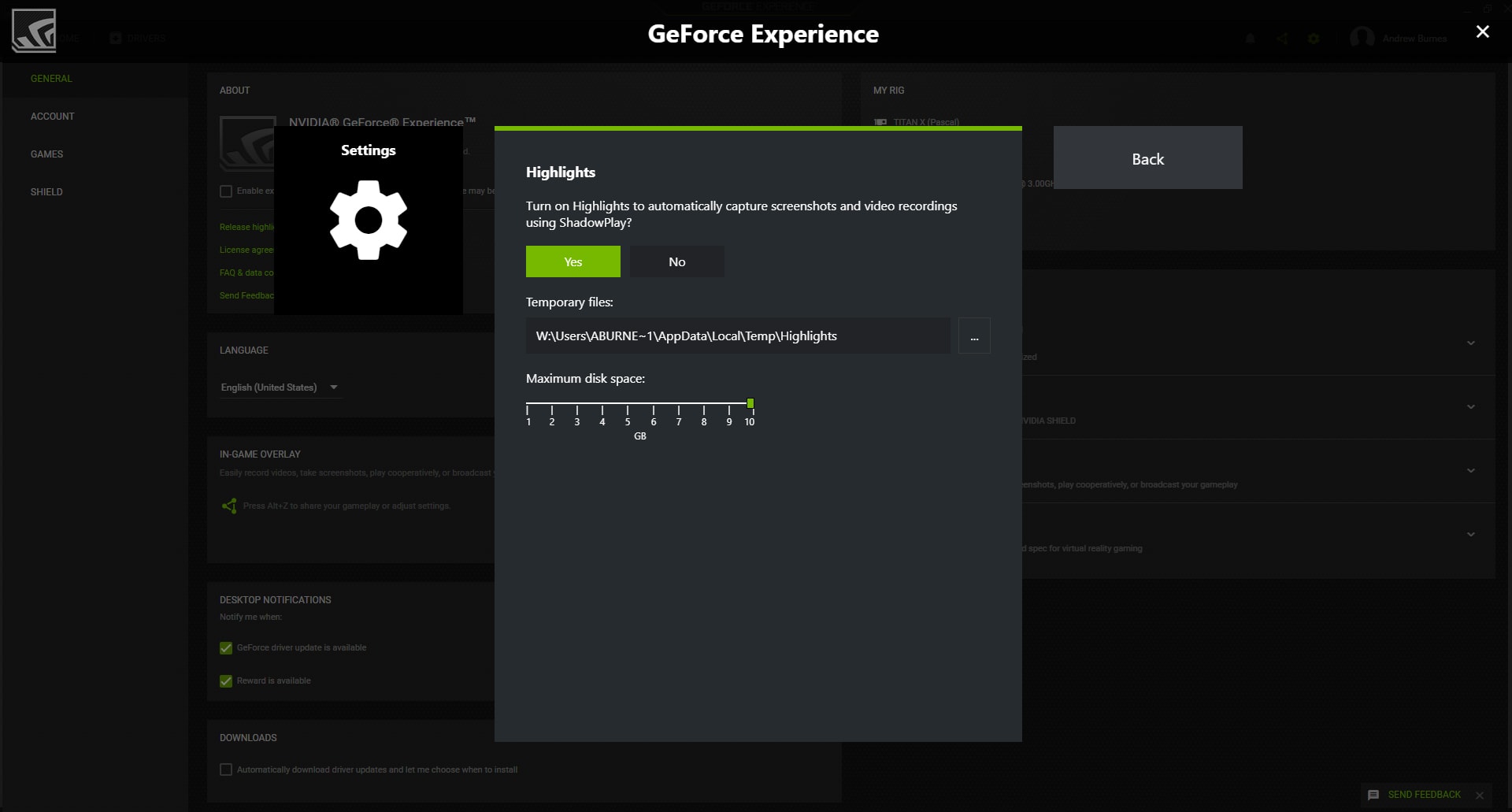
A replay buffer writes video continuously. Outplayed's Storage Auto-Manage deletes older or lower-priority clips once they pass a size cap or age you set, and its Highlights mode saves only kills, deaths and assists to keep storage light. Nvidia lets you pick the codec, and it says AV1 gives up to 40% better compression than H.264. The Nvidia app can also record at 240 FPS on RTX 40 and 50 series cards. Those files are large, so point the buffer at a drive with room to spare.
Privacy
Local recorders keep footage on your PC until you upload it. Cloud features change that. Medal's privacy policy says it collects the installed games and services on your device and the clips you capture. It may scan clip audio for moderation, and it can keep a deleted clip in an existing research dataset for a limited period, generally no more than 12 months. Targeted advertising requires your consent and can be withdrawn.
Eklipse processes your stream VODs on its servers by design. That's the whole product, so connect only channels you're comfortable having analysed.
Free Versus Paid: Where the Limits Are
All 4 desktop auto-clippers here record and detect highlights for free. What the paid tiers sell is hosting, upload quality and the removal of watermarks and ads. Detection isn't paywalled, except at Eklipse, where detection is the product.
Medal
Medal is free on PC and mobile. As of its June 17, 2026 update, Premium costs $9.99 a month or $7.99 a month billed annually. Free uploads are capped at 1080p and 20 minutes. Premium removes the watermark, uploads in original quality at any length, adds unlimited cloud storage and auto-generated subtitles, and removes ads.
Outplayed
The free Core plan records with all capture modes and hosts clips on Outplayed.tv for 3 months. Premium hosts clips indefinitely, removes ads, and lets you change or remove the watermark on projects made in its editor. Overwolf doesn't publish the price in its support pages. It's shown at the Tebex checkout, and a first-month 50% discount code is listed.
SteelSeries Moments and Nvidia
SteelSeries Moments and Nvidia Highlights are both free, with no paid tier at all. Moments needs at least an Intel Core i5-2xxx or AMD FX-4xxx CPU and a GeForce 960, Radeon HD 7870 or Intel HD 4000 GPU. Highlights needs an Nvidia GPU and the Nvidia app.
Eklipse
Every account got 3 Gameplay Intelligence highlights to try when the engine launched. Eklipse's site describes the free plan as 3 clips per stream. Premium runs Gameplay Intelligence on every VOD without a cap. Eklipse Plus was folded into Premium on June 1, 2026, and Eklipse said the launch didn't change the price.
Which One to Install
The right auto-clipper depends on your main game, your GPU and whether you stream. Start with the game list and work backwards.
You play a popular competitive shooter or MOBA and don't stream. Install Medal first. It has the widest free event detection, works on Nvidia, AMD and Intel GPUs, and its paid tier only matters if you upload a lot.
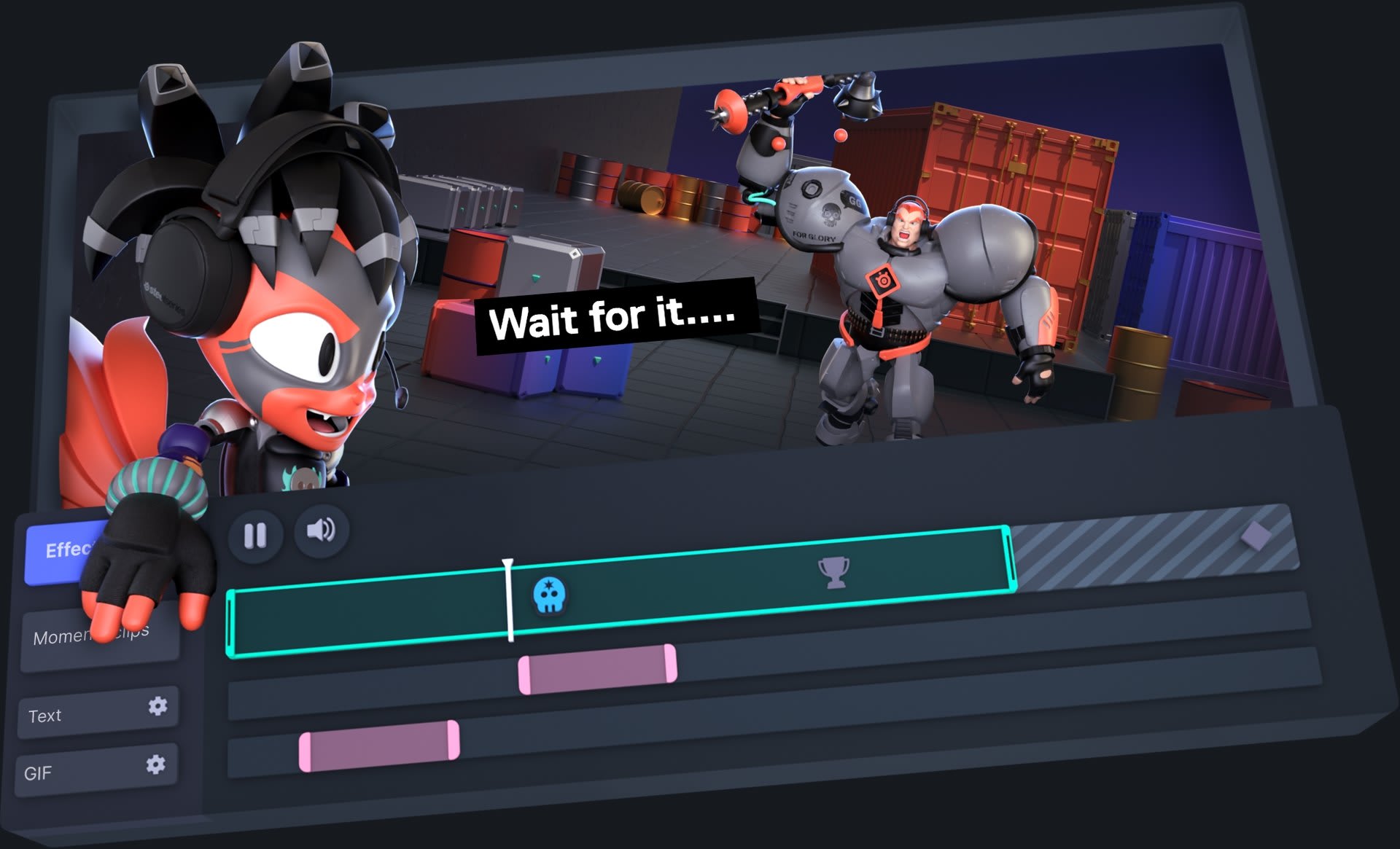
Your game is on the SteelSeries list, or you already use SteelSeries GG. Moments is free, has a lighter footprint, and has a timeline editor with event markers.
You already run Overwolf apps for match stats. Outplayed adds its replay HUD to a setup you're already running. Installing Overwolf only for Outplayed makes less sense.
You play one of the 45 Nvidia titles on a GeForce card. Highlights is already installed with the Nvidia app. Turn it on and set a disk cap.
You stream on Twitch, YouTube or Kick and want short vertical clips. Eklipse is the one built for that. It runs on the VOD, so it costs your gaming PC nothing, and its per-genre detection handles talk-heavy and strategy streams better than kill-feed triggers do.
You're on AMD graphics. AMD's Record & Stream page covers recording, instant replay and streaming but no game-event auto-clipping. Use Medal, Moments or Outplayed, which all support AMD encoders.
Whichever you choose, run only one clipper at a time. If you stream with Eklipse, it says loud background music makes your voice harder to separate from game audio, so a cleaner mic track helps; our guide to AI noise suppression for gamers compares the options. And if the clips themselves stutter, fixing stutter in PC games is the place to start.
Where Auto-Clipping Goes Next
Auto-clipping is moving from hard-coded game events toward models that read the screen, and Eklipse's June 2026 engine is the clearest example so far.
The trade-off is that vision models don't need studio permission, but they usually run in the cloud or need spare compute, and they misfire more on games they haven't been tuned for. AI NPCs in games face a similar split: small models running on your GPU for fast replies, or bigger cloud models that cost money on every reply.
For now, per-game event data is still the most reliable way to catch a clutch round live. So check the supported-games list before you look at the AI label on the box.
Frequently Asked Questions
Does auto-clipping lower FPS?
Usually only slightly, when the tool encodes on the GPU's dedicated video hardware rather than the CPU. Vendors describe the impact as minimal, and Medal quotes 100 to 400MB of RAM. The cost rises with high-bitrate or 240 FPS capture, and when you run two clippers or several overlays at once.
Why doesn't auto-clip work in my game?
Most tools need per-game event data. Overwolf says adding real-time events for a new game needs ongoing maintenance and developer permission. If your game isn't on the tool's list, only manual hotkey and instant replay capture will work.
Is Nvidia Highlights still available in the Nvidia app?
Nvidia Highlights is still in the Nvidia app overlay, and recent app updates added AV1 encoding for it. But Nvidia's list has only 45 entries, mostly older titles, and the Highlights SDK is marked legacy. Few new games add support.
Is Medal free to use?
Medal's recording, auto-clipping, editing and sharing are all free on PC and mobile. Premium costs $9.99 a month, or $7.99 a month billed annually. It removes watermarks and ads, lifts the 1080p and 20-minute upload caps, and adds unlimited cloud storage.
Does Outplayed need Overwolf?
Outplayed only runs on the Overwolf platform, which it uses to detect game events in real time. If you don't already use other Overwolf apps, a standalone tool like Medal or SteelSeries Moments avoids the extra layer.
What is the best auto-clipping tool for streamers?
Eklipse is the auto-clipping tool built for streamers who want short vertical clips. It analyses Twitch, YouTube and Kick VODs in the cloud after the stream ends, so it doesn't touch your gaming PC's performance. Its Gameplay Intelligence engine uses per-genre tuning and on-screen context rather than audio spikes alone.
Screenshots courtesy of NVIDIA, Overwolf/Outplayed via PCGamesN and SteelSeries, used for editorial coverage.
Sources
- NVIDIA, NVIDIA App: Download for Gamers and Creators, retrieved 2026-09-10, https://www.nvidia.com/en-us/software/nvidia-app/
- NVIDIA, NVIDIA App Release Highlights, retrieved 2026-09-10, https://www.nvidia.com/en-us/software/nvidia-app/release-highlights/
- NVIDIA, Supported Games and Apps (games data file), retrieved 2026-09-10, https://www.nvidia.com/en-us/software/nvidia-app/supported-games-apps/
- NVIDIA Developer, NVIDIA Highlights SDK, retrieved 2026-09-10, https://developer.nvidia.com/highlights
- NVIDIA, Splitgate: Arena Warfare Adds NVIDIA Highlights As Part Of Major Game Update, retrieved 2026-09-10, https://www.nvidia.com/en-us/geforce/news/splitgate-arena-warfare-nvidia-highlights/
- SteelSeries Support, Which games support Moments autoclip?, retrieved 2026-09-10, https://support.steelseries.com/hc/en-us/articles/360051565892-Which-games-support-Moments-autoclip
- SteelSeries Support, What is auto-clip with SteelSeries Moments?, retrieved 2026-09-10, https://support.steelseries.com/hc/en-us/articles/360060115032-What-is-auto-clip-with-SteelSeries-Moments
- SteelSeries, Moments, retrieved 2026-09-10, https://steelseries.com/gg/moments
- Medal, Features, retrieved 2026-09-10, https://medal.tv/features
- Medal, Same Price, More Stuff. Updates to Medal Premium in June 2026, retrieved 2026-09-10, https://medal.tv/blog/posts/same-price-more-stuff-check-out-the-updates-to-medal-premium
- Medal, Medal Premium, retrieved 2026-09-10, https://medal.tv/premium
- Medal, Medal vs Outplayed, retrieved 2026-09-10, https://medal.tv/compare/medal-vs-outplayed
- Medal, Privacy Policy, retrieved 2026-09-10, https://medal.tv/privacy
- Medal Support, Fix Low FPS or Choppy Clips in Medal — Troubleshooting Guide, retrieved 2026-09-10, https://support.medal.tv/support/solutions/articles/48000922094-low-framerate-fps-or-choppy-clips
- Overwolf, Outplayed - Desktop App on Overwolf, retrieved 2026-09-10, https://www.overwolf.com/app/overwolf-outplayed
- Overwolf Support, Video Codec Selection and Availability, retrieved 2026-09-10, https://support.overwolf.com/support/solutions/articles/9000177861-video-codec-selection-and-availability
- Overwolf Support, Outplayed Quick Set-up Guide, retrieved 2026-09-10, https://support.overwolf.com/support/solutions/articles/9000268210-outplayed-quick-set-up-guide
- Overwolf Support, How to use Outplayed, retrieved 2026-09-10, https://support.overwolf.com/support/solutions/articles/9000208995-how-to-use-outplayed
- Overwolf Support, Outplayed account plans, retrieved 2026-09-10, https://support.overwolf.com/support/solutions/articles/9000240941-outplayed-account-plans
- Eklipse, How Gameplay Intelligence Works Inside Eklipse's New Highlight Engine, retrieved 2026-09-10, https://blog.eklipse.gg/streaming-tips/how-gameplay-intelligence-works-2.html
- Eklipse, Upgrade to Eklipse Premium Before Gameplay Intelligence, retrieved 2026-09-10, https://eklipse.gg/help/upgrade-eklipse-premium-before-gameplay-intelligence/
- AMD, AMD Video and Streaming, retrieved 2026-09-10, https://www.amd.com/en/products/software/adrenalin/video-streaming.html