1% lows are the average frame rate of the slowest 1% of frames in a benchmark run — effectively your worst-case performance during normal play. If your average is 100 FPS but your 1% low is 45 FPS, you are experiencing drops severe enough to feel like stuttering, no matter how good the headline number looks.
This is the single most useful number in PC gaming, and it is the one most people ignore. A stable 80 FPS with strong 1% lows feels better than an erratic 100 FPS with weak ones. Smoothness is consistency, not speed.
Note
Key Takeaways
- 1% low = the average of your slowest 1% of frames. 0.1% low = the slowest 0.1%, the true worst case.
- A healthy target is a 1% low no worse than roughly two-thirds of your average FPS.
- Average FPS hides stutter completely — a 400ms freeze barely moves a 60-second average.
- 1% lows expose CPU bottlenecks, VRAM limits and shader compilation that averages do not.
- Measure with CapFrameX, PresentMon or MSI Afterburner + RivaTuner, not an in-game FPS counter.
What Does "1% Low" Actually Mean?
During a benchmark run your system produces thousands of frames, each taking a slightly different amount of time to render. Sort every frame by how long it took, take the slowest 1%, and average them — that is your 1% low.
Put another way, it is the value above which 99% of your frames sit. It describes the bad moments that happen semi-regularly rather than the rare one-off hitch.
There is an important distinction here that trips people up. Some tools report the 1st percentile frame time instead — the single frame at the 99th percentile position — while others report the average of the worst 1%. The averaged version is more representative and is what CapFrameX and most reviewers now use. The two numbers will not match exactly, which is why you should never compare 1% lows across different measurement tools.
Why Average FPS Is Misleading
Average FPS is a rate. It tells you how many frames arrived in a second, and says nothing about when they arrived.
Consider two systems both averaging 100 FPS over one second:
| # | Scenario | Frame Delivery | How It Feels |
|---|---|---|---|
| 1 | Consistent | 100 frames, each roughly 10ms apart | Perfectly smooth |
| 2 | Erratic | 96 frames at 6ms, then one 40ms frame | Visible stutter |
Both report 100 FPS. One is flawless and the other hitches once a second, and your eye catches that 40ms frame every time.
Tip
Think in frame times (milliseconds) rather than frame rates. 60 FPS is 16.7ms per frame; 100 FPS is 10ms. A frame that takes 40ms when its neighbours took 10ms is a four-times spike — instantly visible. Frame rate averages smooth that spike into nothing, which is exactly why they mislead.
What Is a Good 1% Low?
There is no official standard, but a practical rule holds up well: your 1% low should be at least two-thirds of your average. Closer is better.
| # | Average FPS | 1% Low | Ratio | Verdict |
|---|---|---|---|---|
| 1 | 120 | 100 | 83% | Excellent — feels genuinely smooth |
| 2 | 120 | 85 | 71% | Good — occasional dips, not distracting |
| 3 | 120 | 70 | 58% | Noticeable stutter in busy scenes |
| 4 | 120 | 45 | 38% | Something is wrong — investigate |
| 5 | 60 | 50 | 83% | Excellent for a 60 FPS target |
The ratio matters more than the absolute number. A 1% low of 45 FPS is poor next to a 120 FPS average and perfectly fine next to a 55 FPS average.
What Causes Bad 1% Lows?
Weak 1% lows almost always trace back to something intermittent rather than something slow. Your GPU is not the usual suspect.
CPU Bottleneck
A CPU that cannot keep up during crowded scenes drops isolated frames while the average stays high. This is the most common cause in open-world and strategy games.
VRAM Exhaustion
When the frame buffer fills, assets stream over PCIe instead of being read locally. Averages barely move; 1% lows collapse.
Shader Compilation
DirectX 12 and Vulkan titles compile shaders on first use, producing 50-500ms freezes that devastate percentile numbers.
Background Processes
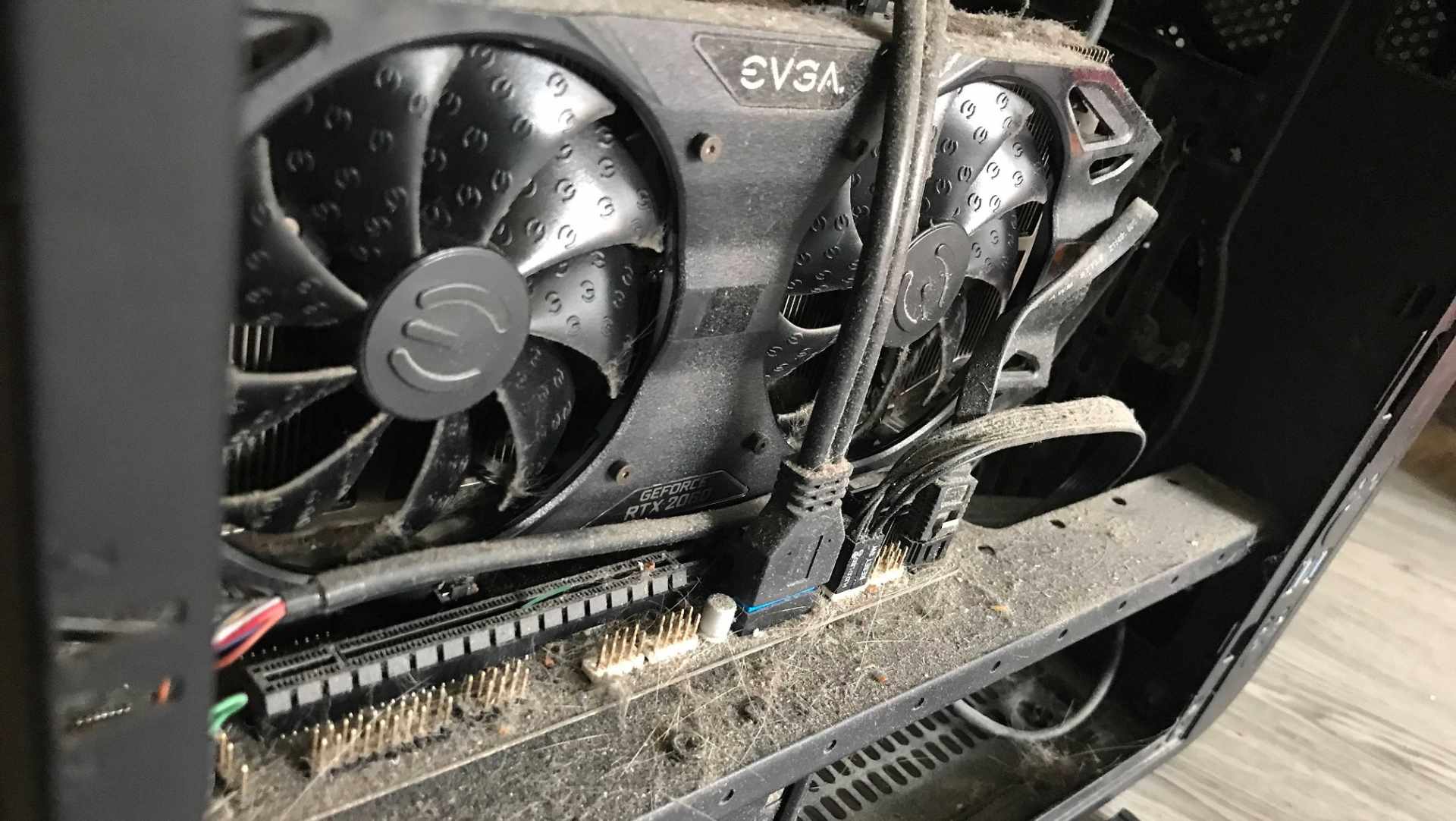
Overlays, antivirus scans and browser tabs steal CPU time in bursts, which is exactly the pattern percentiles catch.
Notice that a GPU which is simply too slow produces a low average with proportionally low 1% lows — everything scales down together. That is a very different signature from a high average with collapsed percentiles, which always means something intermittent is interfering.
Diagnosing by Signature
| # | Pattern | Likely Cause | Next Step |
|---|---|---|---|
| 1 | Low average, proportional 1% lows | GPU is simply too slow | Lower settings or upgrade the GPU |
| 2 | High average, collapsed 1% lows | CPU bottleneck | Lower CPU-bound settings, check usage |
| 3 | 1% lows worsen as the session continues | VRAM exhaustion | Drop texture quality one notch |
| 4 | Bad only in new areas, fine on return | Shader compilation | Raise shader cache, let it precompile |
| 5 | Random spikes unrelated to what is shown | Background process | Disable overlays one at a time |
Pattern 3 is worth dwelling on because it is so commonly misread. Our guide to how much VRAM you need for gaming explains why an 8GB card can post a respectable average while stuttering badly — the frame buffer fills, textures stream over PCIe, and only the percentiles reveal it. Pattern 4 is covered in detail in our guide on fixing stuttering in PC games.
How to Measure 1% Lows
In-game FPS counters and the Steam overlay do not report percentiles. You need a tool that records per-frame timings.
CapFrameX is the most accessible option. It records a capture, then presents average, 1% low, 0.1% low and a full frame-time graph in one view. PresentMon is Intel's lower-level equivalent and captures raw data for your own analysis. MSI Afterburner with RivaTuner can display a live frame-time graph, which is enough to spot problems even if it is less precise for reporting.
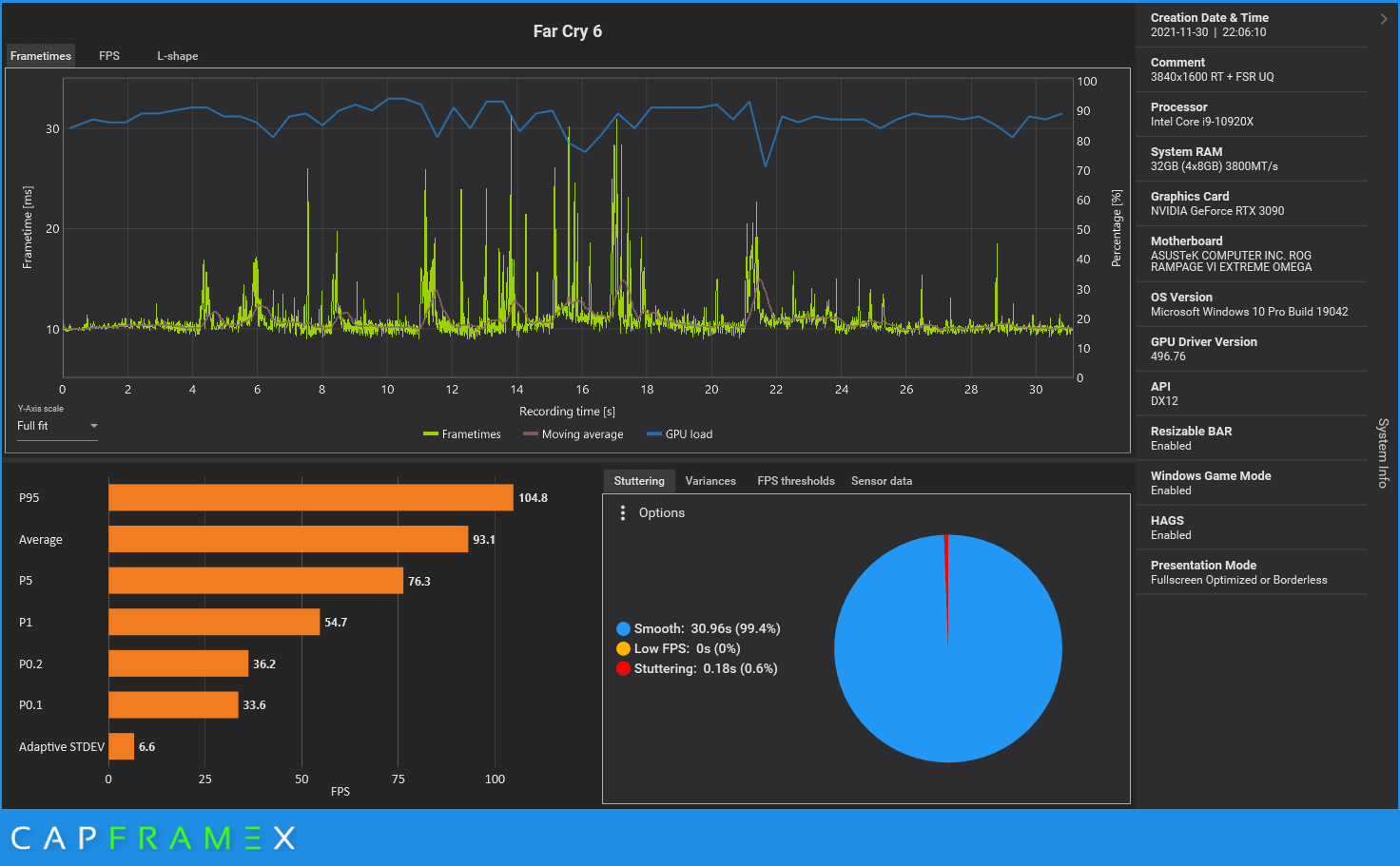
A repeatable benchmark run matters more than the tool you pick. Capture the same 60-second stretch of the same area each time, or your numbers will reflect where you walked rather than what you changed.
Warning
Never compare 1% lows between different tools or different games. Tools calculate percentiles differently, and engines vary enormously in frame pacing. The number is only meaningful as a before-and-after comparison on your own system, in the same scene, with one variable changed. Cross-tool comparison is the most common mistake in amateur benchmarking.
0.1% Lows: When Do They Matter?
The 0.1% low is the average of your slowest one frame in a thousand — genuinely rare events rather than semi-regular dips.
It is a noisier statistic, and a single unrepresentative hitch can dominate it. But it is the right number for catching severe, infrequent problems: a shader compiling, a level streaming in, or a background process waking up.
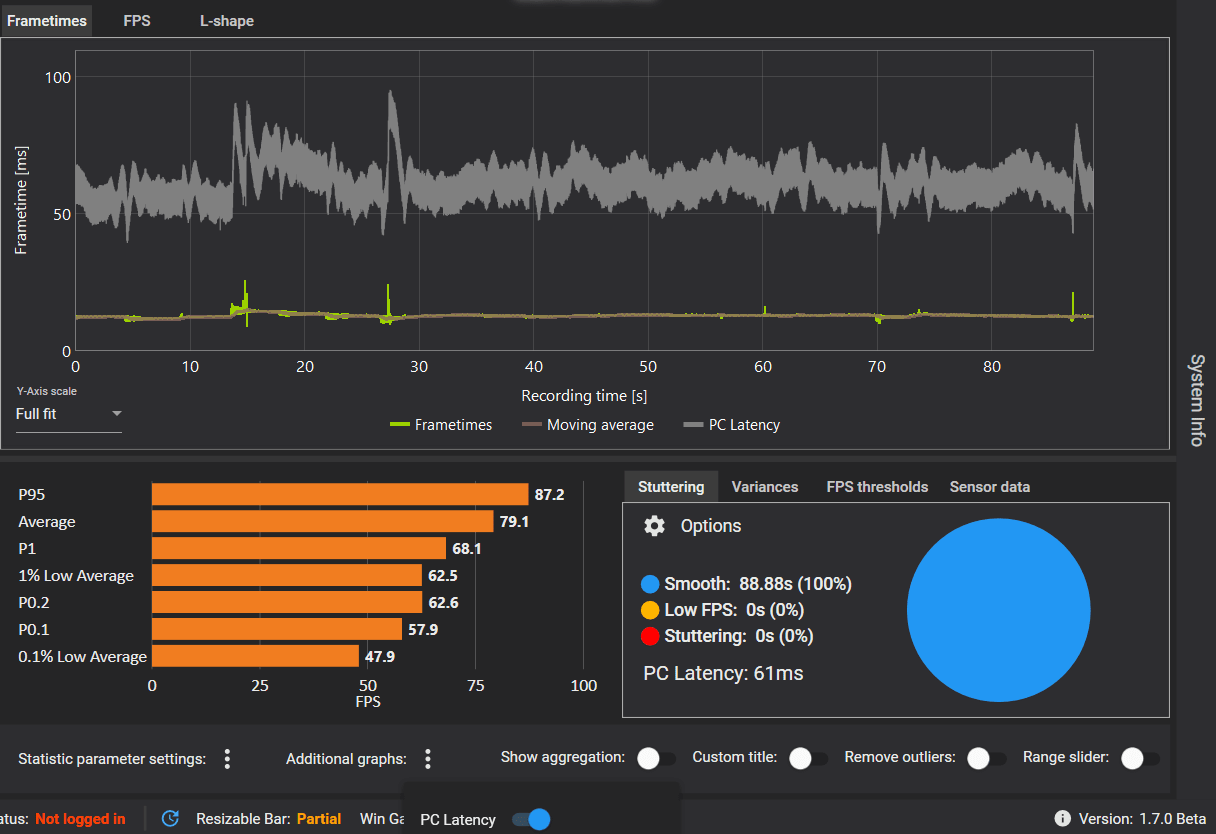
Use 1% lows to judge whether a game feels smooth. Use 0.1% lows to hunt down a specific hitch you can feel but cannot reproduce on demand.
One caveat: if the machine is not merely stuttering but cutting out entirely, percentiles will not help. That is a power or thermal fault, and our guide to why a PC shuts down while gaming is the right starting point.
Why Reviewers Report This Now
For years, hardware reviews published a single average FPS bar chart per game. That practice hid real differences between products — two GPUs could post identical averages while delivering visibly different experiences.
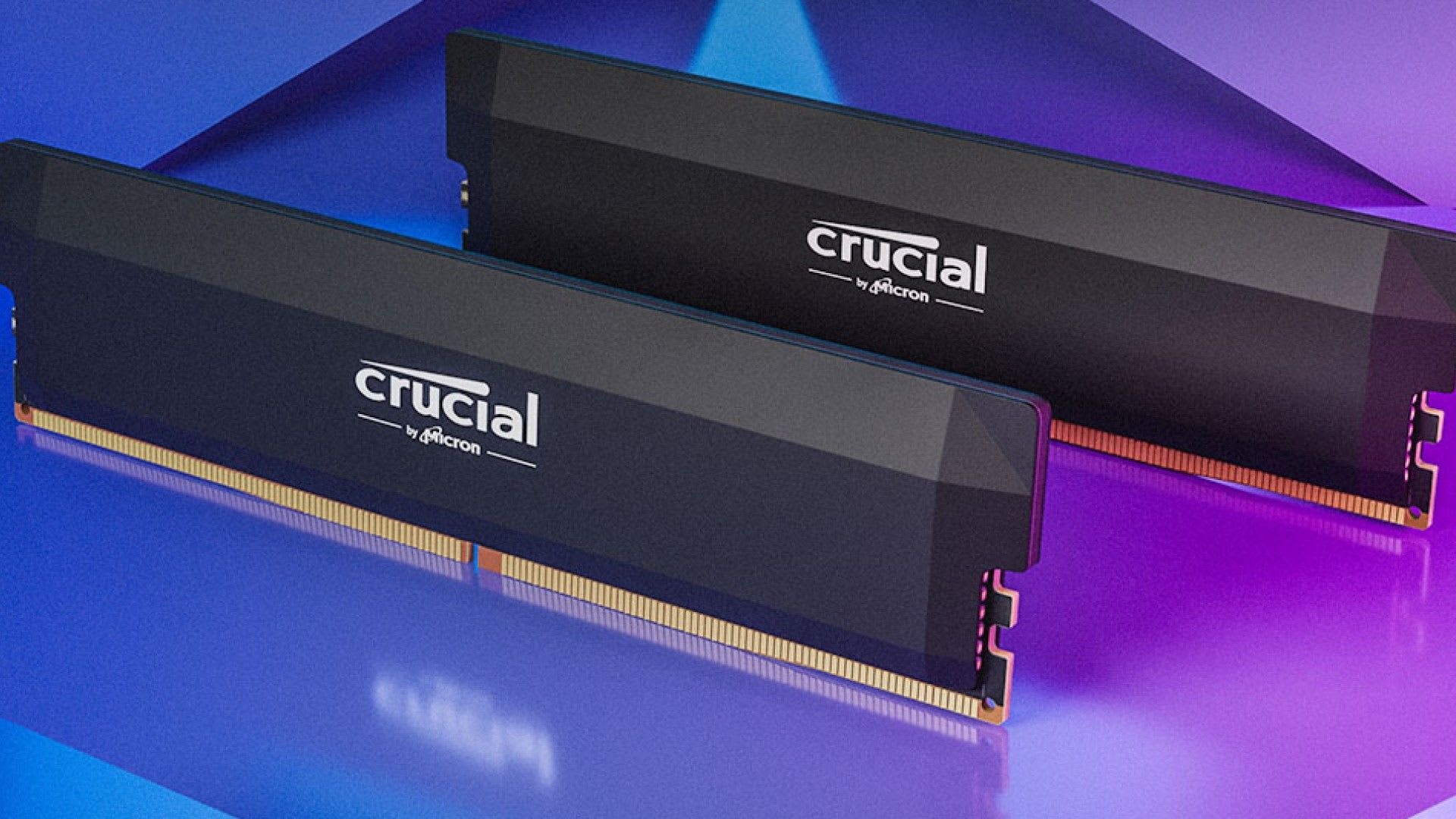
This matters commercially too. It is why memory capacity has become a live topic: 16GB and 32GB configurations often show a 1 FPS difference in average while 32GB delivers meaningfully better 1% and 0.1% lows. Our breakdown of whether 32GB of RAM is overkill works through exactly that data, and the same logic drives the VRAM recommendations in our budget GPU comparison.
Frequently Asked Questions
What is a good 1% low FPS?
A 1% low of at least two-thirds of your average is a reasonable target, and closer to the average is better. The ratio matters more than the raw number — a 45 FPS 1% low is poor against a 120 FPS average but perfectly healthy against a 55 FPS average.
What is the difference between 1% low and 0.1% low?
1% lows average your slowest 1% of frames and represent the worst case during normal play. 0.1% lows average the slowest one frame in a thousand, capturing rare severe hitches. 1% lows tell you whether a game feels smooth; 0.1% lows help you track down a specific intermittent stutter.
Why are my 1% lows so bad but my average FPS is fine?
That signature almost always means something intermittent is interfering rather than your GPU being too slow. The usual causes are a CPU bottleneck in crowded scenes, VRAM exhaustion forcing assets over PCIe, shader compilation in DirectX 12 and Vulkan titles, or a background process stealing CPU time in bursts.
How do I measure 1% lows?
Use CapFrameX, Intel's PresentMon, or MSI Afterburner with RivaTuner. In-game FPS counters and the Steam overlay do not report percentiles because they do not record per-frame timings. Capture the same repeatable 60-second run each time so your comparisons are valid.
Does more RAM improve 1% lows?
It can, noticeably. Benchmarks comparing 16GB and 32GB configurations frequently show almost no change in average FPS while 32GB delivers considerably better 1% and 0.1% lows. The extra capacity removes page-file swapping and gives background applications room, both of which cause exactly the intermittent stalls percentiles capture.
The Bottom Line
Stop reading average FPS as if it describes your experience. It describes throughput; 1% lows describe smoothness, and smoothness is what you actually perceive.
The practical habit is simple: whenever you change a setting, upgrade a part, or chase a stutter, record the 1% low before and after in the same scene with the same tool. That single number will tell you whether the change helped far more reliably than the average ever will — and it will stop you from replacing hardware that was never the bottleneck.
Component photography and software screenshots courtesy of the respective manufacturers and developers, used for editorial coverage.
Sources
- CapFrameX, Explanation of different performance metrics, retrieved 2026-07-27, https://www.capframex.com/blog/post/Explanation%20of%20different%20performance%20metrics
- Tech News Today, Why 1% Lows Matter in Gaming, retrieved 2026-07-27, https://www.technewstoday.com/why-1-lows-matters-in-gaming/
- The FPS Tester, Understanding Frame Time: Why Average FPS Lies to You, retrieved 2026-07-27, https://thefpstester.com/articles/understanding-frame-time
- Superstar Reviews, What is 1% Low FPS, and Why it Matters More than Your Average, retrieved 2026-07-27, https://superstarreviews.tech/1-percent-low-fps/
- Bottleneck Calculator Online, 1% Low FPS Explained for Smoother PC Gaming Performance, retrieved 2026-07-27, https://bottleneckcalculatoronline.com/1-low-fps/