Pick Mini-LED if your monitor spends most of its life showing a spreadsheet, and OLED if it spends most of its life showing a game. That is the entire decision in one sentence, and everything below is the reasoning behind it.
The three technologies competing for your desk in 2026 are not equally matched on any single axis. OLED pixel response is measured in fractions of a millisecond against 1–4 ms for the best Mini-LED panels, which is not a close contest. But OLED still carries burn-in risk that Mini-LED simply does not have, and static desktop content is exactly what triggers it.
Note
Key Takeaways
- QD-OLED uses blue OLED emitters with quantum-dot colour conversion — the widest colour volume and the punchiest highlights, but the worst raised-black behaviour in bright rooms.
- WOLED adds a white subpixel for brightness efficiency, giving better full-screen brightness and better ambient-light handling at the cost of some colour saturation.
- Mini-LED is an LCD with thousands of backlight dimming zones — the brightest option, zero burn-in risk, but with blooming around bright objects on dark backgrounds.
- Response time is not close. OLED transitions are sub-millisecond; Mini-LED is 1–4 ms even on the fastest panels.
- Text clarity favours Mini-LED. Non-standard OLED subpixel layouts cause colour fringing on small text, though it has improved substantially.
- Burn-in on modern OLED is unlikely in mixed use thanks to pixel shifting and logo dimming, and warranties increasingly cover it — but static UI for 8 hours a day is still the risk case.
The Three Technologies in One Paragraph Each
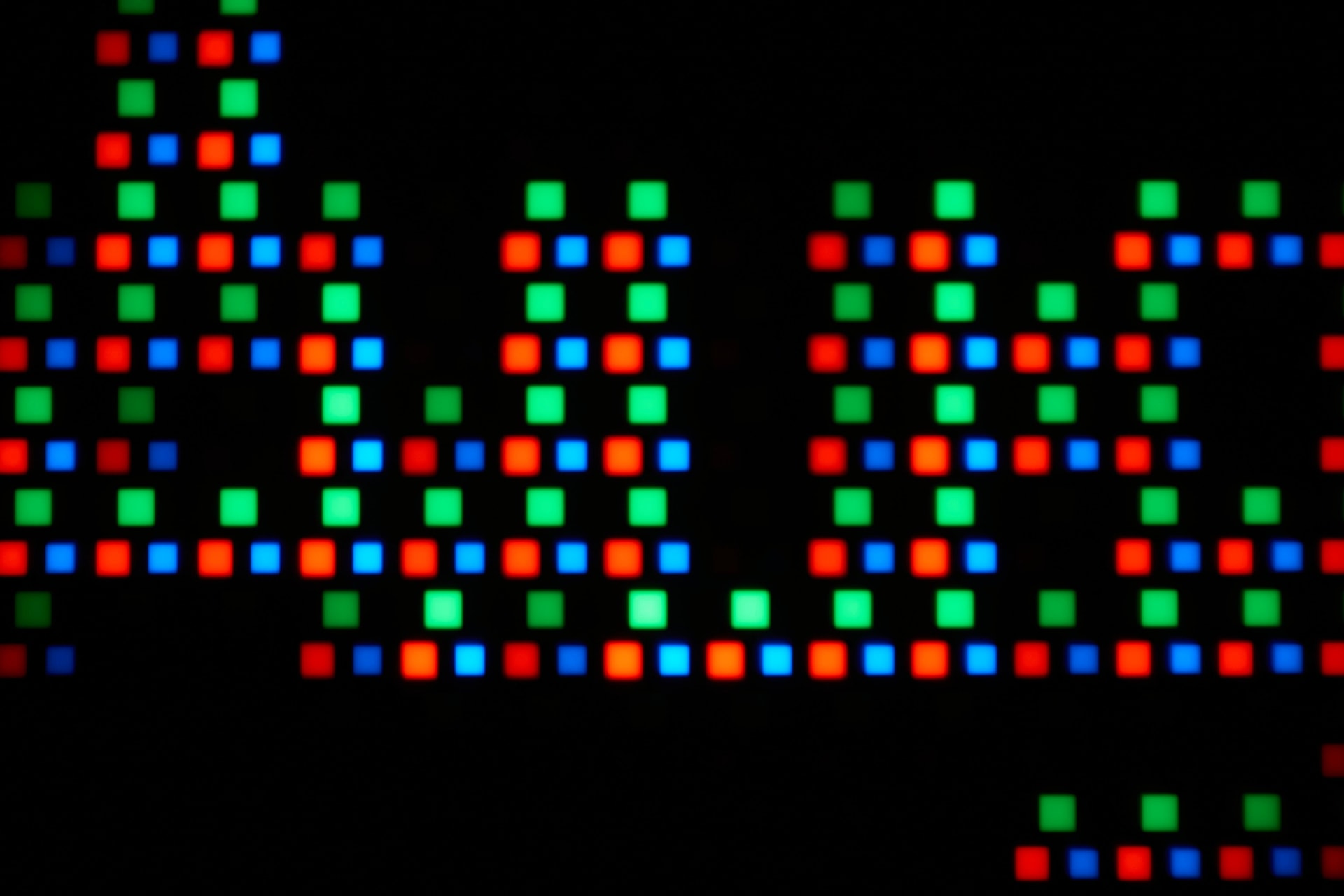
QD-OLED puts a quantum-dot layer over blue OLED emitters. The quantum dots convert blue light into pure red and green rather than filtering white light down, so almost nothing is thrown away. That produces the widest colour volume of the three and the most saturated highlights, and it is the reason QD-OLED panels look so aggressive in HDR.
WOLED uses a white OLED emitter with a colour filter layer and adds a fourth white subpixel. The white subpixel raises brightness efficiency, particularly on full-screen bright content, at the cost of some colour purity because the filters discard light. It handles bright rooms better than QD-OLED.
Mini-LED is a conventional LCD panel lit by a backlight made of thousands of tiny LEDs grouped into independently dimmable zones. It is not self-emissive — the liquid crystal layer still blocks light — so contrast depends entirely on how finely the backlight can be controlled.
Where Each One Wins
No panel type wins across the board, and the honest comparison is a table rather than a verdict.
| Criterion | QD-OLED | WOLED | Mini-LED |
|---|---|---|---|
| Pixel response | Sub-0.1 ms | Sub-0.1 ms | 1–4 ms |
| Black levels (dark room) | Perfect | Perfect | Very good, with blooming |
| Black levels (bright room) | Raised, purplish | Better than QD-OLED | Unaffected |
| Peak HDR highlights | Excellent | Very good | Excellent, sustained |
| Full-screen brightness | Limited | Better | Best by a wide margin |
| Colour volume | Widest | Wide | Wide with quantum dots |
| Text clarity | Weakest | Improved | Best |
| Burn-in risk | Present | Present | None |
| Typical price | Highest | High | Lower for equivalent size |
The row that decides most purchases is the last-but-one. Burn-in risk is the only binary in the table.
Response Time Is Where OLED Is Untouchable
Every OLED pixel makes its own light, so switching it means changing that pixel's output directly rather than twisting a liquid crystal to block a backlight. That is why OLED transitions land in fractions of a millisecond and LCD transitions do not.
The practical result is that OLED does not need overdrive. On an LCD, overdrive pushes the crystal harder to speed up the transition, and pushing too hard produces inverse ghosting — the bright trailing halo covered in our guide to monitor overdrive and ghosting. OLED sidesteps the entire problem because there is nothing to overdrive.
Info
Manufacturer response-time numbers are frequently GtG figures that do not describe perceived motion blur at all. The distinction between GtG and MPRT, and which one predicts what you will actually see, is covered in GtG vs MPRT response time. It matters more when comparing Mini-LED panels than OLED ones, because OLED's numbers are low enough that the difference stops being visible.
Mini-LED Wins on Brightness and Peace of Mind
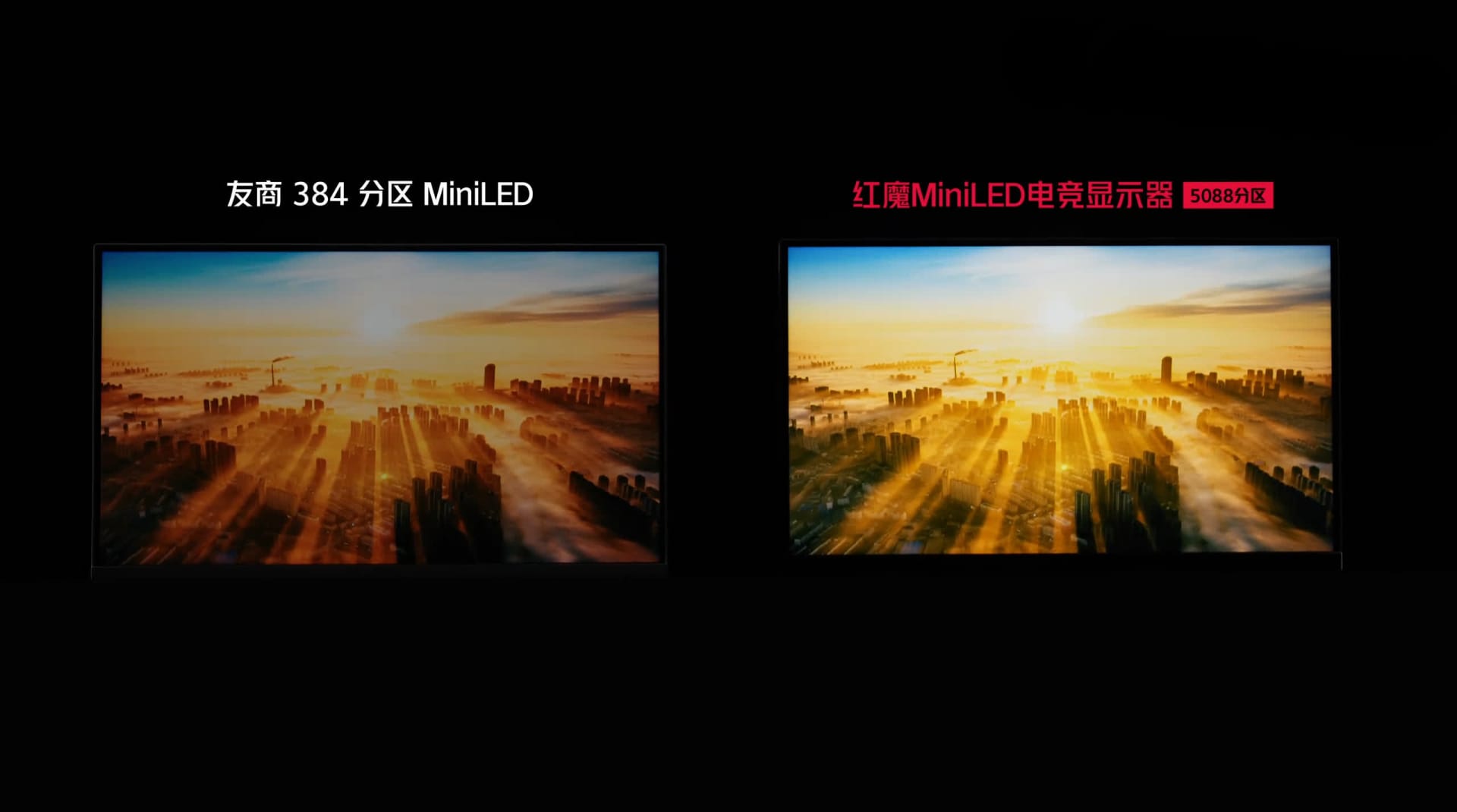
Mini-LED can hold high brightness across the entire screen indefinitely, which OLED cannot. OLED panels use automatic brightness limiting to protect the emitters, so a full-screen white image dims noticeably compared with a small bright highlight on a dark background.
For gaming that rarely matters — games are full of mixed content and specular highlights, which is OLED's best case. For a bright room, a desk near a window, or long sessions of productivity work at full brightness, Mini-LED is simply the more comfortable panel.
The trade is blooming. With thousands of zones rather than millions of pixels, a bright object on a dark background lights up its whole zone, producing a visible halo. More zones reduce it; nothing eliminates it short of per-pixel control.
The Burn-In Question, Answered Honestly
Burn-in has not been engineered away, but modern panel-care features make it unlikely in mixed use. Pixel shifting, logo dimming, per-pixel brightness compensation and scheduled refresh cycles all reduce the rate at which uneven wear accumulates, and manufacturer warranties increasingly cover burn-in explicitly.
The risk case is specific and worth naming precisely: the same static high-contrast element in the same position for many hours a day, every day. A Windows taskbar, a fixed game HUD, a trading terminal, an IDE sidebar.
Auto-Hide the Taskbar
The single highest-value change. A permanently visible taskbar is the most common source of uneven wear on a desktop OLED.
Use Dark Mode Everywhere
Lower average pixel brightness means slower wear. Dark themes in your OS, browser and editor genuinely help.
Let It Run Its Cycles
Do not cut power immediately at shutdown. Compensation cycles run when the panel goes idle and are the main defence.
Vary the Content
If a single game with a fixed HUD is 90% of your screen time, that is the profile most likely to show wear. Mixed use is far safer.
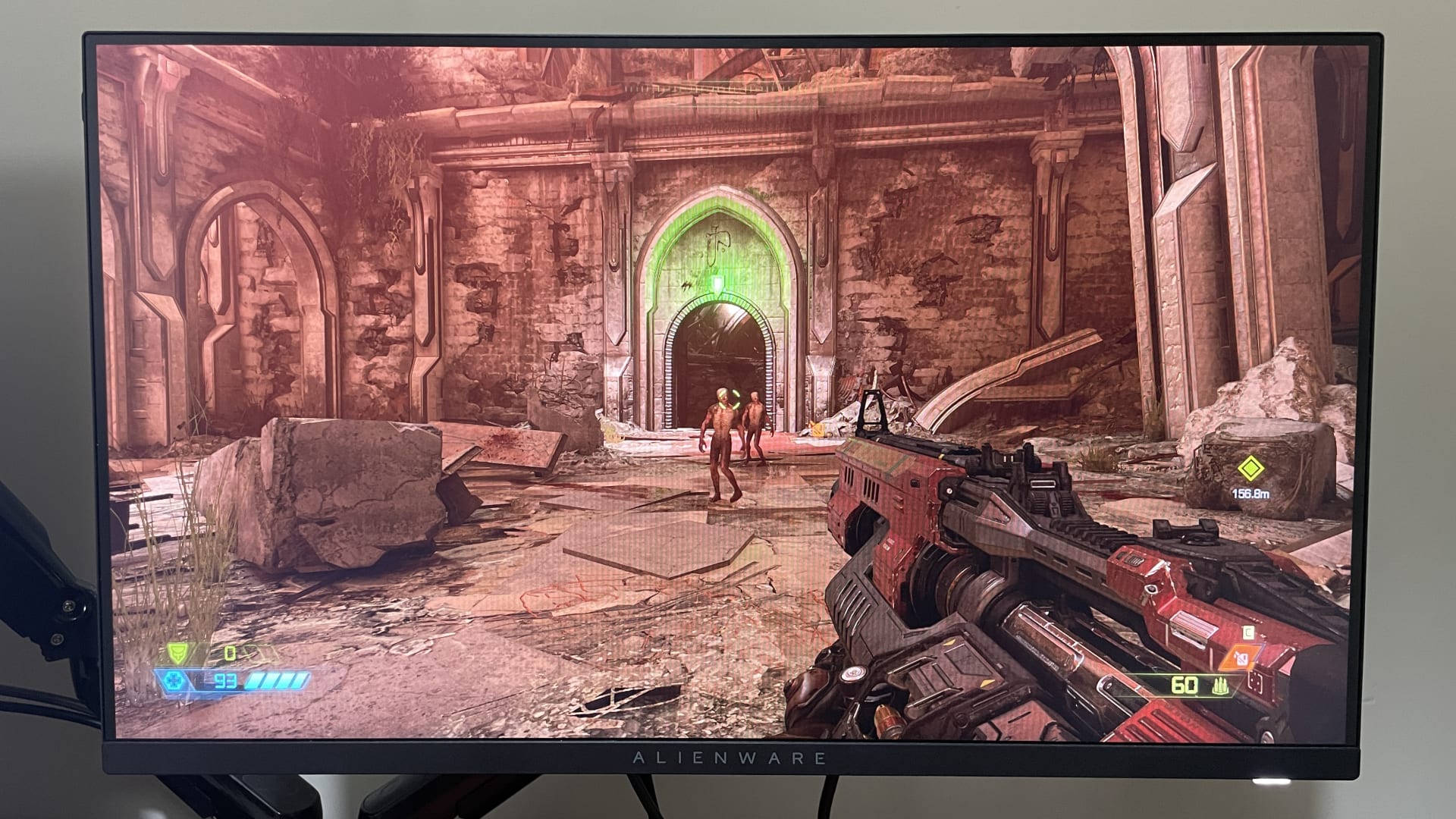
The practical answer for most buyers: if the monitor is primarily for gaming and mixed media, OLED burn-in is a manageable risk and the warranty likely covers it. If it is your work display for eight hours and your gaming display for two, buy Mini-LED and stop thinking about it.
Text Clarity Is the Underrated Difference
OLED panels use non-standard subpixel layouts, and Windows text rendering assumes a standard RGB stripe. The mismatch produces colour fringing on small text — faint red or green edges on letterforms.
QD-OLED's triangular arrangement is the most affected; WOLED's white subpixel also disrupts the expected pattern. Both have improved substantially with higher pixel densities, and a 4K 32-inch OLED shows far less fringing than a 1440p 27-inch one because there are simply more subpixels per character.
Mini-LED, being a conventional LCD, uses a standard RGB stripe and renders text exactly as the operating system expects.
If you write code or read documents for a living, look at text on the specific panel before buying. This is the one difference that photographs poorly and matters daily.
Matching the Panel to Your Cable and GPU
A high-refresh 4K panel can exceed what your cable and port can carry, and the failure mode is silent — you get a lower refresh rate or compressed colour without a warning. This bites people upgrading to 4K 240 Hz panels in particular.
Our comparison of DisplayPort 2.1 vs HDMI 2.1 covers the bandwidth each standard actually delivers, and the broader HDMI and DisplayPort comparison covers which to use for which setup. If you are buying a cable to go with the monitor, how to spot a fake HDMI 2.1 cable is worth five minutes — mislabelled cables are common and produce exactly this class of problem.
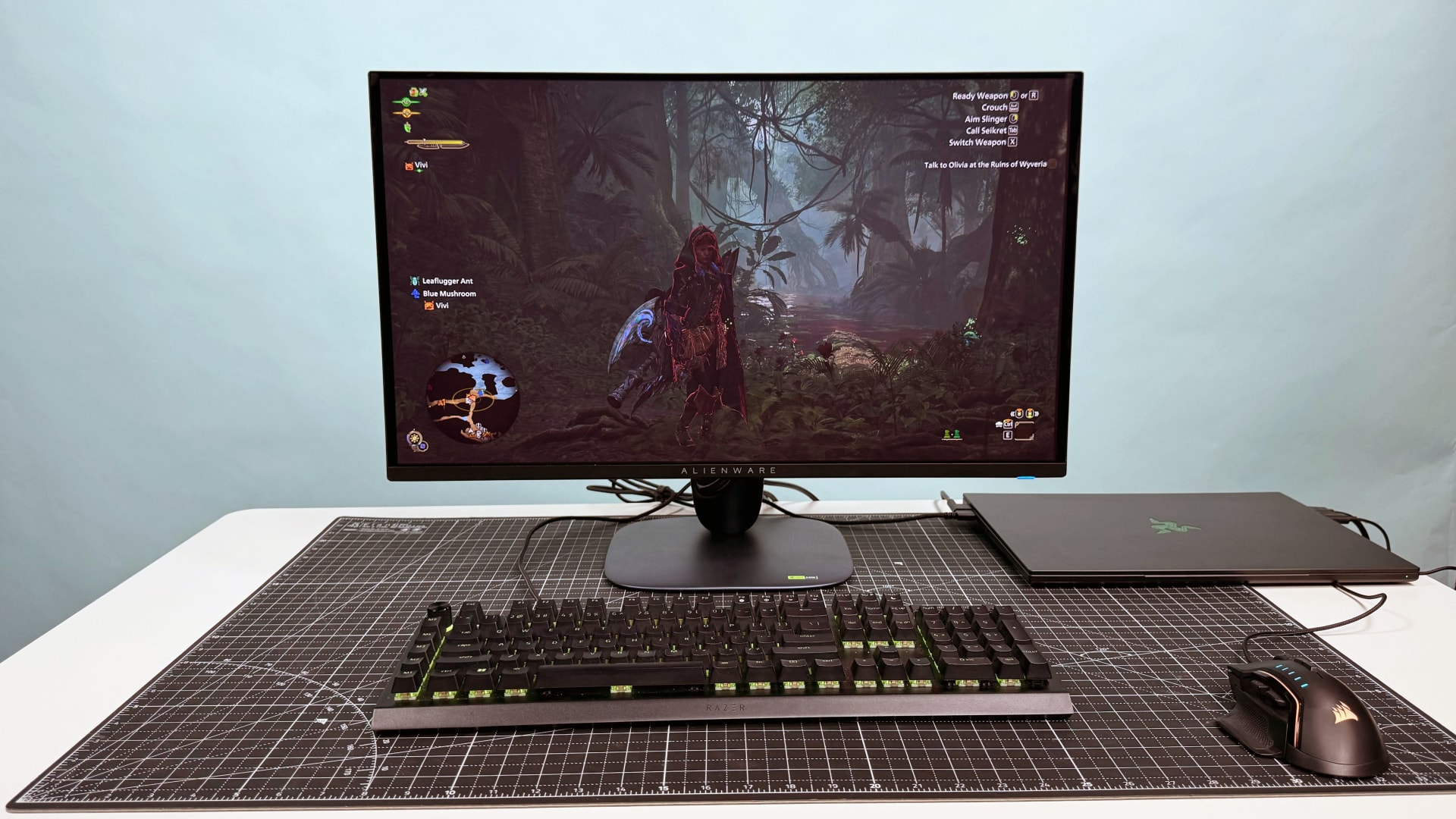
One OLED-specific behaviour worth knowing before you buy: some OLED panels show visible brightness flicker when frame rates swing rapidly inside the VRR window. It is a real effect with real fixes, covered in VRR flicker on OLED monitors.
Recommendations by Use Case
Competitive gaming, dark room, gaming-first machine → QD-OLED. Fastest response, best motion clarity, highest colour volume. Auto-hide the taskbar and use dark mode.
Mixed gaming and content, some daylight → WOLED. Better bright-room behaviour than QD-OLED and better full-screen brightness, while keeping OLED's response advantage.
Work-first machine, bright room, or you keep monitors for six-plus years → Mini-LED. No burn-in risk, best sustained brightness, best text. You give up motion clarity, and for most mixed workloads that is the right trade.
HDR movies in a dark room → any OLED. Per-pixel black levels with no blooming is a difference you see immediately in letterbox bars and night scenes.
Frequently Asked Questions
Is QD-OLED or Mini-LED better for gaming?
QD-OLED for pure gaming quality — pixel response is sub-millisecond against 1–4 ms for Mini-LED, and per-pixel black levels mean no blooming. Mini-LED is the better choice if the same monitor also does long hours of desktop work, because it carries no burn-in risk and holds full-screen brightness far better.
What is the difference between QD-OLED and WOLED?
QD-OLED uses blue OLED emitters with a quantum-dot layer converting light into pure red and green, giving the widest colour volume. WOLED uses a white emitter with colour filters plus a white subpixel, which improves brightness efficiency and bright-room performance but gives up some colour saturation.
Do OLED gaming monitors still get burn-in in 2026?
The risk is much lower than it was but has not been eliminated. Pixel shifting, logo dimming and compensation cycles make burn-in unlikely in mixed use, and many manufacturers now cover it under warranty. The risk case is a static high-contrast element in a fixed position for many hours daily, such as a permanently visible taskbar.
Is Mini-LED better than OLED for text and office work?
Yes. Mini-LED uses a standard RGB subpixel stripe, which is what Windows text rendering assumes, so small text renders cleanly. OLED panels use non-standard subpixel layouts that can cause colour fringing on text, though higher-density 4K panels reduce it considerably.
What is blooming on a Mini-LED monitor?
Blooming is the halo of light around a bright object on a dark background. It happens because a Mini-LED backlight controls thousands of zones rather than millions of individual pixels, so lighting one small bright element illuminates its entire zone. More dimming zones reduce blooming but cannot remove it.
Do I need a special cable for a 4K high-refresh OLED monitor?
Often, yes. A 4K panel at 240 Hz can exceed the bandwidth of older cables and ports, and the failure is silent — you get a reduced refresh rate or compressed colour rather than an error. Check the DisplayPort or HDMI version your GPU and monitor both support, and verify the cable is genuinely rated for it.
The Bottom Line
There is no best panel, only a best match. OLED buys you motion clarity and per-pixel contrast that Mini-LED cannot reach. Mini-LED buys you brightness, text clarity and the ability to stop thinking about burn-in.
Answer one question honestly and the decision makes itself: over the next four years, will this screen show more games or more static interfaces? Games mean OLED — QD-OLED in a dark room, WOLED in a bright one. Static interfaces mean Mini-LED, and you will not regret it.
Product photography courtesy of the respective manufacturers and publications, used for editorial coverage.
Sources
- Newegg Insider, QD-OLED vs WOLED Gaming Monitors: 2026 Showdown, retrieved 2026-08-09, https://www.newegg.com/insider/qd-oled-vs-woled-gaming-monitors-2026/
- TestBeforeYouBuy, Mini LED vs QD-OLED vs WOLED: Complete Display Technology Comparison 2026, retrieved 2026-08-09, https://testbeforeyoubuy.com/guides/monitors/mini-led-vs-qd-oled-vs-woled-comparison-2026
- Tech Insider, OLED vs Mini-LED Gaming Monitors 2026: Price & Specs, retrieved 2026-08-09, https://tech-insider.org/oled-vs-mini-led-gaming-monitors-2026/
- MonitorMaven, Best OLED Monitor 2026: QD-OLED & WOLED Picks Ranked, retrieved 2026-08-09, https://monitormaven.com/best/best-oled-monitor/
- Your Tech Reviews, OLED vs Mini-LED Monitor in 2026: Which Panel Tech Wins?, retrieved 2026-08-09, https://yourtechreviews.com/oled-vs-mini-led-monitor/