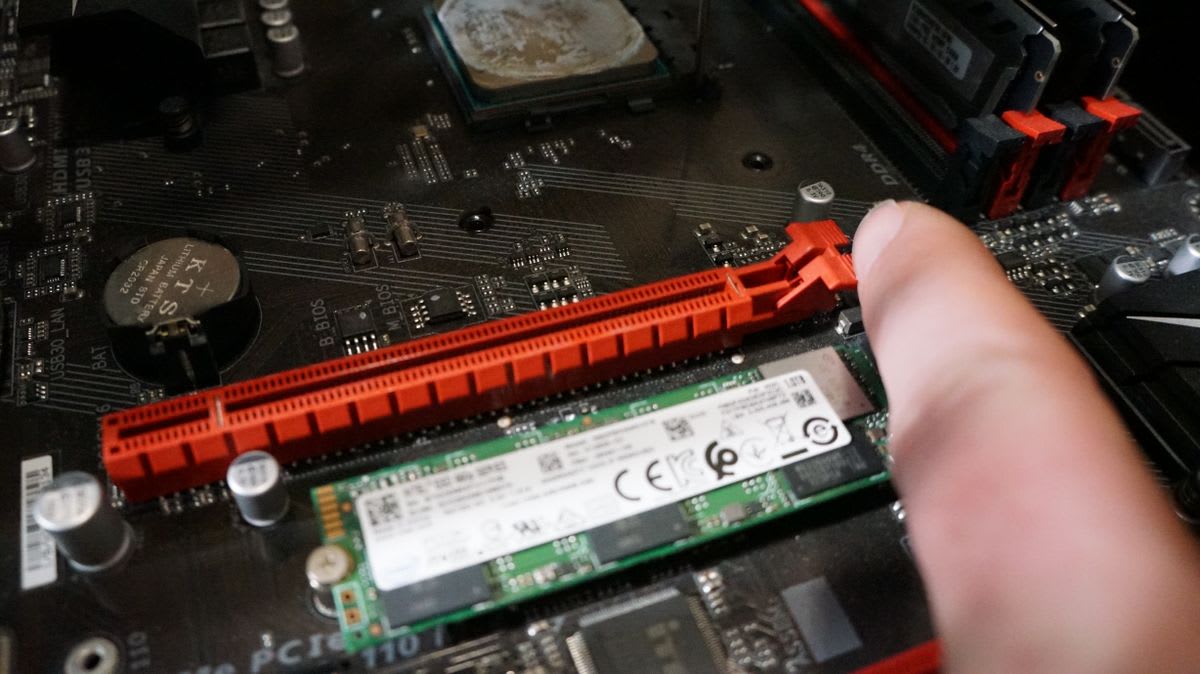
For a high-end graphics card, moving from PCIe 4.0 to PCIe 5.0 is worth low single-digit percentages at most. It is one of the least important specifications on a modern motherboard, and paying extra for it is close to wasted money.
There is one configuration where PCIe generation matters enormously, though, and it is becoming more common rather than less: a budget GPU with an x8 link, dropped into an older PCIe 3.0 board, running a game that exceeds its VRAM. That combination can cost more than 20%, and none of the three ingredients looks alarming on its own.
Note
Key Takeaways
- PCIe 4.0 x16 delivers about 32GB/s; PCIe 5.0 x16 about 64GB/s. Almost no game comes close to saturating the former.
- On a full x16 link, the generation gap is typically 0–3% — inside run-to-run variance in many tests.
- Many current budget GPUs use only eight lanes, which halves available bandwidth at any generation.
- x8 on a PCIe 3.0 board is roughly PCIe 2.0 x16 bandwidth, and that is where real losses appear.
- Losses concentrate in titles that exceed the card's VRAM, because overflow traffic crosses the PCIe bus constantly.
- M.2 drives frequently steal lanes from the main slot. Check what your GPU actually negotiated before assuming anything.
The Bandwidth Numbers
Each PCIe generation roughly doubles per-lane throughput, and lane count multiplies it.
| Link | Approx. bandwidth | Equivalent to |
|---|---|---|
| PCIe 3.0 x8 | ~8GB/s | PCIe 2.0 x16 |
| PCIe 3.0 x16 | ~16GB/s | PCIe 4.0 x8 |
| PCIe 4.0 x8 | ~16GB/s | PCIe 3.0 x16 |
| PCIe 4.0 x16 | ~32GB/s | PCIe 5.0 x8 |
| PCIe 5.0 x8 | ~32GB/s | PCIe 4.0 x16 |
| PCIe 5.0 x16 | ~64GB/s | — |
Read down the right-hand column and the important pattern appears: halving the lanes cancels out a generation. A PCIe 5.0 card in an x8 slot has exactly the bandwidth of a PCIe 4.0 card in x16. That equivalence is what makes the x8 problem so easy to walk into.
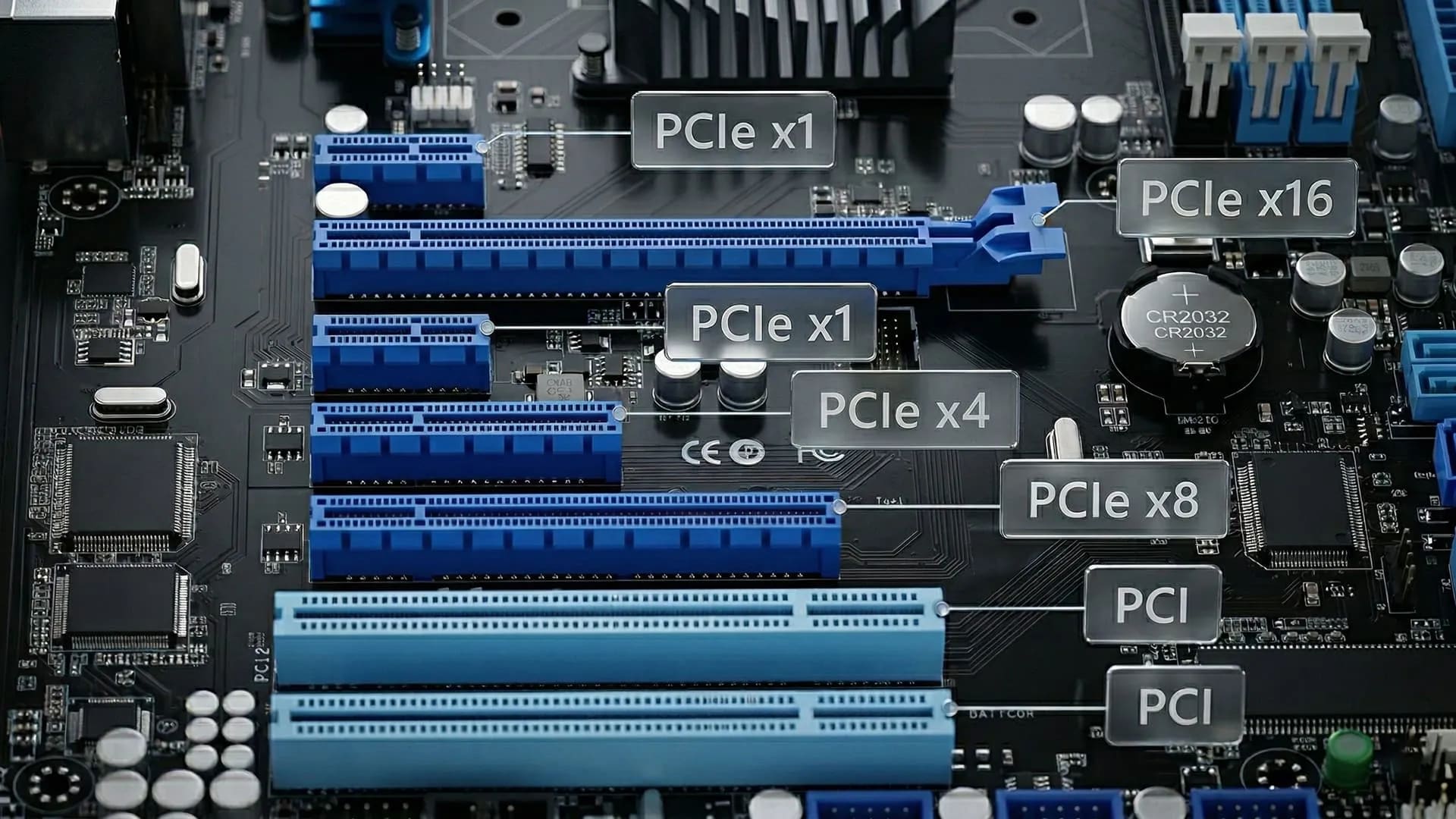
Why Generation Barely Matters at x16
Games do not stream data across the PCIe bus continuously. They load assets into VRAM, and then the GPU works from its own local memory, which is roughly an order of magnitude faster than any PCIe link.
The bus is busy during level loads, during asset streaming in open worlds, and whenever data has to move between system RAM and the card. It is largely idle during the frame-to-frame work of rendering. That is why testing a flagship GPU at PCIe 4.0 versus 5.0 produces differences small enough that they frequently sit inside measurement noise, particularly at 1440p and 4K where the GPU is the bottleneck by a wide margin.
The practical conclusion for most builders: do not choose a motherboard or CPU platform for PCIe 5.0 graphics support. Choose it for the things that actually differ — VRM quality, connectivity, memory support — and treat PCIe 5.0 as a checkbox that will matter to a future card you have not bought yet. If you are costing a build, the money is better spent following the priorities in our 1440p gaming PC build guide.
Info
This is also why older platforms age better than their spec sheets suggest. A PCIe 3.0 x16 board paired with a full-width modern GPU gives up very little, which is part of why a well-chosen build stays viable as long as it does — the case we made in how long a gaming PC lasts.
The x8 Problem
Here is where it stops being academic.
To cut cost, GPU vendors have been shipping mainstream cards with eight-lane interfaces rather than sixteen. On a modern PCIe 4.0 or 5.0 motherboard this is a defensible decision — eight lanes at those speeds still provide 16 to 32GB/s, which is plenty.
The problem is who buys those cards. Budget GPUs disproportionately go into older machines as upgrades, and older machines are frequently PCIe 3.0. Eight lanes at PCIe 3.0 is about 8GB/s — the bandwidth of a PCIe 2.0 x16 slot, on hardware sold in 2026.
At that point the bus becomes a genuine constraint, and it interacts badly with the other thing budget cards are short on.
Why VRAM Makes It Worse
When a game needs more video memory than the card has, the excess does not simply vanish. The driver keeps the overflow in system RAM and pulls it across the PCIe bus as required — every frame, continuously.
This converts the bus from an occasional-use path into a per-frame dependency. On a fast x16 link the overflow is expensive but survivable. On an 8GB/s link it becomes the bottleneck, and the symptom is severe frame time inconsistency rather than a clean drop in average frame rate.
That distinction matters for diagnosis. Average FPS may look tolerable while the experience is awful, which is exactly the failure mode described in what 1% lows actually measure. If you are choosing a card and weighing 8GB against 16GB, the PCIe link is a hidden third variable in that decision — our VRAM requirements guide covers the memory side, and best budget GPU 2026 covers which cards ship with which.
The Compounding Effect
Take the three factors separately and each looks mild:
- An x8 card instead of x16 — halves bandwidth, usually fine.
- A PCIe 3.0 board instead of 4.0 — halves it again, usually fine.
- A game exceeding 8GB of VRAM — turns the bus into a per-frame path.
Together they multiply. Independent testing of x8 cards on PCIe 3.0 in VRAM-constrained titles has repeatedly shown double-digit percentage losses, with the worst cases well past 20%, while the same card in a PCIe 4.0 board shows only a few percent. Nothing in the specifications warns you, because each ingredient is individually reasonable.
Check What Your Slot Is Actually Running
This is worth doing before you diagnose anything else, because motherboards silently reconfigure lanes.
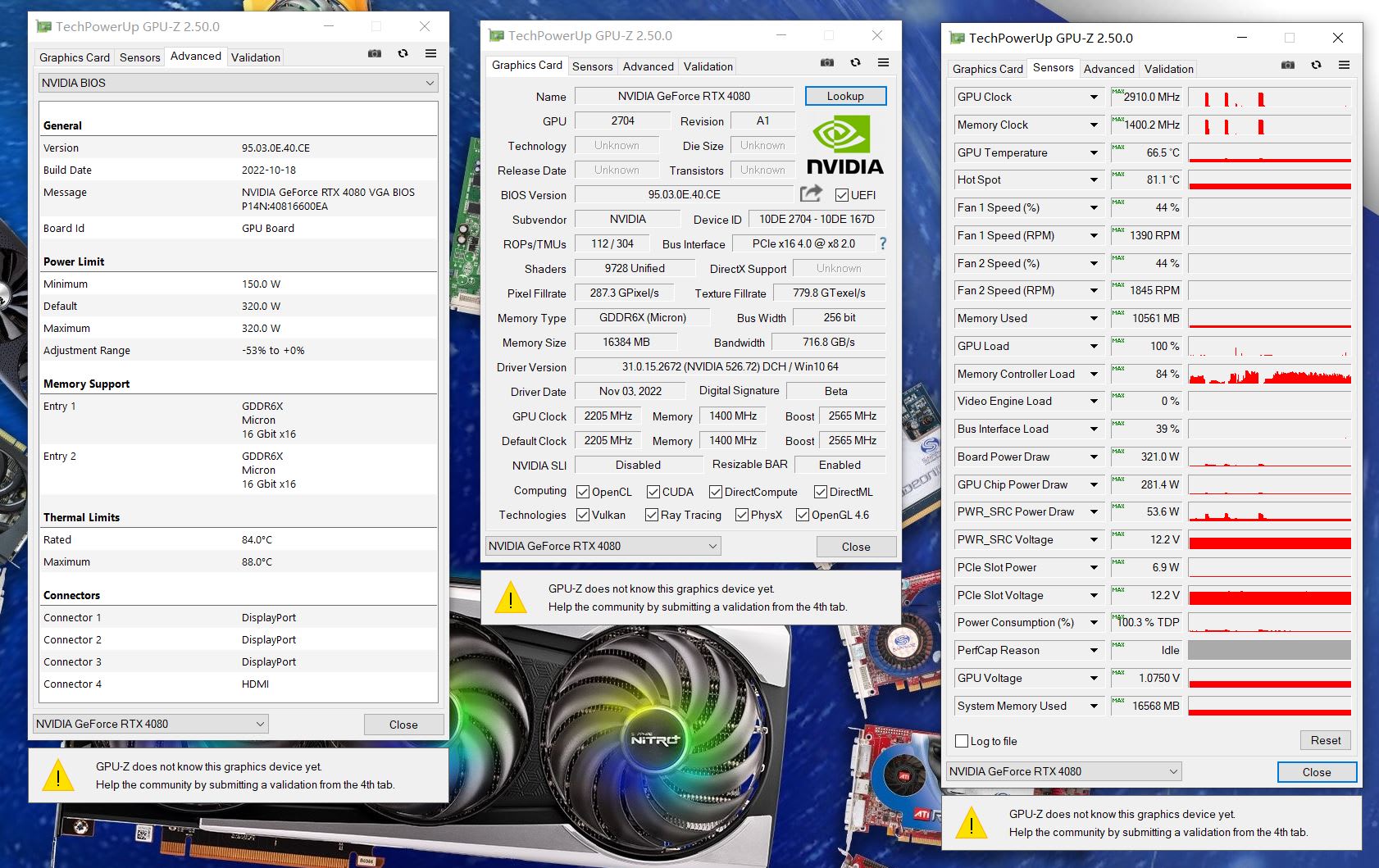
Open GPU-Z and look at the Bus Interface field. It reports both what the card supports and what it has negotiated, in the form "PCIe x16 4.0 @ x8 3.0". The part after the @ is what you are actually getting.
Cards drop to a low-power link state at idle, so click the small render test button next to the field to load the GPU and read the value under load. Reading it idle is the most common way people scare themselves unnecessarily.
Warning
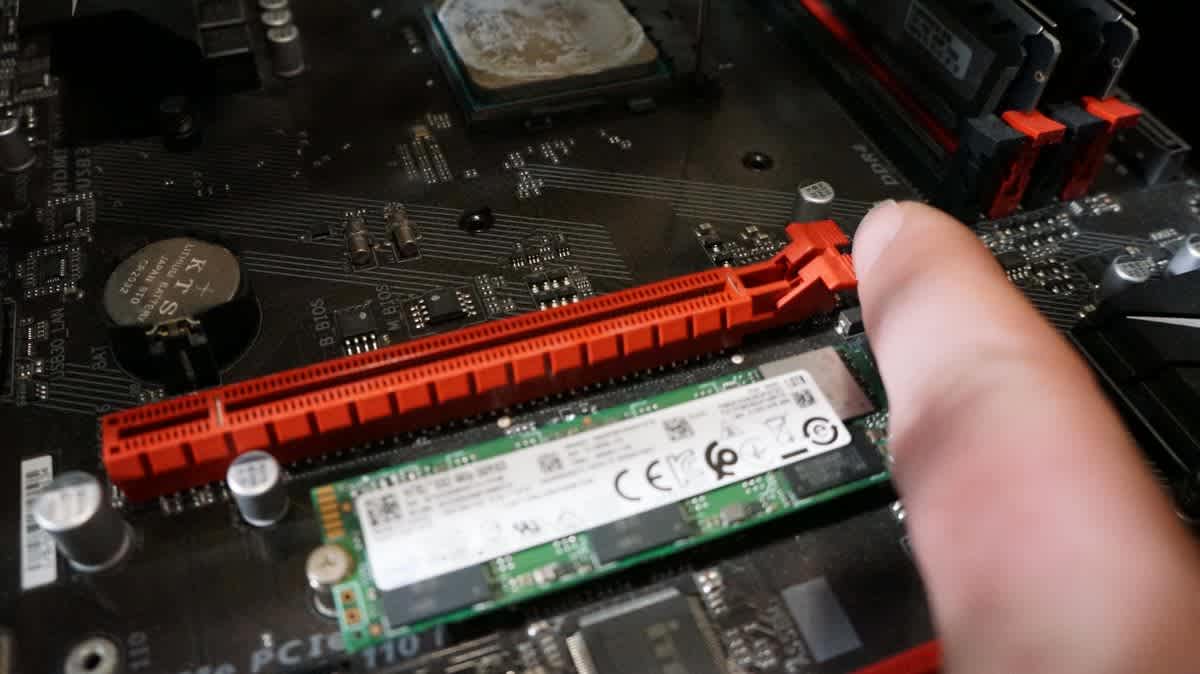
M.2 slots frequently steal lanes from the primary x16 slot. On a great many consumer boards, populating a second or third M.2 drive reconfigures the graphics slot from x16 to x8 automatically. This is documented in the manual's lane-sharing table and discovered by almost nobody. If your GPU is negotiating x8 on a board that should give x16, this is the first thing to check.
Other causes of an unexpected link width: the card seated in a secondary slot wired for fewer lanes, a riser cable in a small-form-factor case, debris or damage in the slot, or a BIOS setting forcing a lower generation for stability.
Where PCIe 5.0 Genuinely Helps
Storage Bandwidth
PCIe 5.0 SSDs roughly double sequential throughput over 4.0. Genuinely useful for large file work; the effect on game load times is a second or two, because loading is rarely limited by sequential read.
More Devices, Fewer Compromises
Doubling per-lane bandwidth means an x8 link is no longer a compromise. This is the quiet reason PCIe 5.0 matters — it makes lane-sharing decisions harmless.
GPU Compute and Local AI
Workloads that move large datasets between system RAM and the GPU are genuinely bus-bound, unlike games.
Future GPUs on Narrow Links
If vendors continue trimming to x8, a PCIe 5.0 board keeps that at PCIe 4.0 x16 bandwidth instead of dropping to PCIe 3.0 x16.
Not Frame Rate
In games, on a full-width link, with adequate VRAM: essentially nothing.
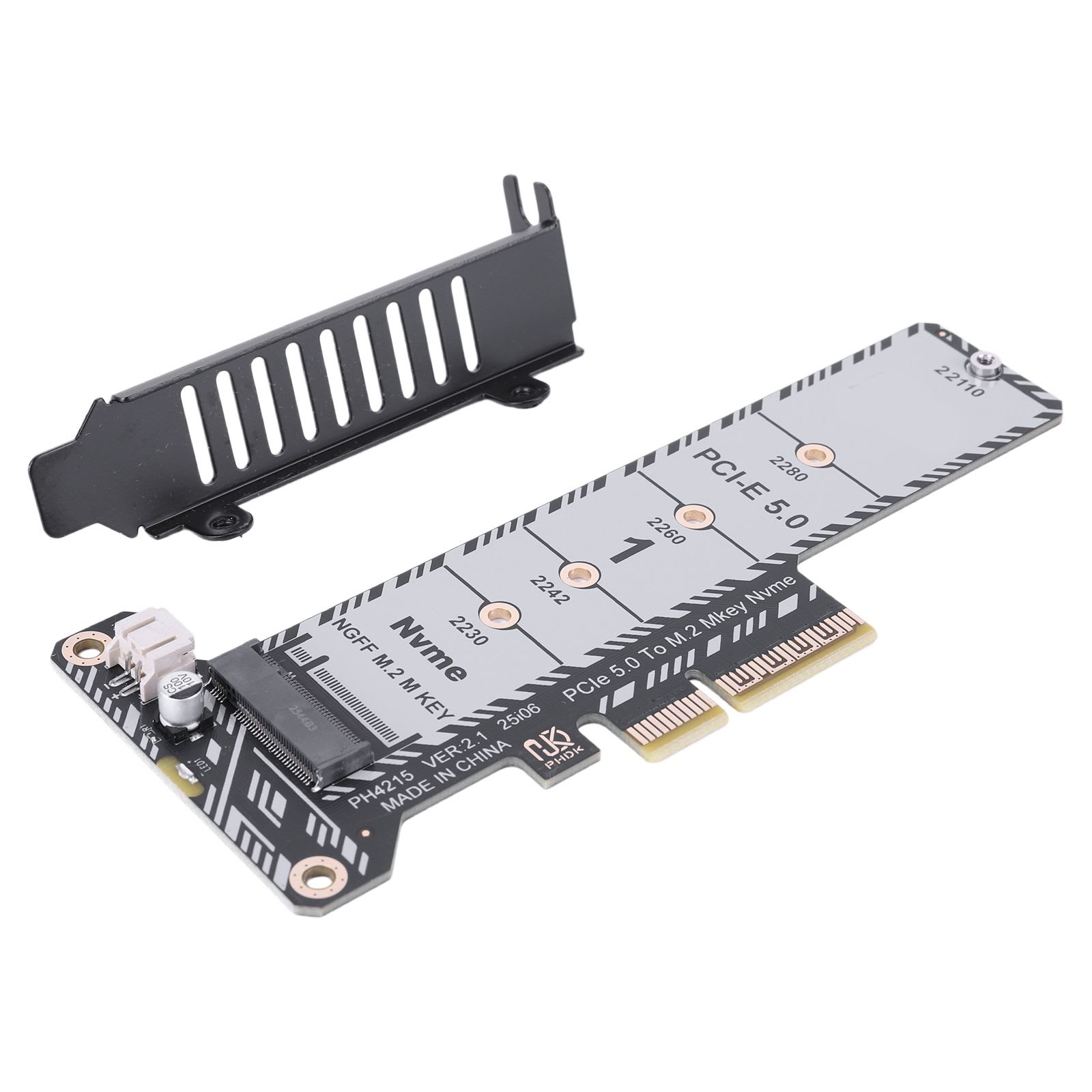
The storage case deserves a note, because it is oversold. PCIe 5.0 drives post spectacular sequential numbers, and game loading is dominated by random reads and decompression rather than sequential throughput. The difference between a good PCIe 4.0 drive and a PCIe 5.0 drive in actual load times is usually small enough that you would need a stopwatch. PCIe 5.0 drives also run hot enough to require substantial heatsinks, which is a real consideration in a compact case.
Practical Guidance
Building new with a mid-range or better GPU: ignore PCIe 5.0 for graphics. Buy the platform on everything else.
Upgrading a GPU in an older PCIe 3.0 system: this is where it matters. Prefer a card with a full x16 interface, or one with enough VRAM that overflow never becomes a per-frame event. An x8 8GB card in a PCIe 3.0 board is the specific combination to avoid.
Already running x8 on PCIe 3.0: check your BIOS for a forced generation setting, remove any unnecessary M.2 drives from lane-sharing slots, and lower texture settings one notch. Reducing VRAM pressure is the fastest way to take load off the bus.
Buying an SSD: a good PCIe 4.0 drive is the value choice for gaming. Spend the difference on capacity instead.
Small-form-factor builds: check the riser cable's rated generation. A PCIe 3.0 riser will cap a PCIe 5.0 card, and it is an easy detail to miss.
Frequently Asked Questions
Does PCIe 5.0 improve gaming performance?
Barely. On a full x16 link, moving from PCIe 4.0 to 5.0 typically changes frame rates by 0–3%, often within run-to-run variance. Games load assets into VRAM and then work from local memory, so the bus is mostly idle during rendering. It is one of the least important motherboard specifications for gaming.
Is PCIe 4.0 x8 enough for a graphics card?
For most cards, yes. PCIe 4.0 x8 delivers about 16GB/s, the same as PCIe 3.0 x16, which is sufficient for nearly every game as long as the card is not constantly exceeding its VRAM. Where it becomes a problem is an x8 card in a PCIe 3.0 board, which halves that again to about 8GB/s.
Why does my GPU show x8 instead of x16?
Most often because an M.2 drive is sharing lanes with the graphics slot — a documented behaviour on many consumer boards that reconfigures x16 to x8 when additional drives are populated. Other causes include the card sitting in a secondary slot, a riser cable, or the card idling in a low-power link state during measurement.
Does PCIe generation matter more with less VRAM?
Significantly. When a game exceeds the card's video memory, overflow data is held in system RAM and pulled across PCIe every frame, turning an occasional-use path into a per-frame dependency. On a narrow or older link this becomes the bottleneck, producing severe frame time inconsistency rather than a clean average drop.
Are PCIe 5.0 SSDs worth it for gaming?
Rarely. Game loading is dominated by random reads and decompression rather than the sequential throughput PCIe 5.0 doubles, so real load-time differences against a good PCIe 4.0 drive are usually a second or two. PCIe 5.0 drives also run hotter and require larger heatsinks.
Can I use a PCIe 5.0 graphics card in a PCIe 4.0 motherboard?
Yes. PCIe is backwards and forwards compatible, and the link simply negotiates to the highest generation both ends support. A PCIe 5.0 card in a PCIe 4.0 x16 slot loses very little, because almost no game saturates PCIe 4.0 x16 in the first place.
The Bottom Line
PCIe 5.0 is not a gaming feature. On a full-width slot with a card that has enough memory, the generation you are running is one of the last things that will limit you, and building a platform decision around it is a misallocation.
What deserves your attention is link width times generation times VRAM. Each factor alone is harmless; multiplied together they produce the one genuinely bad configuration in this space — an eight-lane budget card, in a PCIe 3.0 board, running out of video memory.
Open GPU-Z, load the GPU, and read what your slot actually negotiated. It takes thirty seconds and it is the only number in this article that is specific to your machine.
Component and interface photography courtesy of the respective manufacturers and publications, used for editorial coverage.
Sources
- PCI-SIG, PCI Express Base Specification 5.0 bandwidth overview, retrieved 2026-08-04, https://pcisig.com/specifications
- TechPowerUp, PCI-Express Scaling with modern GPUs, retrieved 2026-08-04, https://www.techpowerup.com/review/pci-express-scaling-gpu/
- Tom's Hardware, PCIe 3.0 vs 4.0 vs 5.0: what it means for graphics cards, retrieved 2026-08-04, https://www.tomshardware.com/features/pcie-4-vs-pcie-5
- Hardware Unboxed / TechSpot, The problem with 8-lane graphics cards on older platforms, retrieved 2026-08-04, https://www.techspot.com/review/pcie-bandwidth-gpu-scaling/
- TechPowerUp, GPU-Z Bus Interface and render test documentation, retrieved 2026-08-04, https://www.techpowerup.com/gpuz/