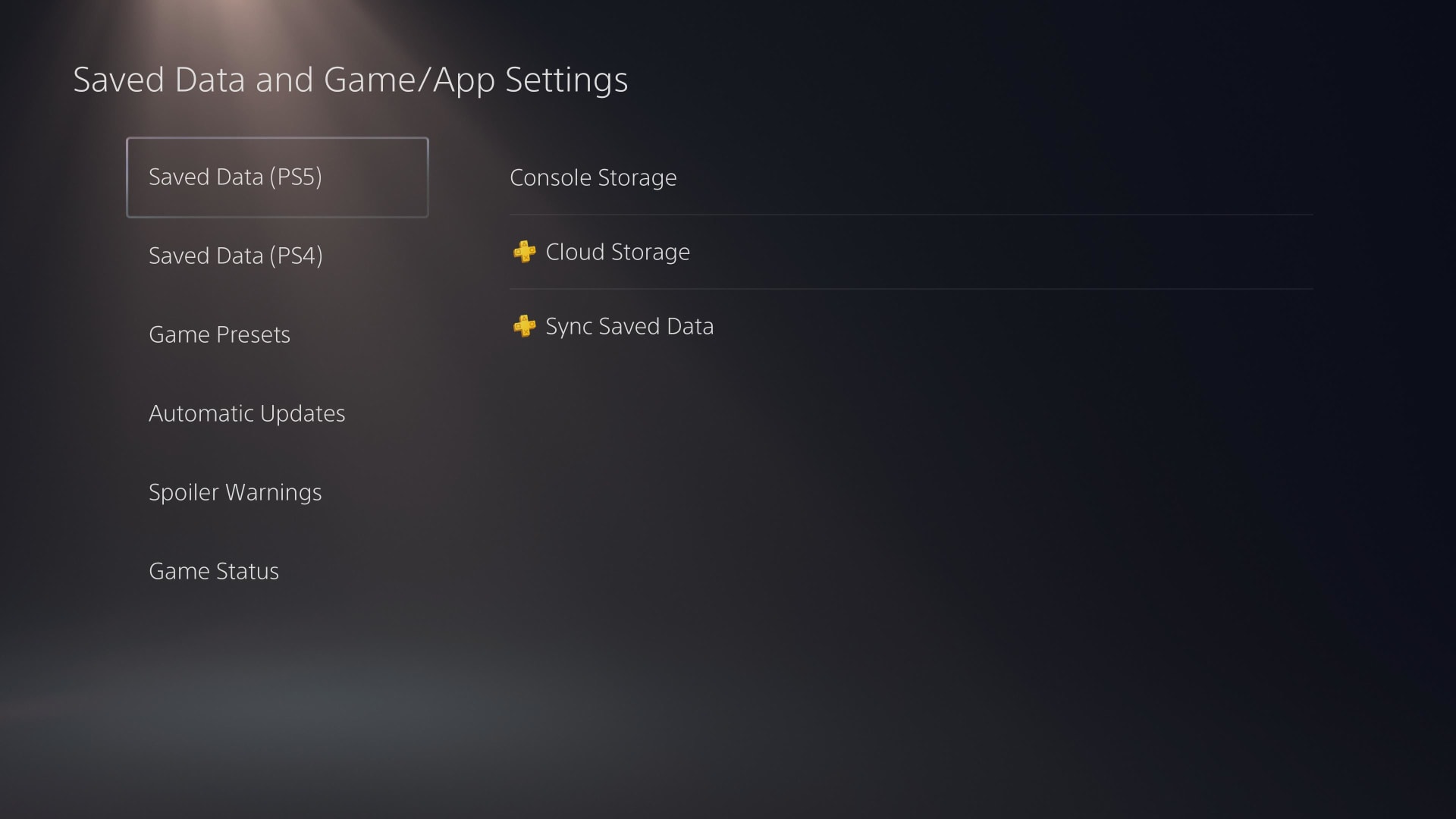
Put the PS5 into Rest Mode while it downloads, with Stay Connected to the Internet enabled first. On most setups that alone is the largest single improvement available, because the console stops rendering the interface and hands those resources to the network stack.
Everything else on this list helps, but nothing else helps as consistently. If you only do one thing, do that one.
Note
Key Takeaways
- Rest Mode is the biggest win. Enable Stay Connected to the Internet first or downloads will pause instead of continuing.
- Sony's own recommended minimum is 15 Mbps down and up. Below that, no console-side setting will rescue you.
- Wired Ethernet beats 5GHz Wi-Fi, which beats 2.4GHz. The PS5's wireless performance is mediocre relative to its wired port.
- A slow download is often not your console. PSN content delivery varies by region and time of day.
- Changing DNS helps with connection setup, not sustained throughput. It is a small fix that gets oversold.
- Pause other devices on the network. A single 4K stream can consume most of a modest connection.
Fix 1: Download in Rest Mode
The PS5 dedicates more resources to network transfer when it is not also running the interface, background apps, and a game. The difference is routinely large.
Rest Mode only continues downloads if it is configured to stay online, and this is the step people miss:
- Settings → System → Power Saving → Features Available in Rest Mode
- Enable Stay Connected to the Internet
- Enable Supply Power to USB Ports if you also want the controller charging
Now put the console into Rest Mode with a download queued. Check progress by waking it briefly rather than repeatedly, since every wake interrupts the transfer.
Warning
If downloads stop entirely in Rest Mode rather than slowing, Stay Connected to the Internet is off, or the console is entering a deeper power state. That is a separate problem — see PS5 not downloading in Rest Mode.
Fix 2: Use a Wired Connection
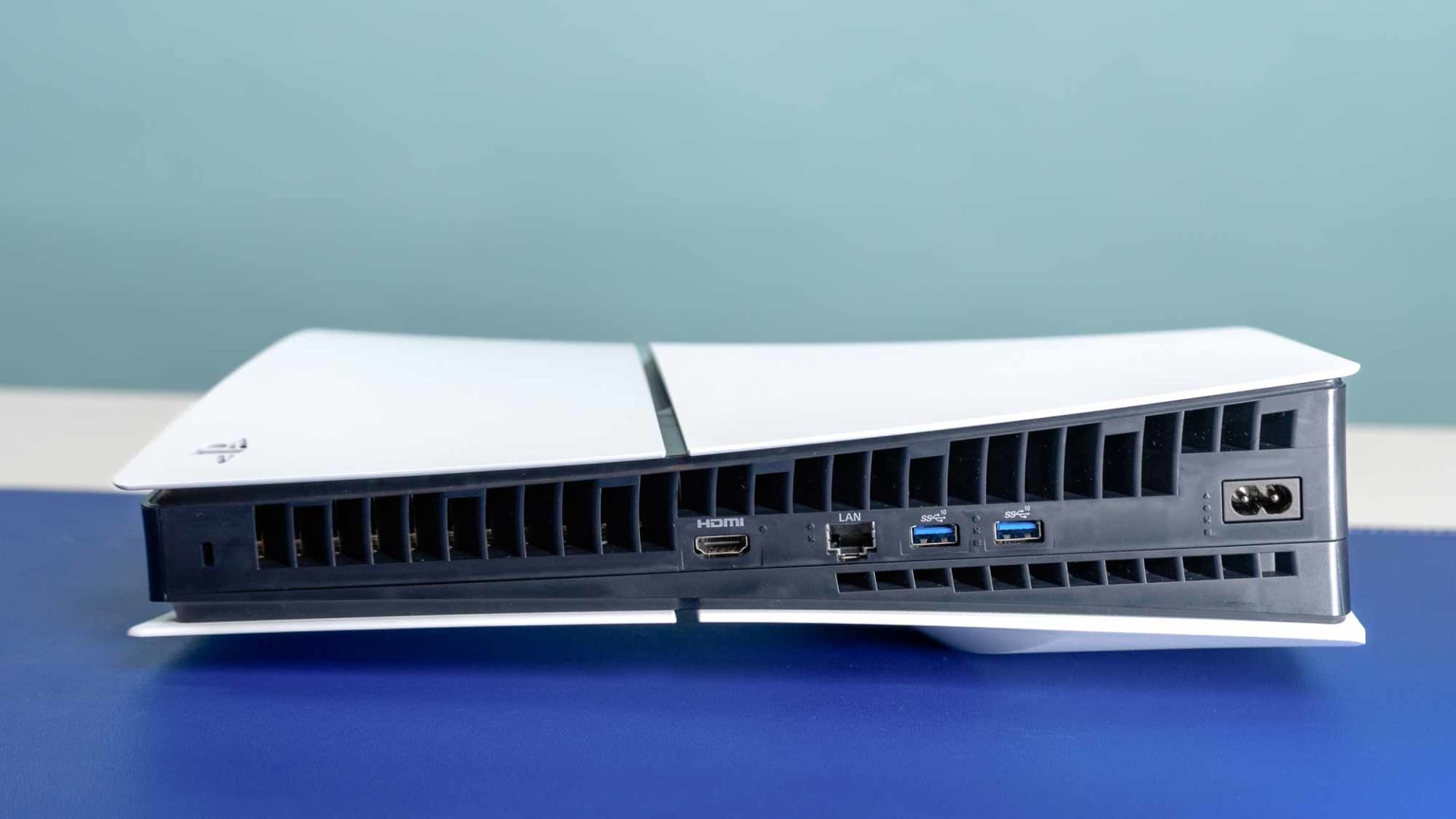
The PS5's Wi-Fi implementation is unremarkable, and its Ethernet port is not. If the router is reachable with a cable, use one — this is the second-largest improvement available and it is free.
If running a cable is impractical, a powerline adapter or MoCA adapter typically still beats Wi-Fi over any real distance.
If You Must Use Wi-Fi
Force the 5GHz band rather than letting the console choose:
- Settings → Network → Settings → Set Up Internet Connection
- Select your network → Advanced Settings
- Set Wi-Fi Frequency Bands to 5GHz
5GHz carries far more bandwidth but penalises distance and walls heavily. If the console sits two rooms from the router, 2.4GHz may genuinely be faster despite the lower ceiling. Test both rather than assuming.
Fix 3: Check What Else Is Using the Connection
A single 4K video stream can occupy 25 Mbps. Two of them plus a game download on a 50 Mbps line leaves very little for the console.
Sony's published recommendation is at least 15 Mbps down and up for normal operation. Run a speed test on a phone connected to the same network while the PS5 download is running — if the phone is also slow, the bottleneck is the connection, not the console.
Pause downloads on other consoles, PCs and phones. Windows and Steam both update aggressively in the background, and a wired PC will happily saturate the line — the same trade-off covered in wired versus Wi-Fi for small systems.
Fix 4: Restart the Network Path Properly
Stale network state on either the router or the console causes downloads that were fine yesterday to crawl today. Reset both, in order:
- Fully power off the PS5 — hold the power button until it beeps twice and the light goes dark. Rest Mode is not enough.
- Unplug the router for 30 seconds.
- Plug the router back in and wait for it to fully come up.
- Power the PS5 back on.
This clears cached routing and DHCP state. It is unglamorous and it works more often than it should.
Fix 5: Change DNS (Small Effect, Often Oversold)
Your ISP's DNS resolvers can be slow to resolve content-delivery hostnames, which delays the start of a download and any mid-transfer server handoffs. It does not raise sustained throughput.
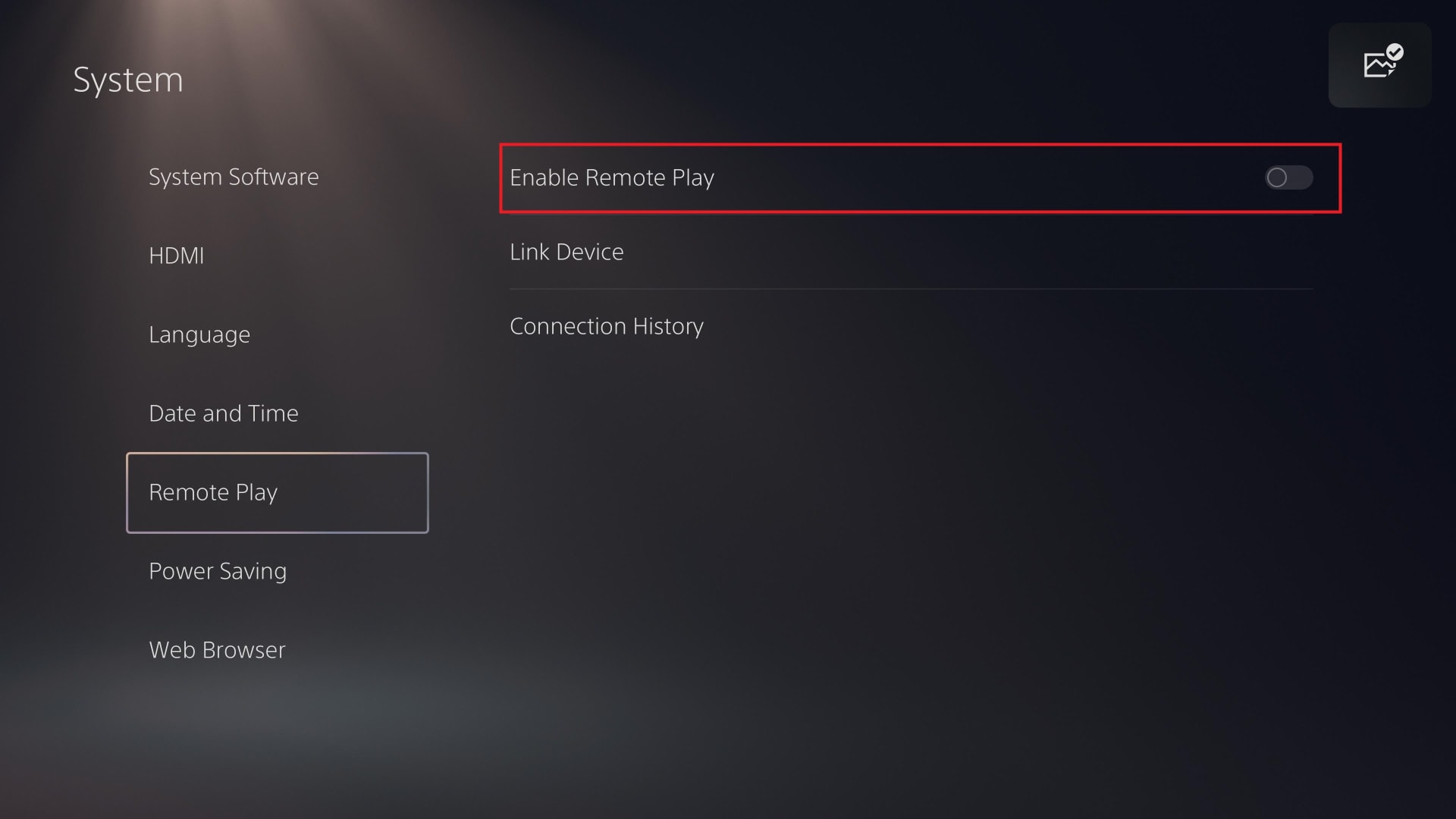
Set it manually under Settings → Network → Settings → Set Up Internet Connection → Advanced Settings → DNS Settings → Manual:
| # | Provider | Primary | Secondary |
|---|---|---|---|
| 1 | Cloudflare | 1.1.1.1 | 1.0.0.1 |
| 2 | 8.8.8.8 | 8.8.4.4 |
Expect a snappier console interface and faster download initiation. Expect the transfer rate itself to be roughly unchanged.
Fix 6: Rule Out PSN Itself
Download speed depends on Sony's content delivery network as much as your connection. Regional capacity, major release days and evening peak hours all reduce throughput in ways nothing on your end will fix.
Test by downloading something else. If a different title downloads at full speed, the problem is that specific file's distribution rather than your setup. If everything is slow at 8pm and fast at 3am, it is congestion — yours or Sony's.
Fix 7: Rebuild the Database
If downloads are slow and the interface feels sluggish, a corrupted database can be responsible. This is safe and does not delete games or saves.
- Power the console down fully.
- Hold the power button until you hear a second beep (about seven seconds) to enter Safe Mode.
- Connect a controller with a USB cable.
- Select Clear Cache and Rebuild Database → Rebuild Database.
Allow it to finish. On a full drive this can take a while.
What About Bufferbloat?
If downloads are acceptable but online play feels laggy despite a good ping, the issue is usually bufferbloat rather than raw speed — your router queues packets badly under load. That is a router-side fix and we cover it in low ping but laggy connections.
Persistent disconnects during play, as opposed to slow downloads, point at packet loss instead.
Frequently Asked Questions
Why is my PS5 downloading so slowly all of a sudden?
Most often network congestion, PSN-side content delivery load, or stale router state. Fully restart both the router and the console, then retest at a different time of day before changing settings.
Does Rest Mode actually make PS5 downloads faster?
Yes, and it is the most consistently effective change available. The console stops rendering the interface and running background applications, freeing resources for the transfer.
Is Ethernet noticeably faster than Wi-Fi on PS5?
Usually, yes. The PS5's Wi-Fi is average while its Ethernet port is solid, and a wired link also removes interference and distance as variables.
Will changing DNS speed up PS5 downloads?
Marginally. Faster DNS improves how quickly downloads start and how quickly the console resolves PSN services, but it does not increase sustained transfer speed.
How fast should PS5 downloads be?
Roughly in line with your connection speed minus overhead, if nothing else is competing. Sony recommends at least 15 Mbps. A 100 Mbps line with an idle network should manage most of that over Ethernet in Rest Mode.
Does a full SSD slow down PS5 downloads?
It can. A nearly full drive slows write performance and leaves insufficient room for the extraction stage that follows the download. Keep some headroom free — PS5 and Xbox storage expansion covers adding capacity.
The Bottom Line
Rest Mode plus Ethernet resolves the large majority of slow PS5 downloads, and both take under five minutes to set up. Everything after that is progressively smaller.
Before assuming the console is at fault, confirm the connection itself is healthy by testing another device on the same network, and try the same download at an off-peak hour. A meaningful share of "slow PS5" reports are congestion — either on the home network or on Sony's side — and no console setting will fix either.
Console photography courtesy of the respective manufacturers, used for editorial coverage.
Sources
- PlayStation Support, PS5 console network troubleshooting and connection requirements, retrieved 2026-08-20, https://www.playstation.com/en-us/support/hardware/psportal-troubleshooting/
- PlayStation Community, Slow PSN downloads, retrieved 2026-08-20, https://community.playstation.com/content/pdc/us/en_US/pdc-communities/support/PlayStation-Network-Support.topic.html/slow_psn_downloads-1z6l.html
- TechRadar, Sick of slow PS5 game downloads? This simple trick could save you a whole lot of time, retrieved 2026-08-20, https://www.techradar.com/gaming/ps5/sick-of-slow-ps5-game-downloads-this-simple-trick-could-save-you-a-whole-lot-of-time
- Digitec, How to fix slow PS5 downloads, retrieved 2026-08-20, https://www.digitec.ch/en/page/how-to-fix-slow-ps5-downloads-27664
- Technobezz, PS5 Download Speeds Slow? 9 Fixes, retrieved 2026-08-20, https://www.technobezz.com/ps5-download-stuck-slow-fix