There is one rule that decides everything about Xbox storage: only a certified expansion card can run Xbox Series X|S optimized games. A £70 USB SSD can hold them perfectly well, but the console will refuse to launch them from it and will make you copy them back to internal storage first.
That single restriction is why the expansion cards cost what they do, and why so many people buy an external drive and then feel misled. Both options are useful — they just do different jobs, and knowing which is which before you spend money saves a return.
Note
Key Takeaways
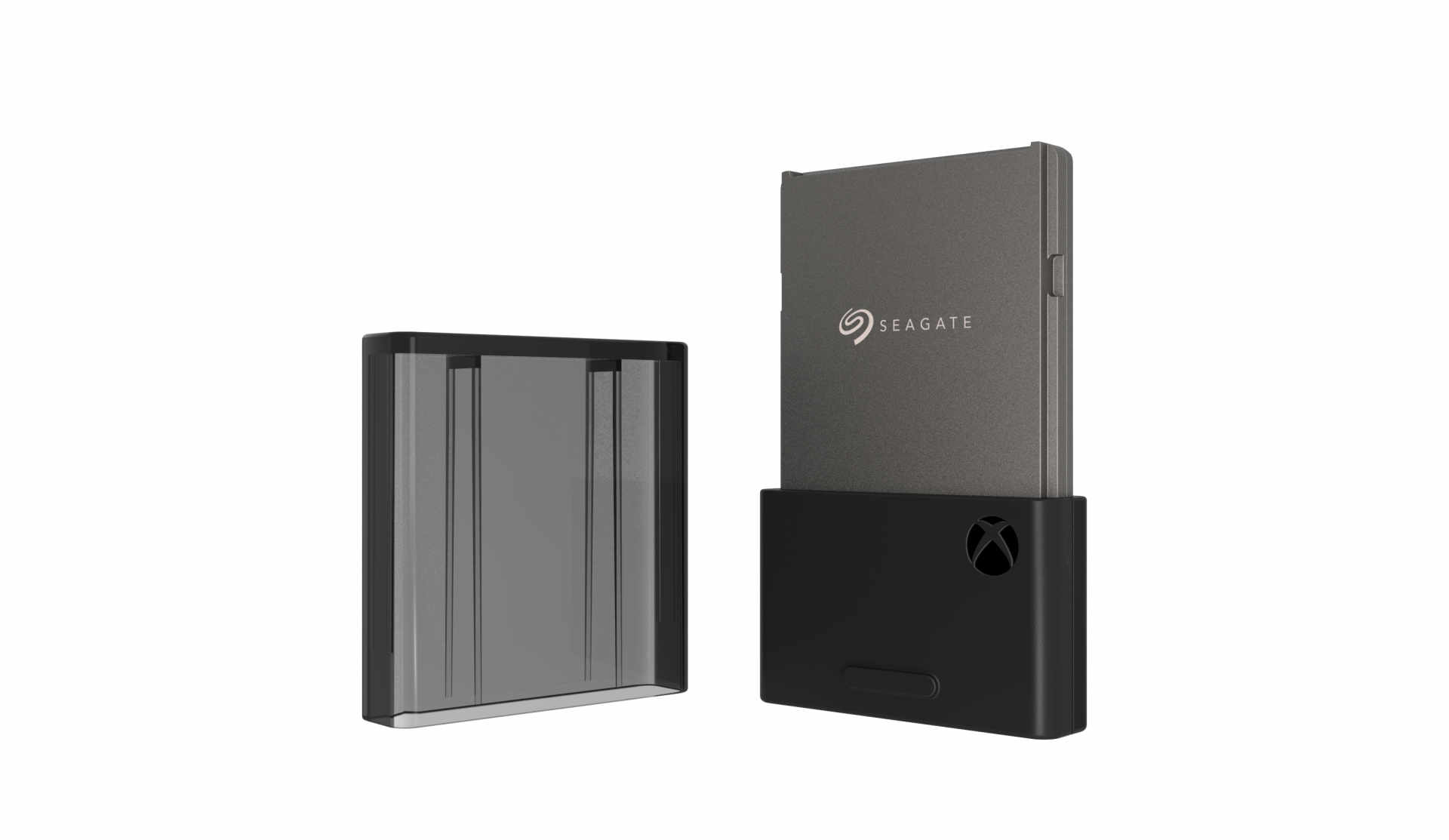
- Only certified expansion cards run Series X|S optimized games directly. They plug into the dedicated rear slot and use Xbox Velocity Architecture at full internal speed.
- External USB drives can store optimized games but cannot run them. You must copy them to internal or card storage to play — which is still much faster than redownloading.
- External USB drives can run backwards-compatible titles directly — Xbox One, 360 and original Xbox games play fine from USB.
- WD and Seagate both make licensed cards. Seagate offers the widest capacity range including the only 4 TB option; the WD Black C50 is the common performance pick.
- Cards are not interchangeable with laptop NVMe drives. The connector, firmware and certification are Xbox-specific.
- The smart setup is both: a card for current-gen games, a cheap USB drive as a cold library for everything else.
The Rule That Governs Everything
Xbox Series X|S optimized games are built around Velocity Architecture, which assumes storage with the latency and throughput characteristics of the internal SSD. A USB connection cannot deliver that, so the console does not allow those titles to launch from external drives at all.
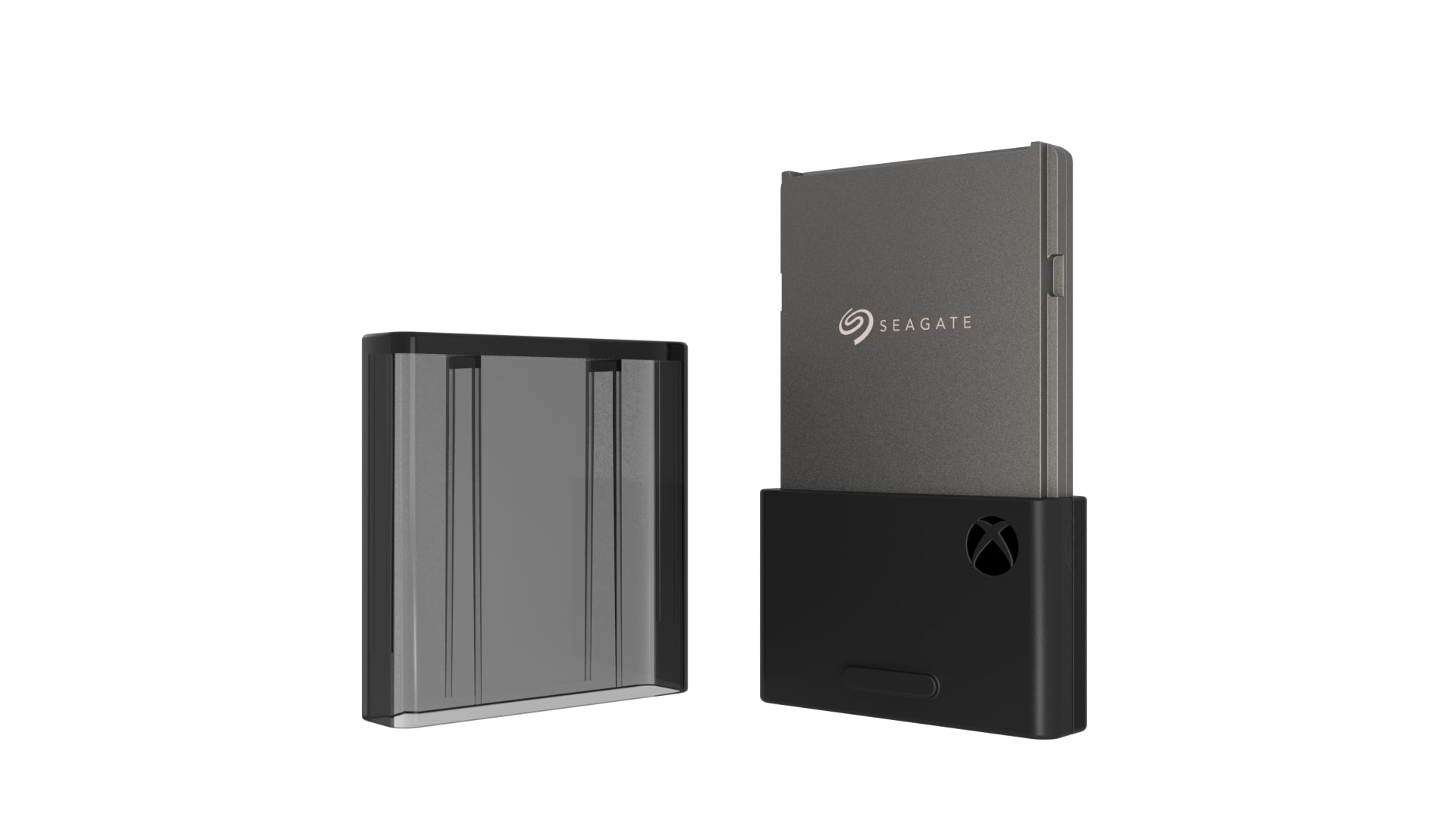
The certified expansion card gets around this by not being USB. It plugs into a dedicated slot on the back of the console that is wired directly to the same interface as the internal drive, which is why it performs identically and why it is not just an SSD in a plastic shell.
This is a genuine hardware constraint rather than an artificial restriction, though the pricing that results from a closed certification programme is a fair thing to be annoyed about.
What Each Option Can and Cannot Do
| Capability | Certified expansion card | External USB SSD or HDD |
|---|---|---|
| Run Series X|S optimized games | Yes, at full speed | No — must copy first |
| Store Series X|S optimized games | Yes | Yes |
| Run Xbox One / 360 / original Xbox games | Yes | Yes |
| Quick Resume support | Yes | No |
| Load times | Identical to internal | N/A for current-gen |
| Cost per terabyte | High | Low |
The row that matters most is the last-but-one. Storing an optimized game on a USB drive is still worthwhile — copying 100 GB back from USB takes a few minutes, while redownloading it takes hours and consumes your data allowance. It is a cold archive, not a play location.
Which Expansion Card to Buy
Two manufacturers make licensed cards: Seagate and Western Digital. Both perform identically because the specification is fixed by the certification, so the decision is capacity and price rather than speed.
Seagate
The widest range — 512 GB, 1 TB, 2 TB and 4 TB. If you want 4 TB, this is currently the only route. The original licensed partner and the most commonly discounted.
WD Black C50
Available at 1 TB and 2 TB and frequently the better value at those capacities. Performance is on par with the internal SSD, as the certification requires.
Capacity Advice
512 GB is a false economy — three or four modern games fill it. 1 TB is the sensible floor and 2 TB is the sweet spot if the price gap is reasonable.
Do Not Buy
Any "Xbox compatible" NVMe drive in a generic enclosure. The slot is not an M.2 socket and unlicensed hardware will not be recognised.
Because performance is fixed by specification, buy on price per terabyte and nothing else. There is no faster card; there is only a cheaper one.
Installing a Card
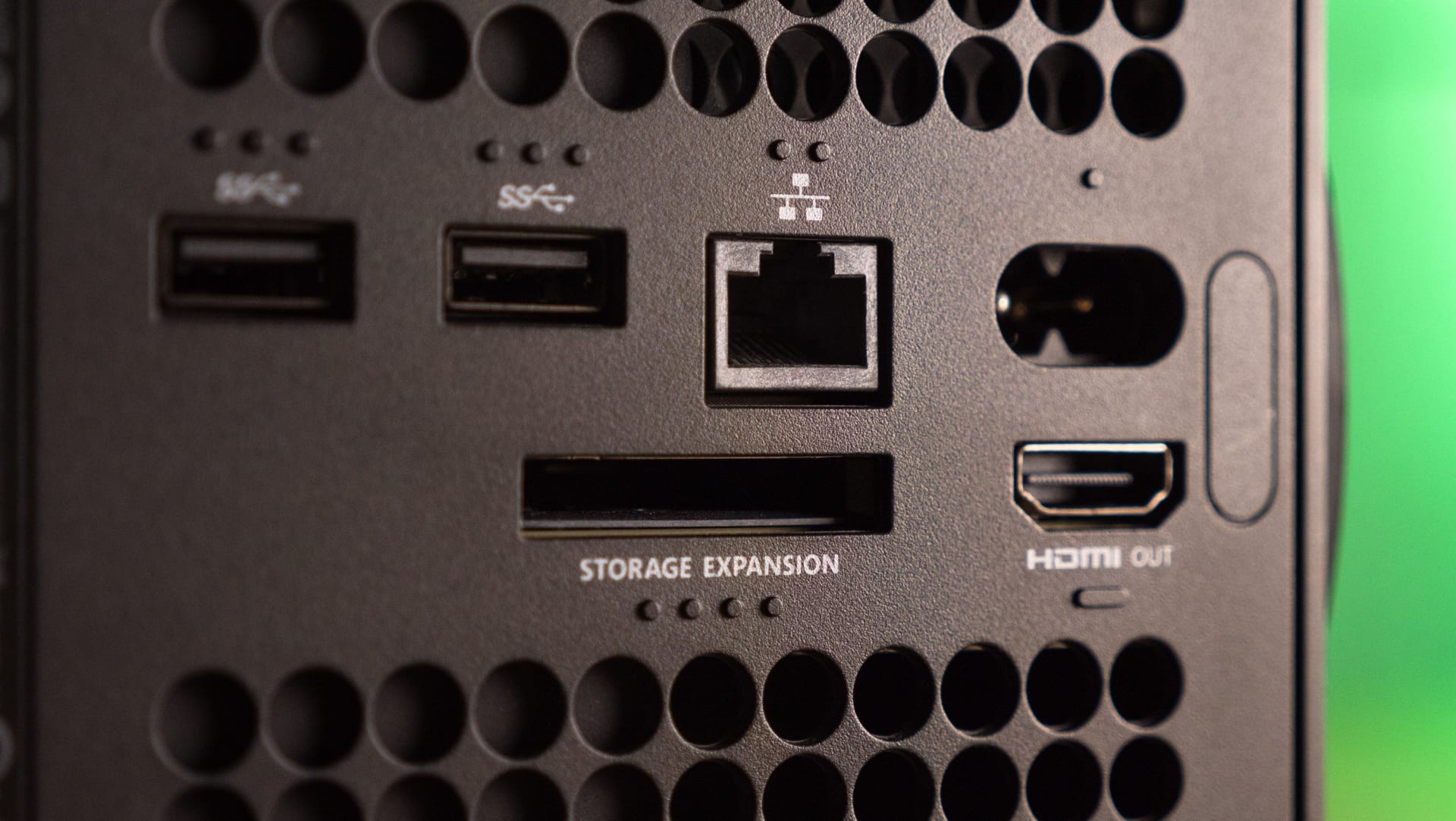
The slot is on the back of the Series X, next to the HDMI and Ethernet ports, behind a small cover. On the Series S it is in the same relative position on a smaller chassis.
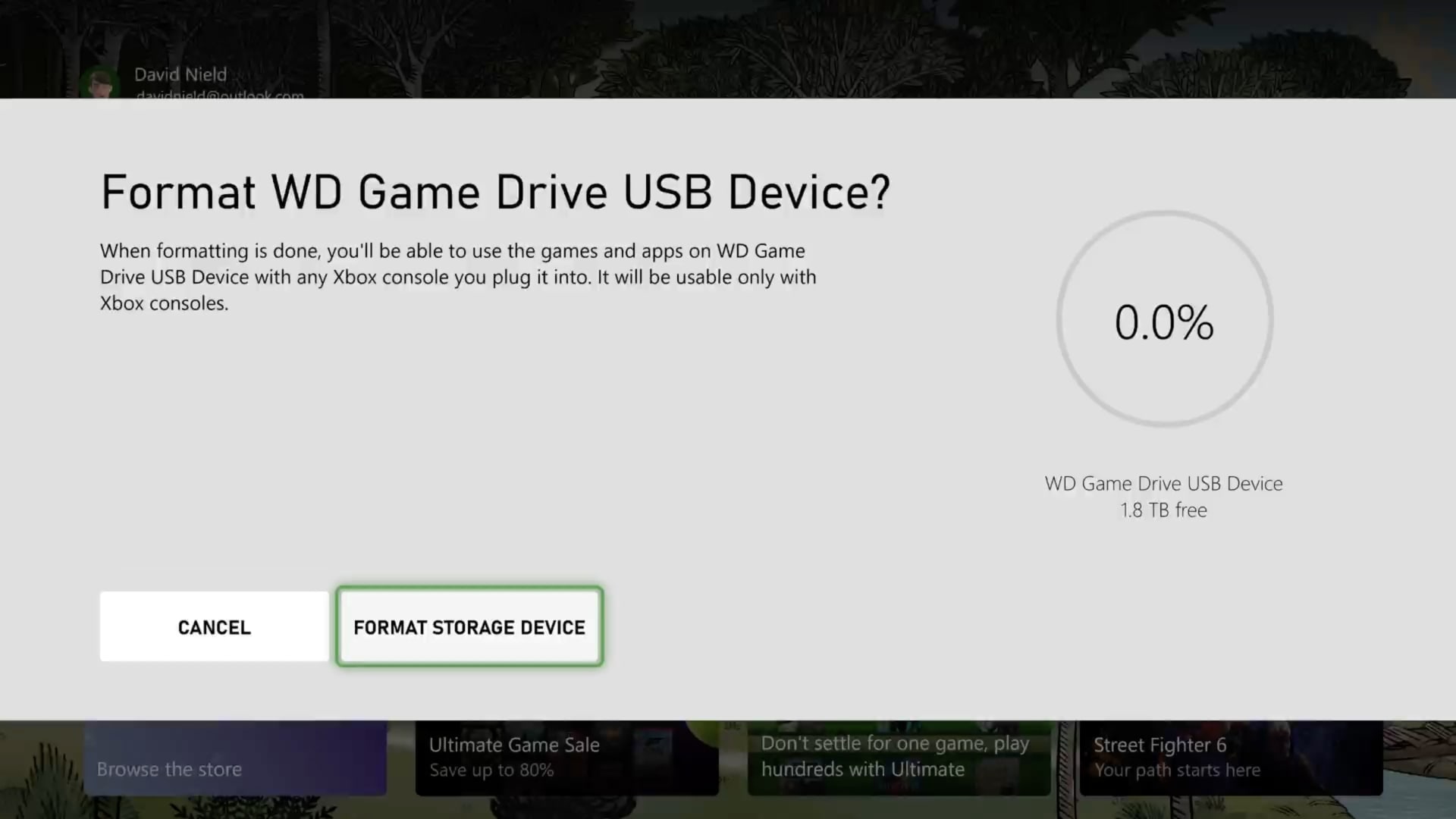
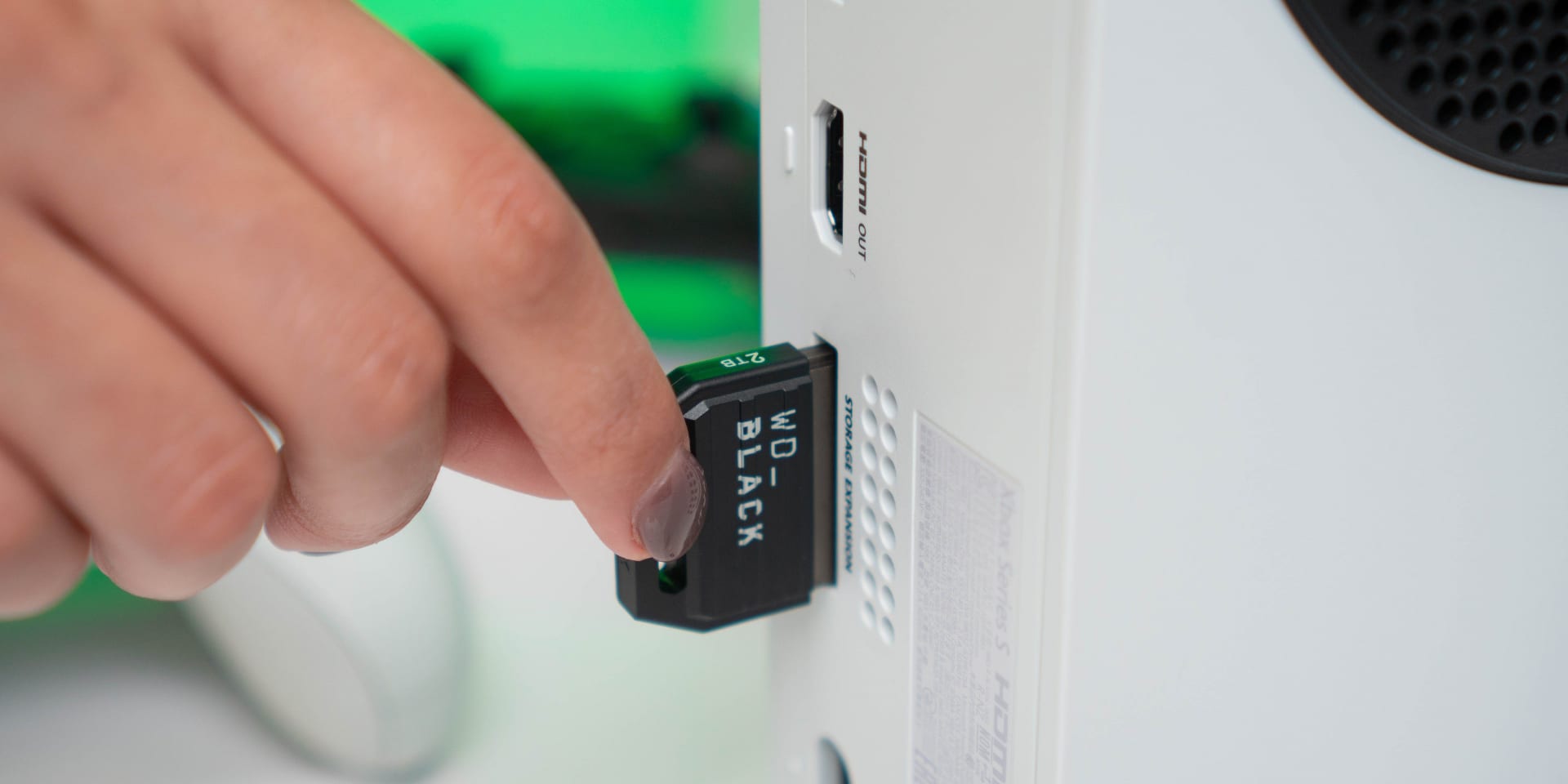
Push the card in firmly until it clicks. It is keyed and only fits one way. The console recognises it immediately and no formatting step is required — it appears in Settings → System → Storage ready to use.
You can hot-swap cards, though the console will warn you if a game is installed on the one you remove. Games do not need reinstalling when a card is put back.
Setting Up an External USB Drive
Any USB 3.0 or later drive of 128 GB or larger will work. The console formats it on first connection and will ask whether you want to use it for games and apps.
An external SSD is worth the extra over a mechanical drive if you play a lot of backwards-compatible titles, because those do run directly from USB and load times track drive speed. If it is purely a cold archive for current-gen games, a cheap mechanical drive is fine — copy speed is limited by the USB link rather than the platters.
Connect it to a rear USB port rather than the front one. The front port is convenient and takes the most physical abuse, and a marginal connection on a storage device is a much worse problem than on a controller.
The Setup Most People Should Actually Buy
One 1 TB or 2 TB certified card, plus a cheap high-capacity external drive.
Keep the games you are actively playing on the internal drive and the card. Keep everything else — finished games, seasonal returns, the backlog — on the external drive, where it costs a fraction as much per terabyte.
When you want to play something from the archive, copy it across. It takes a few minutes rather than the hours a redownload needs, and it uses no bandwidth at all. On a metered or slow connection, that alone can justify the external drive.
Backwards-compatible games can simply live on the external drive permanently and be played from there.
Two practical notes before you fit anything. An unlicensed card in the expansion slot can stop the console booting at all, which people mistake for a dead console — an Xbox Series X that won't turn on covers how to tell. And an external drive stacked on top of a Series X blocks its only exhaust vent, which is the single most common self-inflicted cause of console overheating.
On the interface side, the reason a USB link cannot substitute for the expansion slot is the same bandwidth-and-latency argument that governs PC storage — our PCIe 5 vs PCIe 4 gaming comparison covers where those numbers actually matter and where they do not.
Why Games Are So Large Now
Modern Xbox titles routinely exceed 100 GB, and the reason is mostly uncompressed or lightly compressed audio and high-resolution texture sets shipped at multiple quality levels.
Some games let you delete campaign or multiplayer components separately from Manage Game and Add-ons, which is worth checking before buying storage at all. A shooter you only play multiplayer in may be carrying 40 GB of campaign assets you will never load.
The same pressure exists on PC, where it interacts with graphics memory rather than just disk space — our guide to how much VRAM you need for gaming covers that side, and what to upgrade first in a gaming PC puts storage in context against other upgrades.
Frequently Asked Questions
Can I use any SSD with an Xbox Series X?
Not for current-generation games. Only a certified expansion card that plugs into the dedicated rear slot can run Xbox Series X|S optimized titles, because those games require the latency and throughput of Velocity Architecture. Any USB 3.0 drive can store them and can run backwards-compatible Xbox One, 360 and original Xbox games directly.
What is the difference between an expansion card and an external SSD?
The expansion card connects to a dedicated internal-speed interface on the back of the console and performs identically to the built-in SSD, including Quick Resume support. An external SSD connects over USB, which is too slow for optimized games — it can store them but the console will not launch them until you copy them across.
Which Xbox expansion card is best?
Performance is fixed by the certification, so Seagate and WD cards perform identically and you should buy on price per terabyte. Seagate offers the widest range including the only 4 TB option; the WD Black C50 is often better value at 1 TB and 2 TB. Avoid 512 GB, which three or four modern games will fill.
Can I play Xbox One games from an external hard drive?
Yes. Backwards-compatible titles — Xbox One, Xbox 360 and original Xbox games — run directly from a USB drive with no need to copy them across. Only Xbox Series X|S optimized games are restricted to internal storage and certified expansion cards.
Do I need to format an Xbox expansion card?
No. The card is recognised immediately when inserted and appears in Settings → System → Storage ready to use. External USB drives are different — the console formats those on first connection and will ask whether you want to use the drive for games and apps.
Is it worth using both a card and an external drive?
For most people, yes, and it is the cheapest sensible setup. Keep active games on the internal drive and the card, and archive everything else on a high-capacity external drive. Copying a game back takes minutes rather than the hours a redownload needs, and uses no bandwidth.
The Bottom Line
The whole decision comes down to one line: certified cards run current-gen games, USB drives store them. Everything else follows from that.
Buy a 1 TB or 2 TB licensed card from whichever of Seagate or WD is cheaper per terabyte — they perform identically, so there is no reason to pay more. Then add a cheap external drive as a cold archive for the backlog and for backwards-compatible titles, which run from USB perfectly well.
Skip the 512 GB cards. Three modern games will fill one, and the price per terabyte is the worst in the range.
Product photography courtesy of Microsoft, Seagate, Western Digital and the respective publications, used for editorial coverage.
Sources
- Xbox Support, Manage storage with external drives on Xbox, retrieved 2026-08-09, https://support.xbox.com/en-US/help/hardware-network/storage/manage-storage-with-external-drives
- Xbox, Xbox Series X console overview and Velocity Architecture, retrieved 2026-08-09, https://www.xbox.com/en-US/consoles/xbox-series-x
- GamesRadar, Best Xbox Series X hard drive, SSD, and memory card solutions in 2026, retrieved 2026-08-09, https://www.gamesradar.com/best-xbox-series-x-external-hard-drives-storage-memory-cards/
- iFixit, Xbox Series X device page and repair guides, retrieved 2026-08-09, https://www.ifixit.com/Device/Xbox_Series_X
- Xbox Support, How to position and ventilate your console, retrieved 2026-08-09, https://support.xbox.com/en-US/help/hardware-network/console/position-ventilate-console