A typical mid-range gaming PC costs roughly $8 a month to run in the US at four hours of gaming a day. A high-end build with a flagship GPU lands nearer $15. Those numbers surprise people in both directions — far less than the "gaming PCs are power hogs" reputation suggests, and far more than the "it's just a computer" dismissal.
The arithmetic is simple. What trips people up is using the wrong wattage, because the number on your power supply is not the number on your bill.
Note
Key Takeaways
- The formula is watts ÷ 1000 × hours × price per kWh. Everything else is finding the right watts.
- Your PSU's rating is not your consumption. A 1000W unit powering a 400W load draws about 440W from the wall.
- Mid-range gaming draws 300–400W at the wall; a flagship build 600–750W.
- Idle is the hidden cost. A PC left on 24/7 at 60W burns about 43kWh a month before you play anything.
- Sleep costs almost nothing — a few watts. Shutting down instead of sleeping saves pennies, not dollars.
- A frame cap is the single most effective efficiency change, because uncapped menus draw near-peak power for no benefit.
The Formula
Electricity is billed by the kilowatt-hour: one thousand watts drawn for one hour. Everything reduces to that.
Monthly cost = (average watts ÷ 1000) × hours per day × 30 × price per kWh
Take a system averaging 400W at the wall, played four hours a day, on US power at roughly 17 cents per kWh:
400 ÷ 1000 = 0.4 kW → 0.4 × 4 = 1.6 kWh per day → 1.6 × 30 = 48 kWh per month → 48 × $0.17 = $8.16 per month.
That is the whole calculation. The rest of this article is about getting the two variables that actually vary — your wattage and your rate — closer to reality.
Your PSU Rating Is Not Your Consumption
This is the single most common error, and it inflates people's estimates by two or three times.
A power supply's rating is its maximum deliverable output, not its draw. An 850W unit in a system that pulls 400W delivers 400W. It does not consume 850W, and it does not consume 850W when idle either.
There is one adjustment worth making: efficiency. A PSU converts AC from the wall to DC for your components, and loses some as heat. An 80 Plus Gold unit is around 90% efficient at typical load, so delivering 400W to components means drawing about 444W from the wall. That difference — roughly 10% — is the only sense in which your PSU adds to the bill.
Higher efficiency tiers narrow that gap slightly. They do not narrow it enough to pay for themselves quickly at typical gaming hours, which is worth knowing before you spend the upgrade money. If you are sizing a unit rather than costing one, the transient-spike problem covered in how many watts your gaming PC actually needs is the more important consideration.
Realistic Wattages By Build
These are wall-draw figures for the whole system under gaming load, including PSU losses but not the monitor.
| Build tier | Gaming draw | Idle draw |
|---|---|---|
| Entry / integrated graphics | 90–150W | 30–45W |
| Budget discrete (60-class GPU) | 220–300W | 45–65W |
| Mid-range (70-class GPU) | 320–420W | 55–75W |
| High-end (80-class GPU) | 450–600W | 65–90W |
| Flagship (90-class GPU) | 600–800W | 75–110W |
Add 20–50W for a monitor, more for a large high-brightness panel, and a few watts for peripherals. A second display roughly doubles the display figure — and costs you frames as well, for reasons covered in why a second monitor kills your FPS.
Info
These are averages under load, not peaks. Modern GPUs spike well above their sustained figure for fractions of a millisecond. Those transients matter enormously for PSU sizing and not at all for your bill, because energy billing integrates over time and a sub-millisecond spike contributes almost nothing.
What It Costs Where You Live
Electricity price varies more than hardware does. The same system can cost three times as much to run depending on the meter it is plugged into.
United States — around $8/month
At roughly 17¢ per kWh national average. State variation is wide: low-cost states land nearer $5, while the most expensive approach $20.
United Kingdom — around £12/month
At roughly 25p per kWh under the domestic cap. Standing charges are separate and do not scale with usage.
Germany — around €19/month
At roughly 40 cents per kWh, among the highest residential rates in Europe.
Canada — around C$7/month
At roughly 13 Canadian cents per kWh, with heavy provincial variation.
Australia — around A$16/month
At roughly 33 Australian cents per kWh.
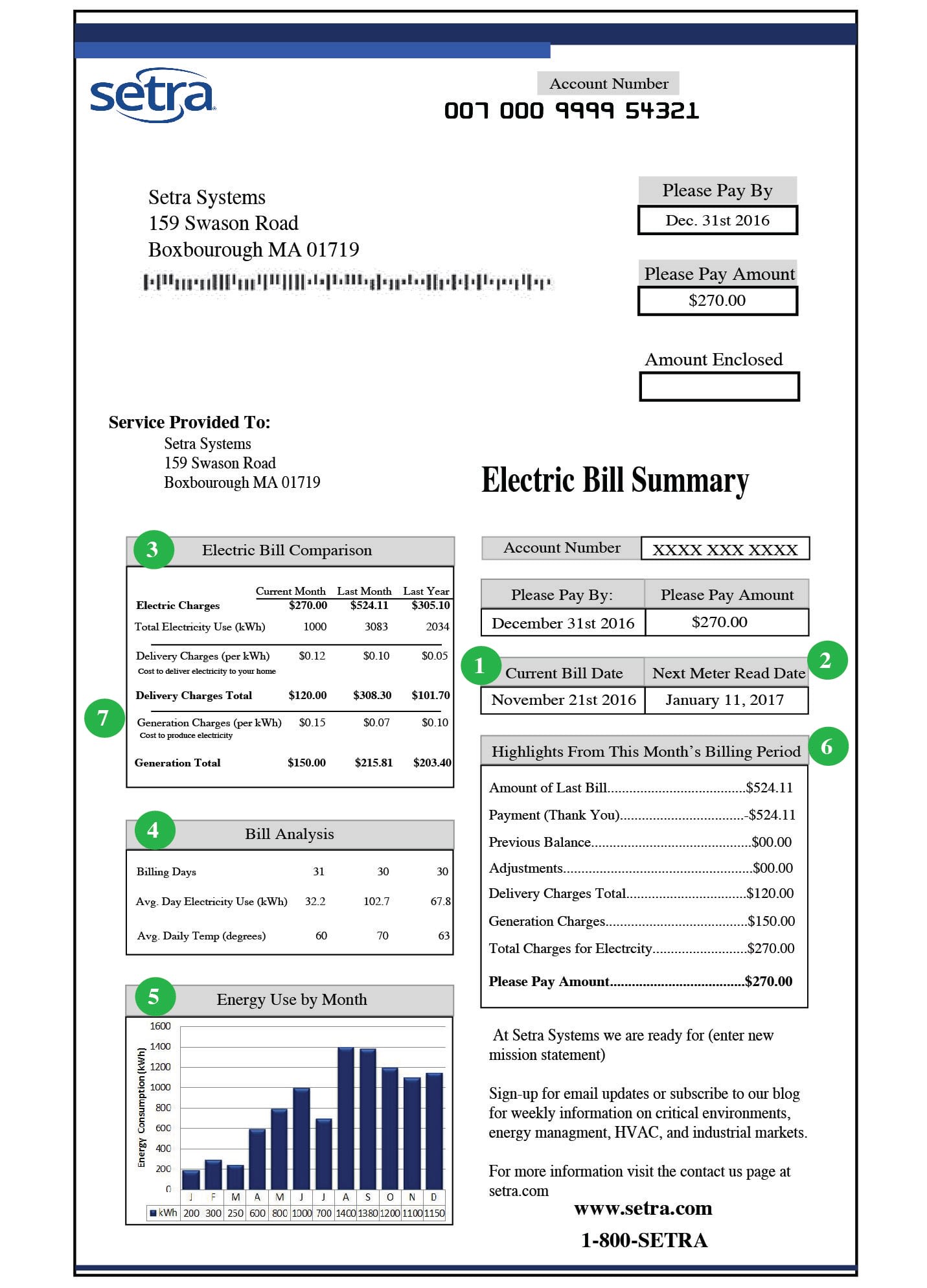
Find your actual rate on your bill rather than using a national average. It is usually printed as a unit rate in cents or pence per kWh, and it is frequently different from what people assume, especially on time-of-use tariffs where evening gaming is billed at the peak rate.
The Cost Nobody Counts: Idle
Here is where the real money hides, and it has nothing to do with how demanding your games are.
A gaming PC left on around the clock at 60W idle draws 43kWh a month — around $7.30 in the US, £11 in the UK — before you play a single game. For many people that is more than their actual gaming consumption, because four hours of play a day is four hours and idle is the other twenty.
The fixes cost nothing:
Sleep instead of leaving it on. Modern sleep states draw a few watts. The difference between 60W idle and 3W sleep over twenty hours a day is roughly 34kWh a month.
Do not shut down to save power. Once you are sleeping, the remaining gap between sleep and full shutdown is small enough to be irrelevant — a matter of cents. Shut down for other reasons if you like, but not for the bill.
Check what is keeping it awake. Scheduled tasks, wake timers and network activity routinely prevent sleep. If your machine never seems to sleep, that is where the money is going.
Watch idle draw on multi-monitor setups. Mismatched refresh rates can pin a GPU's memory clock at maximum on the desktop, which raises idle draw meaningfully on top of the frame rate cost.
Cutting the Number Without Losing Frames
Three changes do almost all the useful work, and none of them cost performance you will notice.
Cap your frame rate. This is the big one. An uncapped menu or loading screen renders at four-figure frame rates and draws close to peak power to produce frames nobody sees. A driver-level cap a few frames below your refresh rate eliminates that entirely. It also silences most cases of the noise problem covered in GPU coil whine, so you get two results from one setting.
Undervolt the GPU. Published results cluster around 30–60W lower draw for a 0–2% performance change, with lower temperatures as a bonus. Over a year of regular gaming that is a real, if modest, saving — and the quieter, cooler operation is worth more than the money.
Pull the power limit back 5–10%. Cruder than undervolting and nearly as effective. Modern GPUs boost deep into diminishing returns at the top of their curve, so the last slice of power buys very little frame rate.
Tip
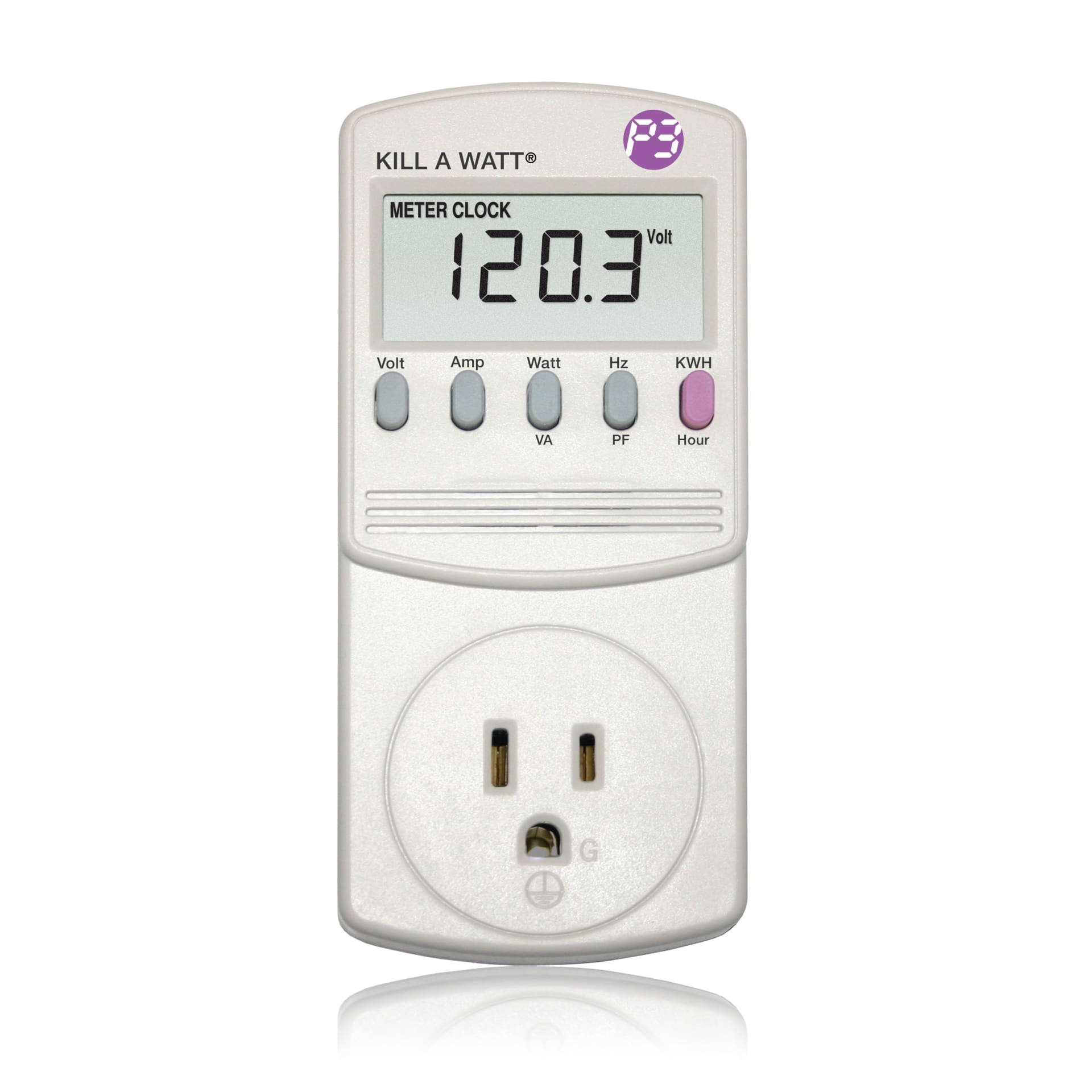
Buy a $15 plug-in power meter before you optimise anything. Every wattage figure in this article is an estimate of a category; a meter tells you what your machine does, idle and loaded, in about a minute. It is the only way to know whether you are the 320W case or the 480W case.
How It Compares To Everything Else
Context helps, because gaming PCs attract a reputation their consumption does not really earn.
A 400W gaming session for four hours uses 1.6kWh. For rough comparison, that is in the same territory as running a typical electric kettle for well under an hour, or an older incandescent-lit room for an evening — and considerably less than most electric heating, cooking or laundry appliances over the same period.
A games console under load draws roughly 200W, so a console costs around half what a mid-range PC does per hour. Real, but on a $4-a-month difference.
The honest framing: your gaming PC is not a significant line on your electricity bill unless you leave it running 24/7. Total cost of ownership is dominated by the hardware, not the power — the purchase side of that equation is in how much a gaming PC costs, and the replacement cycle in how long a gaming PC lasts.
When Running Costs Should Change a Decision
There are a few genuine cases.
Mining, rendering or 24/7 compute. Sustained full-load operation changes the arithmetic completely. 600W around the clock is 432kWh a month, which is a real bill in any country.
Very high electricity rates. Above roughly 40 cents per kWh, an efficiency-focused build stops being a hobbyist preference and starts paying for itself.
Heat as the actual constraint. A 600W system is a 600W space heater. In a small room in summer, the air conditioning cost of removing that heat can exceed the cost of generating it. This is the argument for efficiency that people underweight most.
Off-grid or battery-backed setups. Here every watt matters directly, and undervolting is not optional.
Outside those, choose components on performance and noise. The power difference between a good build and an efficient one is worth a few dollars a month, and you will notice the frame rate every day.
Frequently Asked Questions
How much electricity does a gaming PC use per hour?
A mid-range gaming PC draws roughly 320–420W at the wall under load, so about 0.4kWh per hour. At the US average of around 17 cents per kWh, that is about 7 cents an hour. A flagship build drawing 700W costs roughly 12 cents an hour.
Does a bigger power supply use more electricity?
No. A power supply's rating is the maximum it can deliver, not what it draws. An 850W unit powering a 400W system draws about 440W from the wall, the extra being conversion losses. Efficiency rating affects that overhead slightly; capacity does not affect it at all.
Is it cheaper to sleep or shut down my gaming PC?
Shutting down is marginally cheaper, but the gap is a matter of cents per month because modern sleep states draw only a few watts. The meaningful saving is between leaving it fully awake at 60W and sleeping it — that is worth several dollars a month, and it happens automatically.
How much does it cost to leave a gaming PC on 24/7?
At a typical 60W idle, about 43kWh a month — roughly $7.30 in the US or £11 in the UK, before any gaming. For many people that exceeds the cost of their actual play time, which makes enabling sleep the single highest-value change available.
Does capping FPS reduce power consumption?
Substantially, especially outside gameplay. Uncapped menus and loading screens render at four-figure frame rates and pull near-peak power for frames nobody sees. A driver-level cap set a few frames below your refresh rate removes that waste and also reduces coil whine and heat.
Do gaming PCs use more electricity than consoles?
Yes, roughly double. A console draws around 200W under load against 320–420W for a mid-range PC. At four hours a day on US rates that difference is about $4 a month, which is rarely the deciding factor in the purchase.
The Bottom Line
Run the formula with your own rate and a measured wattage and the answer is almost always smaller than expected: around $8 a month for a mid-range build at four hours a day, around $15 for a flagship.
The number that deserves attention is not the one from gaming. It is the twenty hours a day the machine spends doing nothing. Enable sleep, cap your frame rate at the driver level, and if you want to go further, undervolt — that combination cuts both the idle and the peak without costing you frames you would notice.
Then stop thinking about it and buy the parts on performance, because the hardware costs more in one purchase than the power will over years of use.
Component and interface photography courtesy of the respective manufacturers and publications, used for editorial coverage.
Sources
- U.S. Energy Information Administration, Electric Power Monthly — average retail price of electricity, retrieved 2026-08-02, https://www.eia.gov/electricity/monthly/epm_table_grapher.php
- Ofgem, Energy price cap — unit rates and standing charges, retrieved 2026-08-02, https://www.ofgem.gov.uk/energy-price-cap
- CLEAResult / 80 PLUS, 80 PLUS certified power supply efficiency levels, retrieved 2026-08-02, https://www.clearesult.com/80plus/
- Tom's Hardware, GPU power consumption tested: measuring real draw at the wall, retrieved 2026-08-02, https://www.tomshardware.com/reviews/gpu-power-consumption-tested
- PCWorld, How to undervolt your graphics card, retrieved 2026-08-02, https://www.pcworld.com/article/606762/how-to-undervolt-your-graphics-card.html